Summarize with AI

Where render time quietly becomes the whole product 

An AI video generation app lives or dies on how long a user waits and what they get back. This guide covers the architecture, render cost, and timeline behind shipping one well. 

What an AI Video Generation App Actually Does 

An AI video generation app turns a short prompt, a photo, or a template choice into a finished video clip using a generative model. The output is usually a few seconds to a minute long, styled around a preset such as cinematic, anime, or a template built for a specific mood. The app itself handles the prompt input, the render queue, a preview or progress screen, and export to social platforms. The global AI video generator market is projected to reach 946 million dollars in 2026, according to Grand View Research, growing at a 20.3 percent compound annual rate through 2033. That growth is pulling in far more teams than the render infrastructure behind most consumer apps was built to handle. Video generation is far more compute intensive than photo generation. That single fact shapes the product decisions that matter most. How the queue is shown, how long a user will tolerate it, and what happens when the result misses the mark all follow from it. 

Young woman entering a video generation prompt on a dark-mode interface

The Three Ways to Power Video Generation 

Every AI video app routes generation through one of three architectures, and video's render cost makes this choice heavier than it is for photo apps. 

Approach 

Best for 

Tradeoff 

Managed generative video API 

Fast launch, broad style range 

Per second render fees, longer queue times 

Template constrained generation 

Predictable output, faster renders 

Less creative range per template 

Fine tuned hosted model 

A distinct visual signature 

Setup time, ongoing hosting cost 

Open ended prompt to video lets a user type anything and get a full generative render. It gives the widest range of output, but also the least predictable render time and quality. Template constrained generation, where the AI fills in a defined structure rather than generating from a blank prompt, trades some creative range for faster, more consistent renders. Motion and Muse both lean on this second approach: style presets and ready templates that guide composition, duration, and pacing so the generative model has less to improvise. On device video generation is not a realistic option at consumer mobile quality in 2026. The compute demand is high enough that even fast managed APIs need a visible queue, so a phone class chip cannot do it locally at a usable speed. 

Matching the architecture to the product goal matters more than chasing the most open ended option: 

  • Choose a managed generative video API when the app needs a wide creative range and the team can design around a real render queue 

  • Choose template constrained generation when speed and predictable quality matter more than letting users type anything, which is what keeps Motion's first result appearing almost instantly 

  • Choose a fine tuned hosted model only when the brand needs a visual signature that no template or general model can reproduce 

How to Scope the First Version 

Most AI video apps fail on render economics, not on visual quality. A narrow first version keeps both the wait time and the cost per generation predictable while the team learns real usage patterns. 

  • Pick one output length and one family of styles or templates, and treat anything longer or more open ended as a later version 

  • Design the queue and progress screen before the generative pipeline, since users forgive a wait they can see progress on far more than a silent one 

  • Decide the moderation policy for video content specifically, since a person can say or show something across frames that a single still image check would miss 

Teams that start with an open ended "type anything, get any video" pitch usually narrow the scope after launch anyway. Real render costs and real moderation gaps force the same decision the second time, only later and more expensively. 

What a Realistic Build Timeline Looks Like 

A build in this category typically runs two to six months depending on how open ended the generation is. Four stages make up that window, and each one carries a different risk if it gets rushed. 

  • Discovery and scope, where the team locks the style or template set, the output length, and the moderation policy before any screen gets designed 

  • Core build, the largest block on the calendar, where the prompt input, render queue, and progress screen come together against that locked scope 

  • Moderation and load testing, run alongside the tail of the core build, since a render queue that has never seen a traffic spike is not a tested queue 

  • Launch and monitor, the first two to three weeks live, when real prompts and real queue depth surface issues no test environment fully replicates 

Skipping the load testing stage is the most common reason a promising demo turns into a queue that falls over during its first real spike. 
Diverse team monitoring abstract video render dashboards in a control room
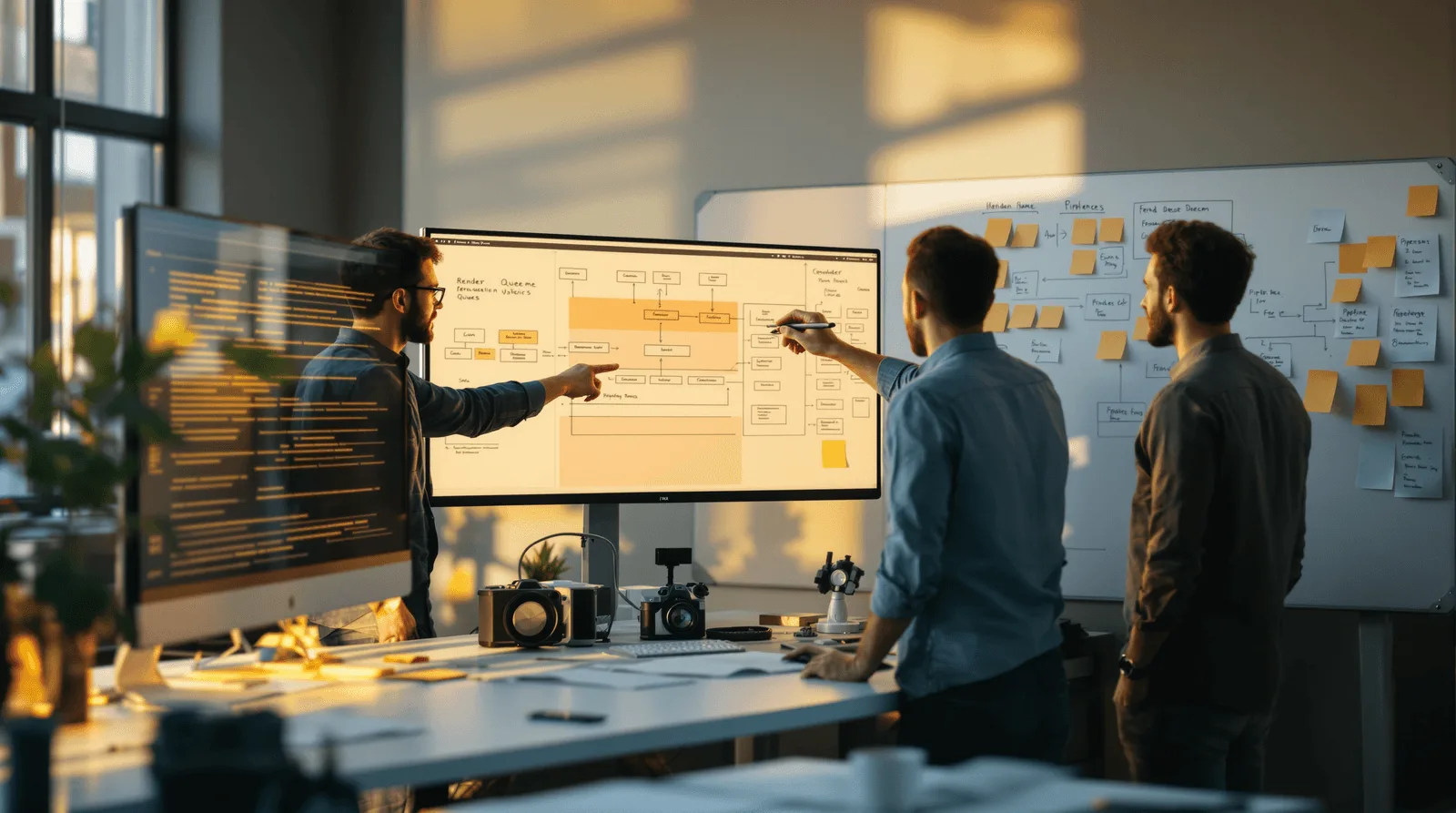
Engineering team reviewing AI video generation render pipeline diagrams

Four Things That Move the Budget and Timeline 

These four factors move the budget on an AI video generation app more than anything else in the brief: 

  • Output length, since render cost on most providers scales with seconds of video, not with the number of generations, so a 15 second clip can cost several times more than a 5 second one 

  • The number of style presets or templates, since Motion's one tap mood change and Muse's template library both needed their own tuning and preview pass per style 

  • Queue depth at launch, since video renders take longer per job than photo generations, so the same user spike creates a deeper backlog 

  • Whether the team ships one Flutter codebase or two native ones, which affects timeline more than cost on most builds in this category 

Neon Apps shipped Motion in two months and Muse in about a year, and the gap between them is almost entirely about scope. Motion shipped with a fixed set of style presets and one clear prompt to video flow. Muse supported free form prompts, templates, and both photo and video output, which meant far more surface area to test and tune before launch. 

What This Costs Beyond the Build Fee 

The build fee covers the app. A separate, usage based cost starts the day real users start generating video. 

  • Per second render fees, which typically run from 5 to 75 cents per second of generated video depending on the provider and quality tier, according to 2026 pricing comparisons across Runway, Kling, and Luma 

  • Queue infrastructure that scales with concurrent renders, not with downloads, since video jobs hold compute for much longer than a photo generation does 

  • Moderation review for video specifically, which usually costs more per item than photo moderation since a reviewer may need to watch the full clip, not glance at one frame 

A 10 second clip at a mid tier provider can cost more than an entire batch of photo generations. That is why the paywall and any free tier limits need to be modeled against seconds of output, not against a flat number of generations. 
Product team reviewing AI video generation render queue on monitor

Where These Apps Break in Production 

The generative model rarely causes the failure. The queue, the cost model, and the moderation policy do. 

  • Queue collapse, since a viral moment can multiply concurrent render jobs faster than most autoscaling configurations expect for a video workload 

  • Silent cost overrun, since per second pricing that looked fine in testing can multiply fast once users start requesting longer clips 

  • Moderation gaps, since a frame level photo check does not catch everything that can appear or be implied across a full video 

  • Abandonment during the wait, since users who do not see visible progress during a render assume the app has frozen and leave before the result even finishes 

None of this shows up in a demo run by the team that built it. It shows up during the first real traffic spike, once prompts nobody tested and a queue depth nobody modeled hit the system at the same time. A queue that looked instant during a walkthrough with five test users can look completely different at five hundred. That is why load testing and moderation review belong in the build plan before launch, not as a fast follow after the first real problem. 

AI Video and Photo Apps We Have Shipped 

Neon Apps has shipped two consumer facing apps in this category, each with a different scope and a different render approach. 

Project 

Client 

Year 

Build time 

What it solved 

Motion 

Skyloft 

2025 

2 months 

Turns short prompts into videos with instant style presets 

Muse 

Mars Studios 

2023 

1 year 

Generates photos and short videos from free form prompts or templates 

Motion and Muse sit at opposite ends of the same tradeoff. Motion narrows the input to a prompt plus a style preset, so the first result appears almost instantly and the one year build cycle Muse needed never became a factor. The app also suggests prompts for users who are not sure what to type, which keeps the input step as fast as the render itself. Muse went the other way, supporting free form prompts alongside ready templates, and covering both photo and video output from the same pipeline. Ready made templates inside Muse manage composition, duration, and pacing automatically, so the generative model has a defined structure to fill even when the user's own prompt is loose. Export was built around where the content was actually going. One tap sends a finished clip straight to TikTok, Reels, or Shorts, instead of leaving the user to save the file and upload it again manually. That wider scope, spanning two output types and two input modes, is exactly why Muse took roughly six times longer to ship than Motion did. Planning the feature development roadmap around a template constrained first version keeps a timeline like Motion's short. Open ended generation can always follow later as an addition rather than a launch requirement. 
FAQ

What is an AI video generation app?

What does Neon Apps bring to an AI video app project?

Should the first version support free form prompts or templates only?

How does Neon Apps scope a video generation project?

How long and how much does an AI video generation app cost?

Stay Inspired

Get fresh design insights, articles, and resources delivered straight to your inbox.

Get stories, insights, and updates from the Neon Apps team straight to your inbox.

Latest Blogs

Stay Inspired

Get stories, insights, and updates from the Neon Apps team straight to your inbox.

Got a project?

Let's Connect

Got a project? We build world-class mobile and web apps for startups and global brands.

Contact

Email
support@neonapps.co

Whatsapp
+90 552 733 43 99

Address

New York Office : 31 Hudson Yards, 11th Floor 10065 New York / United States

Istanbul Office : Huzur Mah. Fazıl Kaftanoğlu Caddesi No:7 Kat:10 Sarıyer/Istanbul

© Copyright 2025. All Rights Reserved by Neon Apps

Neon Apps is a product development company building mobile, web, and SaaS products with an 85-member in-house team in Istanbul and New York, delivering scalable products as a long-term development partner.

Summarize with AI

Where render time quietly becomes the whole product 

An AI video generation app lives or dies on how long a user waits and what they get back. This guide covers the architecture, render cost, and timeline behind shipping one well. 

What an AI Video Generation App Actually Does 

An AI video generation app turns a short prompt, a photo, or a template choice into a finished video clip using a generative model. The output is usually a few seconds to a minute long, styled around a preset such as cinematic, anime, or a template built for a specific mood. The app itself handles the prompt input, the render queue, a preview or progress screen, and export to social platforms. The global AI video generator market is projected to reach 946 million dollars in 2026, according to Grand View Research, growing at a 20.3 percent compound annual rate through 2033. That growth is pulling in far more teams than the render infrastructure behind most consumer apps was built to handle. Video generation is far more compute intensive than photo generation. That single fact shapes the product decisions that matter most. How the queue is shown, how long a user will tolerate it, and what happens when the result misses the mark all follow from it. 

Young woman entering a video generation prompt on a dark-mode interface

The Three Ways to Power Video Generation 

Every AI video app routes generation through one of three architectures, and video's render cost makes this choice heavier than it is for photo apps. 

Approach 

Best for 

Tradeoff 

Managed generative video API 

Fast launch, broad style range 

Per second render fees, longer queue times 

Template constrained generation 

Predictable output, faster renders 

Less creative range per template 

Fine tuned hosted model 

A distinct visual signature 

Setup time, ongoing hosting cost 

Open ended prompt to video lets a user type anything and get a full generative render. It gives the widest range of output, but also the least predictable render time and quality. Template constrained generation, where the AI fills in a defined structure rather than generating from a blank prompt, trades some creative range for faster, more consistent renders. Motion and Muse both lean on this second approach: style presets and ready templates that guide composition, duration, and pacing so the generative model has less to improvise. On device video generation is not a realistic option at consumer mobile quality in 2026. The compute demand is high enough that even fast managed APIs need a visible queue, so a phone class chip cannot do it locally at a usable speed. 

Matching the architecture to the product goal matters more than chasing the most open ended option: 

  • Choose a managed generative video API when the app needs a wide creative range and the team can design around a real render queue 

  • Choose template constrained generation when speed and predictable quality matter more than letting users type anything, which is what keeps Motion's first result appearing almost instantly 

  • Choose a fine tuned hosted model only when the brand needs a visual signature that no template or general model can reproduce 

How to Scope the First Version 

Most AI video apps fail on render economics, not on visual quality. A narrow first version keeps both the wait time and the cost per generation predictable while the team learns real usage patterns. 

  • Pick one output length and one family of styles or templates, and treat anything longer or more open ended as a later version 

  • Design the queue and progress screen before the generative pipeline, since users forgive a wait they can see progress on far more than a silent one 

  • Decide the moderation policy for video content specifically, since a person can say or show something across frames that a single still image check would miss 

Teams that start with an open ended "type anything, get any video" pitch usually narrow the scope after launch anyway. Real render costs and real moderation gaps force the same decision the second time, only later and more expensively. 

What a Realistic Build Timeline Looks Like 

A build in this category typically runs two to six months depending on how open ended the generation is. Four stages make up that window, and each one carries a different risk if it gets rushed. 

  • Discovery and scope, where the team locks the style or template set, the output length, and the moderation policy before any screen gets designed 

  • Core build, the largest block on the calendar, where the prompt input, render queue, and progress screen come together against that locked scope 

  • Moderation and load testing, run alongside the tail of the core build, since a render queue that has never seen a traffic spike is not a tested queue 

  • Launch and monitor, the first two to three weeks live, when real prompts and real queue depth surface issues no test environment fully replicates 

Skipping the load testing stage is the most common reason a promising demo turns into a queue that falls over during its first real spike. 

Diverse team monitoring abstract video render dashboards in a control room
Engineering team reviewing AI video generation render pipeline diagrams

Four Things That Move the Budget and Timeline 

These four factors move the budget on an AI video generation app more than anything else in the brief: 

  • Output length, since render cost on most providers scales with seconds of video, not with the number of generations, so a 15 second clip can cost several times more than a 5 second one 

  • The number of style presets or templates, since Motion's one tap mood change and Muse's template library both needed their own tuning and preview pass per style 

  • Queue depth at launch, since video renders take longer per job than photo generations, so the same user spike creates a deeper backlog 

  • Whether the team ships one Flutter codebase or two native ones, which affects timeline more than cost on most builds in this category 

Neon Apps shipped Motion in two months and Muse in about a year, and the gap between them is almost entirely about scope. Motion shipped with a fixed set of style presets and one clear prompt to video flow. Muse supported free form prompts, templates, and both photo and video output, which meant far more surface area to test and tune before launch. 

What This Costs Beyond the Build Fee 

The build fee covers the app. A separate, usage based cost starts the day real users start generating video. 

  • Per second render fees, which typically run from 5 to 75 cents per second of generated video depending on the provider and quality tier, according to 2026 pricing comparisons across Runway, Kling, and Luma 

  • Queue infrastructure that scales with concurrent renders, not with downloads, since video jobs hold compute for much longer than a photo generation does 

  • Moderation review for video specifically, which usually costs more per item than photo moderation since a reviewer may need to watch the full clip, not glance at one frame 

A 10 second clip at a mid tier provider can cost more than an entire batch of photo generations. That is why the paywall and any free tier limits need to be modeled against seconds of output, not against a flat number of generations. 

Product team reviewing AI video generation render queue on monitor

Where These Apps Break in Production 

The generative model rarely causes the failure. The queue, the cost model, and the moderation policy do. 

  • Queue collapse, since a viral moment can multiply concurrent render jobs faster than most autoscaling configurations expect for a video workload 

  • Silent cost overrun, since per second pricing that looked fine in testing can multiply fast once users start requesting longer clips 

  • Moderation gaps, since a frame level photo check does not catch everything that can appear or be implied across a full video 

  • Abandonment during the wait, since users who do not see visible progress during a render assume the app has frozen and leave before the result even finishes 

None of this shows up in a demo run by the team that built it. It shows up during the first real traffic spike, once prompts nobody tested and a queue depth nobody modeled hit the system at the same time. A queue that looked instant during a walkthrough with five test users can look completely different at five hundred. That is why load testing and moderation review belong in the build plan before launch, not as a fast follow after the first real problem. 

AI Video and Photo Apps We Have Shipped 

Neon Apps has shipped two consumer facing apps in this category, each with a different scope and a different render approach. 

Project 

Client 

Year 

Build time 

What it solved 

Motion 

Skyloft 

2025 

2 months 

Turns short prompts into videos with instant style presets 

Muse 

Mars Studios 

2023 

1 year 

Generates photos and short videos from free form prompts or templates 

Motion and Muse sit at opposite ends of the same tradeoff. Motion narrows the input to a prompt plus a style preset, so the first result appears almost instantly and the one year build cycle Muse needed never became a factor. The app also suggests prompts for users who are not sure what to type, which keeps the input step as fast as the render itself. Muse went the other way, supporting free form prompts alongside ready templates, and covering both photo and video output from the same pipeline. Ready made templates inside Muse manage composition, duration, and pacing automatically, so the generative model has a defined structure to fill even when the user's own prompt is loose. Export was built around where the content was actually going. One tap sends a finished clip straight to TikTok, Reels, or Shorts, instead of leaving the user to save the file and upload it again manually. That wider scope, spanning two output types and two input modes, is exactly why Muse took roughly six times longer to ship than Motion did. Planning the feature development roadmap around a template constrained first version keeps a timeline like Motion's short. Open ended generation can always follow later as an addition rather than a launch requirement. 

FAQ

What is an AI video generation app?

What does Neon Apps bring to an AI video app project?

Should the first version support free form prompts or templates only?

How does Neon Apps scope a video generation project?

How long and how much does an AI video generation app cost?

Stay Inspired

Get fresh design insights, articles, and resources delivered straight to your inbox.

Get stories, insights, and updates from the Neon Apps team straight to your inbox.

Latest Blogs

Stay Inspired

Get stories, insights, and updates from the Neon Apps team straight to your inbox.

Got a project?

Let's Connect

Got a project? We build world-class mobile and web apps for startups and global brands.

Contact

Email
support@neonapps.co

Whatsapp
+90 552 733 43 99

Address

New York Office : 31 Hudson Yards, 11th Floor 10065 New York / United States

Istanbul Office : Huzur Mah. Fazıl Kaftanoğlu Caddesi No:7 Kat:10 Sarıyer/Istanbul

© Copyright 2025. All Rights Reserved by Neon Apps

Neon Apps is a product development company building mobile, web, and SaaS products with an 85-member in-house team in Istanbul and New York, delivering scalable products as a long-term development partner.

Summarize with AI

Where render time quietly becomes the whole product 

An AI video generation app lives or dies on how long a user waits and what they get back. This guide covers the architecture, render cost, and timeline behind shipping one well. 

What an AI Video Generation App Actually Does 

An AI video generation app turns a short prompt, a photo, or a template choice into a finished video clip using a generative model. The output is usually a few seconds to a minute long, styled around a preset such as cinematic, anime, or a template built for a specific mood. The app itself handles the prompt input, the render queue, a preview or progress screen, and export to social platforms. The global AI video generator market is projected to reach 946 million dollars in 2026, according to Grand View Research, growing at a 20.3 percent compound annual rate through 2033. That growth is pulling in far more teams than the render infrastructure behind most consumer apps was built to handle. Video generation is far more compute intensive than photo generation. That single fact shapes the product decisions that matter most. How the queue is shown, how long a user will tolerate it, and what happens when the result misses the mark all follow from it. 

Young woman entering a video generation prompt on a dark-mode interface

The Three Ways to Power Video Generation 

Every AI video app routes generation through one of three architectures, and video's render cost makes this choice heavier than it is for photo apps. 

Approach 

Best for 

Tradeoff 

Managed generative video API 

Fast launch, broad style range 

Per second render fees, longer queue times 

Template constrained generation 

Predictable output, faster renders 

Less creative range per template 

Fine tuned hosted model 

A distinct visual signature 

Setup time, ongoing hosting cost 

Open ended prompt to video lets a user type anything and get a full generative render. It gives the widest range of output, but also the least predictable render time and quality. Template constrained generation, where the AI fills in a defined structure rather than generating from a blank prompt, trades some creative range for faster, more consistent renders. Motion and Muse both lean on this second approach: style presets and ready templates that guide composition, duration, and pacing so the generative model has less to improvise. On device video generation is not a realistic option at consumer mobile quality in 2026. The compute demand is high enough that even fast managed APIs need a visible queue, so a phone class chip cannot do it locally at a usable speed. 

Matching the architecture to the product goal matters more than chasing the most open ended option: 

  • Choose a managed generative video API when the app needs a wide creative range and the team can design around a real render queue 

  • Choose template constrained generation when speed and predictable quality matter more than letting users type anything, which is what keeps Motion's first result appearing almost instantly 

  • Choose a fine tuned hosted model only when the brand needs a visual signature that no template or general model can reproduce 

How to Scope the First Version 

Most AI video apps fail on render economics, not on visual quality. A narrow first version keeps both the wait time and the cost per generation predictable while the team learns real usage patterns. 

  • Pick one output length and one family of styles or templates, and treat anything longer or more open ended as a later version 

  • Design the queue and progress screen before the generative pipeline, since users forgive a wait they can see progress on far more than a silent one 

  • Decide the moderation policy for video content specifically, since a person can say or show something across frames that a single still image check would miss 

Teams that start with an open ended "type anything, get any video" pitch usually narrow the scope after launch anyway. Real render costs and real moderation gaps force the same decision the second time, only later and more expensively. 

What a Realistic Build Timeline Looks Like 

A build in this category typically runs two to six months depending on how open ended the generation is. Four stages make up that window, and each one carries a different risk if it gets rushed. 

  • Discovery and scope, where the team locks the style or template set, the output length, and the moderation policy before any screen gets designed 

  • Core build, the largest block on the calendar, where the prompt input, render queue, and progress screen come together against that locked scope 

  • Moderation and load testing, run alongside the tail of the core build, since a render queue that has never seen a traffic spike is not a tested queue 

  • Launch and monitor, the first two to three weeks live, when real prompts and real queue depth surface issues no test environment fully replicates 

Skipping the load testing stage is the most common reason a promising demo turns into a queue that falls over during its first real spike. 

Diverse team monitoring abstract video render dashboards in a control room
Engineering team reviewing AI video generation render pipeline diagrams

Four Things That Move the Budget and Timeline 

These four factors move the budget on an AI video generation app more than anything else in the brief: 

  • Output length, since render cost on most providers scales with seconds of video, not with the number of generations, so a 15 second clip can cost several times more than a 5 second one 

  • The number of style presets or templates, since Motion's one tap mood change and Muse's template library both needed their own tuning and preview pass per style 

  • Queue depth at launch, since video renders take longer per job than photo generations, so the same user spike creates a deeper backlog 

  • Whether the team ships one Flutter codebase or two native ones, which affects timeline more than cost on most builds in this category 

Neon Apps shipped Motion in two months and Muse in about a year, and the gap between them is almost entirely about scope. Motion shipped with a fixed set of style presets and one clear prompt to video flow. Muse supported free form prompts, templates, and both photo and video output, which meant far more surface area to test and tune before launch. 

What This Costs Beyond the Build Fee 

The build fee covers the app. A separate, usage based cost starts the day real users start generating video. 

  • Per second render fees, which typically run from 5 to 75 cents per second of generated video depending on the provider and quality tier, according to 2026 pricing comparisons across Runway, Kling, and Luma 

  • Queue infrastructure that scales with concurrent renders, not with downloads, since video jobs hold compute for much longer than a photo generation does 

  • Moderation review for video specifically, which usually costs more per item than photo moderation since a reviewer may need to watch the full clip, not glance at one frame 

A 10 second clip at a mid tier provider can cost more than an entire batch of photo generations. That is why the paywall and any free tier limits need to be modeled against seconds of output, not against a flat number of generations. 

Product team reviewing AI video generation render queue on monitor

Where These Apps Break in Production 

The generative model rarely causes the failure. The queue, the cost model, and the moderation policy do. 

  • Queue collapse, since a viral moment can multiply concurrent render jobs faster than most autoscaling configurations expect for a video workload 

  • Silent cost overrun, since per second pricing that looked fine in testing can multiply fast once users start requesting longer clips 

  • Moderation gaps, since a frame level photo check does not catch everything that can appear or be implied across a full video 

  • Abandonment during the wait, since users who do not see visible progress during a render assume the app has frozen and leave before the result even finishes 

None of this shows up in a demo run by the team that built it. It shows up during the first real traffic spike, once prompts nobody tested and a queue depth nobody modeled hit the system at the same time. A queue that looked instant during a walkthrough with five test users can look completely different at five hundred. That is why load testing and moderation review belong in the build plan before launch, not as a fast follow after the first real problem. 

AI Video and Photo Apps We Have Shipped 

Neon Apps has shipped two consumer facing apps in this category, each with a different scope and a different render approach. 

Project 

Client 

Year 

Build time 

What it solved 

Motion 

Skyloft 

2025 

2 months 

Turns short prompts into videos with instant style presets 

Muse 

Mars Studios 

2023 

1 year 

Generates photos and short videos from free form prompts or templates 

Motion and Muse sit at opposite ends of the same tradeoff. Motion narrows the input to a prompt plus a style preset, so the first result appears almost instantly and the one year build cycle Muse needed never became a factor. The app also suggests prompts for users who are not sure what to type, which keeps the input step as fast as the render itself. Muse went the other way, supporting free form prompts alongside ready templates, and covering both photo and video output from the same pipeline. Ready made templates inside Muse manage composition, duration, and pacing automatically, so the generative model has a defined structure to fill even when the user's own prompt is loose. Export was built around where the content was actually going. One tap sends a finished clip straight to TikTok, Reels, or Shorts, instead of leaving the user to save the file and upload it again manually. That wider scope, spanning two output types and two input modes, is exactly why Muse took roughly six times longer to ship than Motion did. Planning the feature development roadmap around a template constrained first version keeps a timeline like Motion's short. Open ended generation can always follow later as an addition rather than a launch requirement. 

FAQ

What is an AI video generation app?

What does Neon Apps bring to an AI video app project?

Should the first version support free form prompts or templates only?

How does Neon Apps scope a video generation project?

How long and how much does an AI video generation app cost?

Stay Inspired

Get fresh design insights, articles, and resources delivered straight to your inbox.

Get stories, insights, and updates from the Neon Apps team straight to your inbox.

Latest Blogs

Stay Inspired

Get stories, insights, and updates from the Neon Apps team straight to your inbox.

Got a project?

Let's Connect

Got a project? We build world-class mobile and web apps for startups and global brands.

Contact

Email
support@neonapps.co

Whatsapp
+90 552 733 43 99

Address

New York Office : 31 Hudson Yards, 11th Floor 10065 New York / United States

Istanbul Office : Huzur Mah. Fazıl Kaftanoğlu Caddesi No:7 Kat:10 Sarıyer/Istanbul

© Copyright 2025. All Rights Reserved by Neon Apps

Neon Apps is a product development company building mobile, web, and SaaS products with an 85-member in-house team in Istanbul and New York, delivering scalable products as a long-term development partner.