Summarize with AI

Getting paid should not be the hard part 

A freelancer who just finished a project wants to bill the client that day, not fight with a spreadsheet template or a bloated accounting suite built for a finance department. An invoicing app exists to make that one moment fast. This guide covers the architecture, cost, and timeline behind building one people actually open every time they need to get paid. 

What an Invoicing App Actually Does 

An invoicing app lets a freelancer or small team create, send, and track invoices without the overhead of full accounting software. The audience for this is large and growing. More than 70 million Americans now freelance, roughly 44 percent of the workforce, according to 2026 industry research. The billing and invoicing software market as a whole is projected to reach about 19 billion dollars in 2026. The app itself mainly handles the core invoice flow, creating an invoice, adding line items, and getting a PDF into a client's hands. It also handles just enough organization around that flow, client records, product or service items, and simple reports, to keep a freelancer from losing track of who owes what. None of this requires the depth of a bookkeeping platform. It requires making the one task a freelancer does most often, billing a client, take a few taps instead of ten minutes of typing into a template. 

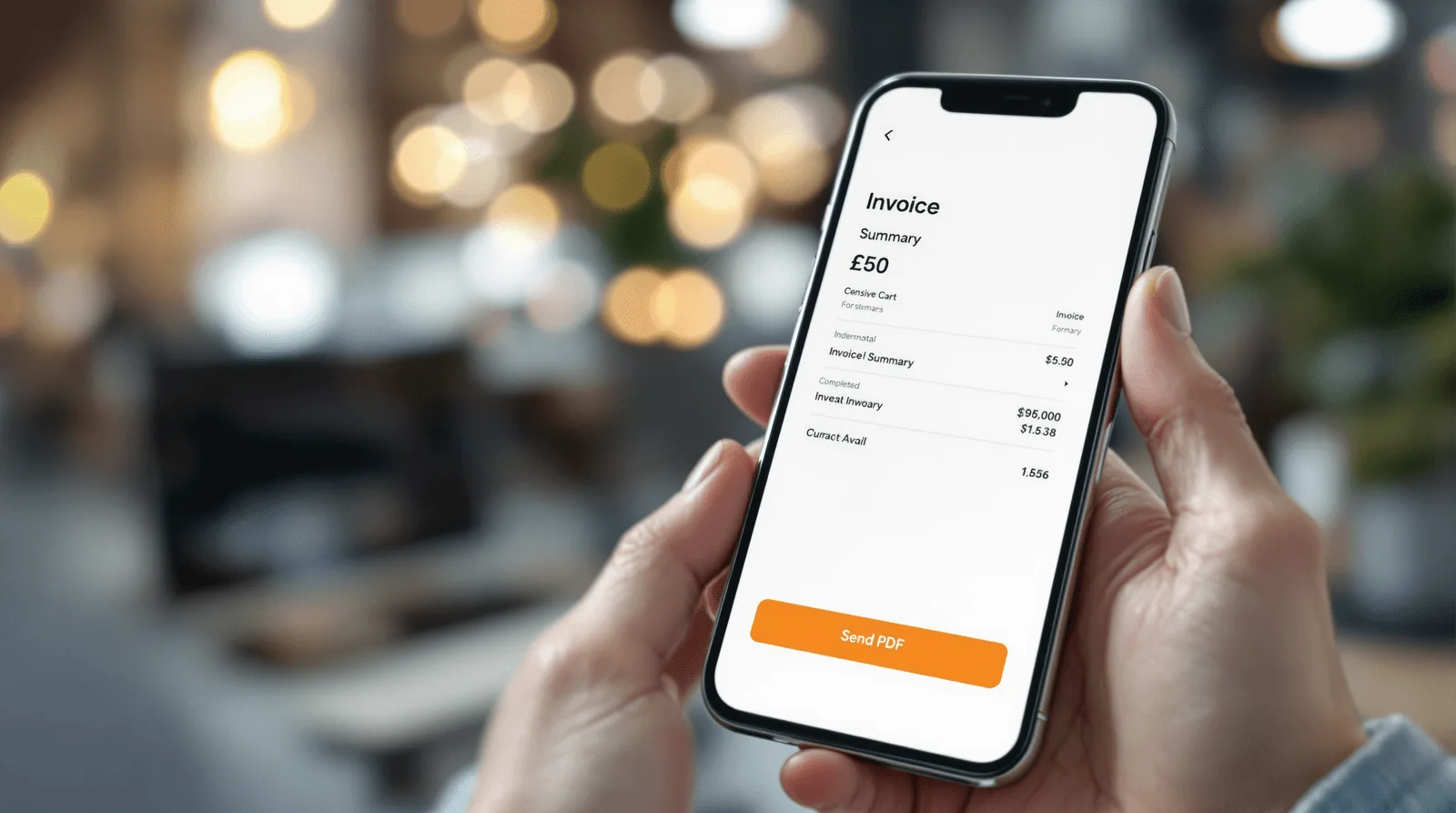
Freelancer woman creating invoice on smartphone with paper receipt

Three Levels of Invoicing Software 

Not every billing tool needs to solve the same problem, and three levels cover most of what freelancers and small teams actually need. 

Level 

Best for 

Tradeoff 

Simple invoicing tool 

Freelancers who mainly need to bill and get paid fast 

Missing expense tracking or deeper reporting many small teams eventually want 

Invoicing plus expense tracking 

Small teams who want a fuller day to day financial picture 

More data model complexity than a pure invoice generator 

Full accounting suite 

Businesses that need tax prep, bookkeeping, and reconciliation 

Often overkill and intimidating for someone who just wants to send one invoice today

Invoice Maker's free tier sits in the first row, built around the core act of billing quickly. Its paid upgrade reaches into the second, adding expenses and status tracking for teams that have outgrown pure invoicing. That structure was deliberate. The free experience never feels like a demo of something bigger, and the paid tier never feels like an unrelated bolt on. 

Choosing the level shapes the entire build: 

  • Choose a simple invoicing tool when speed to bill is the main job, and resist adding bookkeeping features that would slow down the core flow for most users 

  • Choose invoicing plus expenses when a team genuinely needs a fuller financial picture, and expect the data model to grow accordingly 

  • Choose a full accounting suite only when tax prep and reconciliation are real requirements, since that scope brings real complexity most freelancers do not want 

Most teams building a first invoicing app try to include a bit of everything. A tool that does one level well earns daily use. A tool that half does three levels usually earns none. 

How to Scope the First Version 

Most invoicing apps fail on friction in the one flow that matters most, not on missing features. A first version that gets someone from a blank screen to a sent invoice in a handful of taps beats one with more report types and a slower core flow. 

  • Design the invoice creation flow to start directly and move fast, the way Invoice Maker lets a user create an invoice, add items, and send a PDF in a few taps 

  • Give clients and products their own simple screens from the start, since Invoice Maker keeps users organized by separating client records, items, and reports rather than mixing everything into one form 

  • Decide exactly which features sit behind a paid upgrade before writing any code, the way Invoice Maker gates unlimited invoices, multiple business profiles, expenses, and status tracking behind its paid tier 

Teams that leave the free versus paid split as a later decision usually end up retrofitting paywalls around features that were never designed to be gated. Deciding that boundary early shapes the data model, not just the pricing page. 

What a Realistic Build Timeline Looks Like 

Invoice Maker shipped in two months, and four stages made up that window. 

  • Discovery and scope, where the team locks the core invoice flow, the client and product data model, and exactly which features sit behind the paid tier 

  • Core build, the largest block on the calendar, where invoice creation, PDF generation, and the client, product, and report screens come together against that locked scope 

  • Real world document testing, run against real client names, long item lists, and different currencies, not a single tidy sample invoice 

  • Launch and monitor, the first few weeks live, when real usage tests whether the free tier actually pulls its weight and where users hit the paid upgrade wall 

Skipping real document testing is the most common reason a PDF that looked clean with one sample invoice starts breaking. That happens once a real client name runs long or an item list wraps awkwardly across a page. 

Three freelancers collaborating around billing reports in coworking space
Colour-coded paper invoice layout pinned to corkboard with marker

What Moves the Budget and Timeline 

These factors move the budget on an invoicing app more than anything else in the brief: 

  • PDF generation reliability, since a document that has to look clean and professional across variable content, long lists, and different currencies takes more work than it appears to from a mockup 

  • Data model depth, since clients, product or service items, and reports each need their own structure well before a single invoice gets created 

  • Free versus paid feature boundaries, since deciding what stays free and what requires an upgrade, the way Invoice Maker gates unlimited invoices and expense tracking, shapes the data model from day one 

  • Status tracking logic, since marking an invoice as paid or overdue needs a clear, simple system that stays accurate without becoming its own chore 

One scoping decision matters more than it looks like it should, whether status tracking simply records what a user reports or actually processes a payment. Invoice Maker tracks status, letting a user mark an invoice paid or overdue rather than collecting money through the app itself. That is a much smaller build than integrating a payment processor, and it is worth deciding explicitly rather than letting the two get blurred together during scoping. 

A basic billing app in this category typically runs from about 20,000 to 50,000 dollars, well below the 45,000 to 350,000 dollar range broader billing software with compliance and ERP integrations can reach. Invoice Maker's tight, invoicing first scope kept it toward the lower end of that broader range. 

What This Costs Beyond the Build Fee 

The build fee covers the app. Running an invoicing app afterward carries costs that are easy to underweight since the app itself feels simple. 

  • Subscription or upgrade billing infrastructure, since a paid tier like Invoice Maker's needs its own in app purchase or subscription handling, separate from the invoicing feature itself 

  • Document generation and storage, for producing and keeping a record of PDFs reliably as invoice volume grows across many small businesses 

  • Data backup and sync reliability, since financial records are exactly the kind of data a user is least willing to lose, which makes this a higher stakes category than its simple feel suggests 

  • Currency and formatting maintenance, since supporting freelancers across different regions means keeping number and date formatting correct as those conventions get added over time 

The app's simplicity is real, but it does not eliminate the cost of protecting financial data reliably. That responsibility exists at any volume, not just at scale. 
Freelancer reviewing invoicing app on tablet at sunlit home desk

Where These Apps Break in Production 

The invoice creation flow itself rarely fails outright. What happens around it, formatting, trust, and the free to paid boundary, is where things go wrong. 

  • PDF formatting failures, since a long client name, an unusually long item list, or an unexpected currency symbol can break a layout that looked fine with a short sample invoice 

  • Status tracking that goes stale, since a paid or overdue marker that depends on a user remembering to update it manually quietly loses its usefulness over time 

  • A paid upgrade wall that feels punishing rather than fair, since gating a feature a user genuinely needs at the worst possible moment, mid invoice, damages trust more than gating it upfront ever would 

  • Data loss anxiety, since even one dropped invoice or missing client record feels like a serious problem in a category built entirely around getting paid correctly 

None of this shows up in a demo built around one clean sample invoice for one sample client. It shows up once real freelancers enter real client names, real item lists, and real currencies the team never specifically tested. It also shows up once enough invoices exist that losing even one matters to someone's business. 

The Invoicing App We Have Shipped 

Neon Apps built Invoice Maker around exactly this fast, freelancer first billing model. 

Project 

Client 

Year 

Build time 

What it solved 

Invoice Maker 

App Magic 

2024 

2 months 

Fast invoice creation, sending, and tracking for freelancers and small teams 

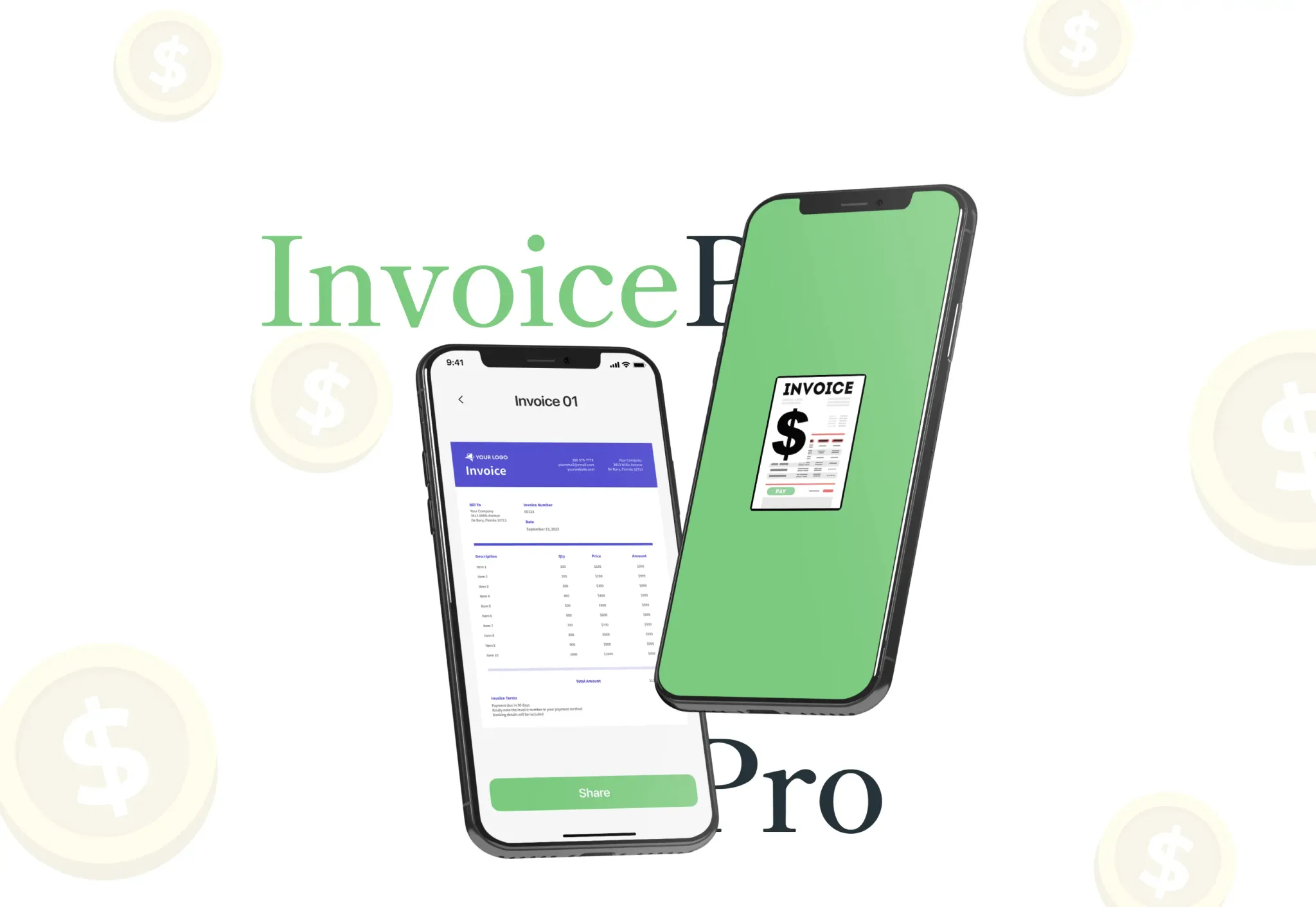
Invoice Maker gives freelancers and small teams a quick billing tool that starts directly from the home screen. A user creates an invoice, adds items, and saves or sends a PDF in a few taps, while clients, products, and reports each get their own screen to keep everything organized from the beginning. The free tier covers client details, line items, PDF invoices, and monthly reports on earnings and recent activity. A paid upgrade unlocks unlimited invoices, multiple business profiles, expense tracking, and status tracking for paid or overdue invoices, without ever making the free experience feel incomplete. Users quickly adopted the app because it made billing fast and stress free, with early reviews highlighting the clear layout and smooth invoice creation process. Planning mobile app development around one fast core flow, rather than a broader accounting suite, is what encouraged the daily use freelancers and small teams need from a tool tied to actually getting paid. 
related projects

FAQ

What is an invoicing app?

What does Neon Apps bring to an invoicing app project?

Should an invoicing app include expense tracking and full accounting features?

How does Neon Apps scope an invoicing app project?

How long and how much does an invoicing app cost to build?

Stay Inspired

Get fresh design insights, articles, and resources delivered straight to your inbox.

Get stories, insights, and updates from the Neon Apps team straight to your inbox.

Latest Blogs

Stay Inspired

Get stories, insights, and updates from the Neon Apps team straight to your inbox.

Got a project?

Let's Connect

Got a project? We build world-class mobile and web apps for startups and global brands.

Contact

Email
support@neonapps.co

Whatsapp
+90 552 733 43 99

Address

New York Office : 31 Hudson Yards, 11th Floor 10065 New York / United States

Istanbul Office : Huzur Mah. Fazıl Kaftanoğlu Caddesi No:7 Kat:10 Sarıyer/Istanbul

© Copyright 2025. All Rights Reserved by Neon Apps

Summarize with AI

Getting paid should not be the hard part 

A freelancer who just finished a project wants to bill the client that day, not fight with a spreadsheet template or a bloated accounting suite built for a finance department. An invoicing app exists to make that one moment fast. This guide covers the architecture, cost, and timeline behind building one people actually open every time they need to get paid. 

What an Invoicing App Actually Does 

An invoicing app lets a freelancer or small team create, send, and track invoices without the overhead of full accounting software. The audience for this is large and growing. More than 70 million Americans now freelance, roughly 44 percent of the workforce, according to 2026 industry research. The billing and invoicing software market as a whole is projected to reach about 19 billion dollars in 2026. The app itself mainly handles the core invoice flow, creating an invoice, adding line items, and getting a PDF into a client's hands. It also handles just enough organization around that flow, client records, product or service items, and simple reports, to keep a freelancer from losing track of who owes what. None of this requires the depth of a bookkeeping platform. It requires making the one task a freelancer does most often, billing a client, take a few taps instead of ten minutes of typing into a template. 

Freelancer woman creating invoice on smartphone with paper receipt

Three Levels of Invoicing Software 

Not every billing tool needs to solve the same problem, and three levels cover most of what freelancers and small teams actually need. 

Level 

Best for 

Tradeoff 

Simple invoicing tool 

Freelancers who mainly need to bill and get paid fast 

Missing expense tracking or deeper reporting many small teams eventually want 

Invoicing plus expense tracking 

Small teams who want a fuller day to day financial picture 

More data model complexity than a pure invoice generator 

Full accounting suite 

Businesses that need tax prep, bookkeeping, and reconciliation 

Often overkill and intimidating for someone who just wants to send one invoice today

Invoice Maker's free tier sits in the first row, built around the core act of billing quickly. Its paid upgrade reaches into the second, adding expenses and status tracking for teams that have outgrown pure invoicing. That structure was deliberate. The free experience never feels like a demo of something bigger, and the paid tier never feels like an unrelated bolt on. 

Choosing the level shapes the entire build: 

  • Choose a simple invoicing tool when speed to bill is the main job, and resist adding bookkeeping features that would slow down the core flow for most users 

  • Choose invoicing plus expenses when a team genuinely needs a fuller financial picture, and expect the data model to grow accordingly 

  • Choose a full accounting suite only when tax prep and reconciliation are real requirements, since that scope brings real complexity most freelancers do not want 

Most teams building a first invoicing app try to include a bit of everything. A tool that does one level well earns daily use. A tool that half does three levels usually earns none. 

How to Scope the First Version 

Most invoicing apps fail on friction in the one flow that matters most, not on missing features. A first version that gets someone from a blank screen to a sent invoice in a handful of taps beats one with more report types and a slower core flow. 

  • Design the invoice creation flow to start directly and move fast, the way Invoice Maker lets a user create an invoice, add items, and send a PDF in a few taps 

  • Give clients and products their own simple screens from the start, since Invoice Maker keeps users organized by separating client records, items, and reports rather than mixing everything into one form 

  • Decide exactly which features sit behind a paid upgrade before writing any code, the way Invoice Maker gates unlimited invoices, multiple business profiles, expenses, and status tracking behind its paid tier 

Teams that leave the free versus paid split as a later decision usually end up retrofitting paywalls around features that were never designed to be gated. Deciding that boundary early shapes the data model, not just the pricing page. 

What a Realistic Build Timeline Looks Like 

Invoice Maker shipped in two months, and four stages made up that window. 

  • Discovery and scope, where the team locks the core invoice flow, the client and product data model, and exactly which features sit behind the paid tier 

  • Core build, the largest block on the calendar, where invoice creation, PDF generation, and the client, product, and report screens come together against that locked scope 

  • Real world document testing, run against real client names, long item lists, and different currencies, not a single tidy sample invoice 

  • Launch and monitor, the first few weeks live, when real usage tests whether the free tier actually pulls its weight and where users hit the paid upgrade wall 

Skipping real document testing is the most common reason a PDF that looked clean with one sample invoice starts breaking. That happens once a real client name runs long or an item list wraps awkwardly across a page. 

Three freelancers collaborating around billing reports in coworking space
Colour-coded paper invoice layout pinned to corkboard with marker

What Moves the Budget and Timeline 

These factors move the budget on an invoicing app more than anything else in the brief: 

  • PDF generation reliability, since a document that has to look clean and professional across variable content, long lists, and different currencies takes more work than it appears to from a mockup 

  • Data model depth, since clients, product or service items, and reports each need their own structure well before a single invoice gets created 

  • Free versus paid feature boundaries, since deciding what stays free and what requires an upgrade, the way Invoice Maker gates unlimited invoices and expense tracking, shapes the data model from day one 

  • Status tracking logic, since marking an invoice as paid or overdue needs a clear, simple system that stays accurate without becoming its own chore 

One scoping decision matters more than it looks like it should, whether status tracking simply records what a user reports or actually processes a payment. Invoice Maker tracks status, letting a user mark an invoice paid or overdue rather than collecting money through the app itself. That is a much smaller build than integrating a payment processor, and it is worth deciding explicitly rather than letting the two get blurred together during scoping. 

A basic billing app in this category typically runs from about 20,000 to 50,000 dollars, well below the 45,000 to 350,000 dollar range broader billing software with compliance and ERP integrations can reach. Invoice Maker's tight, invoicing first scope kept it toward the lower end of that broader range. 

What This Costs Beyond the Build Fee 

The build fee covers the app. Running an invoicing app afterward carries costs that are easy to underweight since the app itself feels simple. 

  • Subscription or upgrade billing infrastructure, since a paid tier like Invoice Maker's needs its own in app purchase or subscription handling, separate from the invoicing feature itself 

  • Document generation and storage, for producing and keeping a record of PDFs reliably as invoice volume grows across many small businesses 

  • Data backup and sync reliability, since financial records are exactly the kind of data a user is least willing to lose, which makes this a higher stakes category than its simple feel suggests 

  • Currency and formatting maintenance, since supporting freelancers across different regions means keeping number and date formatting correct as those conventions get added over time 

The app's simplicity is real, but it does not eliminate the cost of protecting financial data reliably. That responsibility exists at any volume, not just at scale. 

Freelancer reviewing invoicing app on tablet at sunlit home desk

Where These Apps Break in Production 

The invoice creation flow itself rarely fails outright. What happens around it, formatting, trust, and the free to paid boundary, is where things go wrong. 

  • PDF formatting failures, since a long client name, an unusually long item list, or an unexpected currency symbol can break a layout that looked fine with a short sample invoice 

  • Status tracking that goes stale, since a paid or overdue marker that depends on a user remembering to update it manually quietly loses its usefulness over time 

  • A paid upgrade wall that feels punishing rather than fair, since gating a feature a user genuinely needs at the worst possible moment, mid invoice, damages trust more than gating it upfront ever would 

  • Data loss anxiety, since even one dropped invoice or missing client record feels like a serious problem in a category built entirely around getting paid correctly 

None of this shows up in a demo built around one clean sample invoice for one sample client. It shows up once real freelancers enter real client names, real item lists, and real currencies the team never specifically tested. It also shows up once enough invoices exist that losing even one matters to someone's business. 

The Invoicing App We Have Shipped 

Neon Apps built Invoice Maker around exactly this fast, freelancer first billing model. 

Project 

Client 

Year 

Build time 

What it solved 

Invoice Maker 

App Magic 

2024 

2 months 

Fast invoice creation, sending, and tracking for freelancers and small teams 

Invoice Maker gives freelancers and small teams a quick billing tool that starts directly from the home screen. A user creates an invoice, adds items, and saves or sends a PDF in a few taps, while clients, products, and reports each get their own screen to keep everything organized from the beginning. The free tier covers client details, line items, PDF invoices, and monthly reports on earnings and recent activity. A paid upgrade unlocks unlimited invoices, multiple business profiles, expense tracking, and status tracking for paid or overdue invoices, without ever making the free experience feel incomplete. Users quickly adopted the app because it made billing fast and stress free, with early reviews highlighting the clear layout and smooth invoice creation process. Planning mobile app development around one fast core flow, rather than a broader accounting suite, is what encouraged the daily use freelancers and small teams need from a tool tied to actually getting paid. 
related projects

FAQ

What is an invoicing app?

What does Neon Apps bring to an invoicing app project?

Should an invoicing app include expense tracking and full accounting features?

How does Neon Apps scope an invoicing app project?

How long and how much does an invoicing app cost to build?

Stay Inspired

Get fresh design insights, articles, and resources delivered straight to your inbox.

Get stories, insights, and updates from the Neon Apps team straight to your inbox.

Latest Blogs

Stay Inspired

Get stories, insights, and updates from the Neon Apps team straight to your inbox.

Got a project?

Let's Connect

Got a project? We build world-class mobile and web apps for startups and global brands.

Contact

Email
support@neonapps.co

Whatsapp
+90 552 733 43 99

Address

New York Office : 31 Hudson Yards, 11th Floor 10065 New York / United States

Istanbul Office : Huzur Mah. Fazıl Kaftanoğlu Caddesi No:7 Kat:10 Sarıyer/Istanbul

© Copyright 2025. All Rights Reserved by Neon Apps

Summarize with AI

Getting paid should not be the hard part 

A freelancer who just finished a project wants to bill the client that day, not fight with a spreadsheet template or a bloated accounting suite built for a finance department. An invoicing app exists to make that one moment fast. This guide covers the architecture, cost, and timeline behind building one people actually open every time they need to get paid. 

What an Invoicing App Actually Does 

An invoicing app lets a freelancer or small team create, send, and track invoices without the overhead of full accounting software. The audience for this is large and growing. More than 70 million Americans now freelance, roughly 44 percent of the workforce, according to 2026 industry research. The billing and invoicing software market as a whole is projected to reach about 19 billion dollars in 2026. The app itself mainly handles the core invoice flow, creating an invoice, adding line items, and getting a PDF into a client's hands. It also handles just enough organization around that flow, client records, product or service items, and simple reports, to keep a freelancer from losing track of who owes what. None of this requires the depth of a bookkeeping platform. It requires making the one task a freelancer does most often, billing a client, take a few taps instead of ten minutes of typing into a template. 

Freelancer woman creating invoice on smartphone with paper receipt

Three Levels of Invoicing Software 

Not every billing tool needs to solve the same problem, and three levels cover most of what freelancers and small teams actually need. 

Level 

Best for 

Tradeoff 

Simple invoicing tool 

Freelancers who mainly need to bill and get paid fast 

Missing expense tracking or deeper reporting many small teams eventually want 

Invoicing plus expense tracking 

Small teams who want a fuller day to day financial picture 

More data model complexity than a pure invoice generator 

Full accounting suite 

Businesses that need tax prep, bookkeeping, and reconciliation 

Often overkill and intimidating for someone who just wants to send one invoice today

Invoice Maker's free tier sits in the first row, built around the core act of billing quickly. Its paid upgrade reaches into the second, adding expenses and status tracking for teams that have outgrown pure invoicing. That structure was deliberate. The free experience never feels like a demo of something bigger, and the paid tier never feels like an unrelated bolt on. 

Choosing the level shapes the entire build: 

  • Choose a simple invoicing tool when speed to bill is the main job, and resist adding bookkeeping features that would slow down the core flow for most users 

  • Choose invoicing plus expenses when a team genuinely needs a fuller financial picture, and expect the data model to grow accordingly 

  • Choose a full accounting suite only when tax prep and reconciliation are real requirements, since that scope brings real complexity most freelancers do not want 

Most teams building a first invoicing app try to include a bit of everything. A tool that does one level well earns daily use. A tool that half does three levels usually earns none. 

How to Scope the First Version 

Most invoicing apps fail on friction in the one flow that matters most, not on missing features. A first version that gets someone from a blank screen to a sent invoice in a handful of taps beats one with more report types and a slower core flow. 

  • Design the invoice creation flow to start directly and move fast, the way Invoice Maker lets a user create an invoice, add items, and send a PDF in a few taps 

  • Give clients and products their own simple screens from the start, since Invoice Maker keeps users organized by separating client records, items, and reports rather than mixing everything into one form 

  • Decide exactly which features sit behind a paid upgrade before writing any code, the way Invoice Maker gates unlimited invoices, multiple business profiles, expenses, and status tracking behind its paid tier 

Teams that leave the free versus paid split as a later decision usually end up retrofitting paywalls around features that were never designed to be gated. Deciding that boundary early shapes the data model, not just the pricing page. 

What a Realistic Build Timeline Looks Like 

Invoice Maker shipped in two months, and four stages made up that window. 

  • Discovery and scope, where the team locks the core invoice flow, the client and product data model, and exactly which features sit behind the paid tier 

  • Core build, the largest block on the calendar, where invoice creation, PDF generation, and the client, product, and report screens come together against that locked scope 

  • Real world document testing, run against real client names, long item lists, and different currencies, not a single tidy sample invoice 

  • Launch and monitor, the first few weeks live, when real usage tests whether the free tier actually pulls its weight and where users hit the paid upgrade wall 

Skipping real document testing is the most common reason a PDF that looked clean with one sample invoice starts breaking. That happens once a real client name runs long or an item list wraps awkwardly across a page. 

Three freelancers collaborating around billing reports in coworking space
Colour-coded paper invoice layout pinned to corkboard with marker

What Moves the Budget and Timeline 

These factors move the budget on an invoicing app more than anything else in the brief: 

  • PDF generation reliability, since a document that has to look clean and professional across variable content, long lists, and different currencies takes more work than it appears to from a mockup 

  • Data model depth, since clients, product or service items, and reports each need their own structure well before a single invoice gets created 

  • Free versus paid feature boundaries, since deciding what stays free and what requires an upgrade, the way Invoice Maker gates unlimited invoices and expense tracking, shapes the data model from day one 

  • Status tracking logic, since marking an invoice as paid or overdue needs a clear, simple system that stays accurate without becoming its own chore 

One scoping decision matters more than it looks like it should, whether status tracking simply records what a user reports or actually processes a payment. Invoice Maker tracks status, letting a user mark an invoice paid or overdue rather than collecting money through the app itself. That is a much smaller build than integrating a payment processor, and it is worth deciding explicitly rather than letting the two get blurred together during scoping. 

A basic billing app in this category typically runs from about 20,000 to 50,000 dollars, well below the 45,000 to 350,000 dollar range broader billing software with compliance and ERP integrations can reach. Invoice Maker's tight, invoicing first scope kept it toward the lower end of that broader range. 

What This Costs Beyond the Build Fee 

The build fee covers the app. Running an invoicing app afterward carries costs that are easy to underweight since the app itself feels simple. 

  • Subscription or upgrade billing infrastructure, since a paid tier like Invoice Maker's needs its own in app purchase or subscription handling, separate from the invoicing feature itself 

  • Document generation and storage, for producing and keeping a record of PDFs reliably as invoice volume grows across many small businesses 

  • Data backup and sync reliability, since financial records are exactly the kind of data a user is least willing to lose, which makes this a higher stakes category than its simple feel suggests 

  • Currency and formatting maintenance, since supporting freelancers across different regions means keeping number and date formatting correct as those conventions get added over time 

The app's simplicity is real, but it does not eliminate the cost of protecting financial data reliably. That responsibility exists at any volume, not just at scale. 

Freelancer reviewing invoicing app on tablet at sunlit home desk

Where These Apps Break in Production 

The invoice creation flow itself rarely fails outright. What happens around it, formatting, trust, and the free to paid boundary, is where things go wrong. 

  • PDF formatting failures, since a long client name, an unusually long item list, or an unexpected currency symbol can break a layout that looked fine with a short sample invoice 

  • Status tracking that goes stale, since a paid or overdue marker that depends on a user remembering to update it manually quietly loses its usefulness over time 

  • A paid upgrade wall that feels punishing rather than fair, since gating a feature a user genuinely needs at the worst possible moment, mid invoice, damages trust more than gating it upfront ever would 

  • Data loss anxiety, since even one dropped invoice or missing client record feels like a serious problem in a category built entirely around getting paid correctly 

None of this shows up in a demo built around one clean sample invoice for one sample client. It shows up once real freelancers enter real client names, real item lists, and real currencies the team never specifically tested. It also shows up once enough invoices exist that losing even one matters to someone's business. 

The Invoicing App We Have Shipped 

Neon Apps built Invoice Maker around exactly this fast, freelancer first billing model. 

Project 

Client 

Year 

Build time 

What it solved 

Invoice Maker 

App Magic 

2024 

2 months 

Fast invoice creation, sending, and tracking for freelancers and small teams 

Invoice Maker gives freelancers and small teams a quick billing tool that starts directly from the home screen. A user creates an invoice, adds items, and saves or sends a PDF in a few taps, while clients, products, and reports each get their own screen to keep everything organized from the beginning. The free tier covers client details, line items, PDF invoices, and monthly reports on earnings and recent activity. A paid upgrade unlocks unlimited invoices, multiple business profiles, expense tracking, and status tracking for paid or overdue invoices, without ever making the free experience feel incomplete. Users quickly adopted the app because it made billing fast and stress free, with early reviews highlighting the clear layout and smooth invoice creation process. Planning mobile app development around one fast core flow, rather than a broader accounting suite, is what encouraged the daily use freelancers and small teams need from a tool tied to actually getting paid. 

related projects

FAQ

What is an invoicing app?

What does Neon Apps bring to an invoicing app project?

Should an invoicing app include expense tracking and full accounting features?

How does Neon Apps scope an invoicing app project?

How long and how much does an invoicing app cost to build?

Stay Inspired

Get fresh design insights, articles, and resources delivered straight to your inbox.

Get stories, insights, and updates from the Neon Apps team straight to your inbox.

Latest Blogs

Stay Inspired

Get stories, insights, and updates from the Neon Apps team straight to your inbox.

Got a project?

Let's Connect

Got a project? We build world-class mobile and web apps for startups and global brands.

Contact

Email
support@neonapps.co

Whatsapp
+90 552 733 43 99

Address

New York Office : 31 Hudson Yards, 11th Floor 10065 New York / United States

Istanbul Office : Huzur Mah. Fazıl Kaftanoğlu Caddesi No:7 Kat:10 Sarıyer/Istanbul

© Copyright 2025. All Rights Reserved by Neon Apps