
Development
How to Build an AI Transcription and Note Taking App
AI transcription apps turn spoken audio into searchable text, summaries, and action items. This guide explains how to build one, how to choose between batch and real-time transcription, and what affects its cost and timeline.
The one decision that shapes everything else
Before any screen gets designed, a transcription app has to answer one question: does the text appear while someone is still talking, or after they stop. This guide walks through the architecture, cost, and timeline that follow from that answer.
What an AI Transcription and Note Taking App Actually Does
An AI transcription and note taking app records audio, converts it to text, and usually generates a short summary or a list of action items on top of that transcript. The global AI note taking market reached 740.41 million dollars in 2026, according to Precedence Research, growing at an 18.75 percent compound annual rate through 2035. Most of that growth is going into apps aimed at meetings, lectures, and calls, the three use cases that show up again and again in shipped products. The app itself mainly handles recording, the transcription call, summary generation, and a folder or search system for reviewing notes later. None of that requires training a speech model from scratch. It requires picking a transcription provider, deciding how fast the text needs to appear, and designing around the accuracy limits every provider still has.
The Two Ways to Run Transcription
Every transcription app chooses between two fundamentally different technical approaches, and the choice affects cost, complexity, and user experience far more than which provider gets picked.
Approach | Best for | Tradeoff |
Batch transcription | Lectures, calls, long recordings | Text appears after recording ends |
Real time streaming transcription | Live meetings, speaker heavy conversations | Higher cost, harder to get accurate |
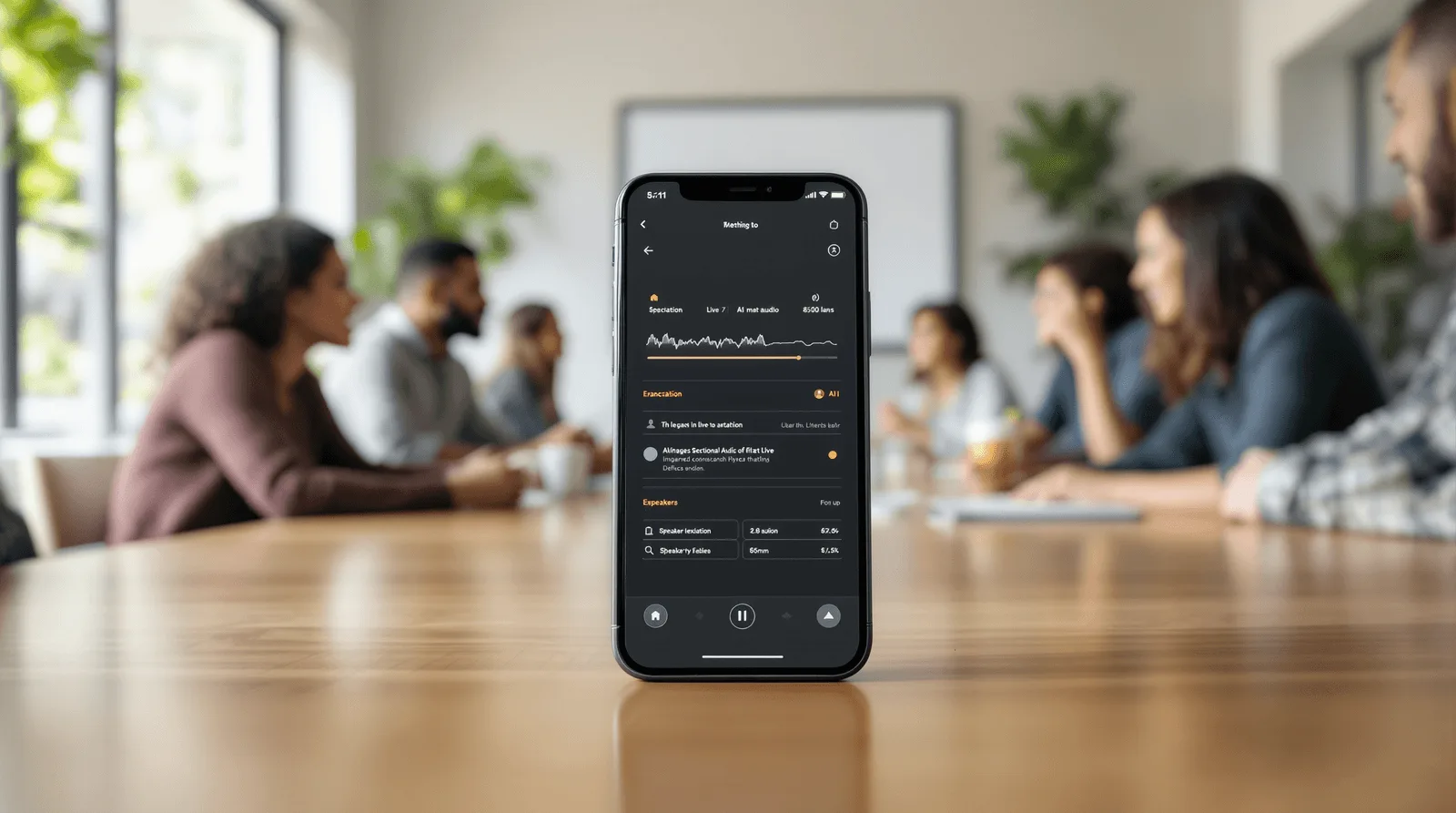
Batch transcription sends a finished audio file to the provider and gets text back afterward. Lexi and Note Taker both work this way, which keeps the recording screen simple and lets the transcription run in the background while a user moves on to something else. Real time streaming transcription shows text as people speak, which is what Polly does, tagging each speaker as the conversation happens. On device transcription through Apple's Speech framework or a similar system API exists and avoids sending audio anywhere, but Neon Apps has not shipped this approach. Published guidance from Apple and Google suggests it becomes the right call mainly when offline use or strict data residency is a hard requirement, not a default choice.
The right approach depends on what the user is actually doing while the app runs:
Choose batch transcription for lectures, calls, and any recording a user reviews after the fact, since the simpler pipeline ships faster and costs less to run
Choose real time streaming when the product's value depends on seeing text live, such as a meeting tool where participants read along, and design for the added latency and cost from day one
Add speaker diarization only when multiple people talk in most recordings, since it is a real add on cost and adds little value for single speaker use cases like Lexi's
Accuracy also behaves differently across the two approaches. Batch transcription can reprocess a file if the first pass comes back weak, since nothing is showing on screen yet. Real time transcription has to commit to text as it appears. That makes small errors more visible to the user in the moment, even when the final corrected transcript ends up just as accurate.
How to Scope the First Version
Most transcription apps fail on ambition, not on transcription accuracy. A narrow first version proves the core loop before the feature list grows into something nobody can test properly.
Pick batch or real time first, since building both from day one roughly doubles the testing surface for very little early value
Decide how deep the summary goes, a short recap, key points, or full action items, since each level asks more of the underlying model and needs its own quality check
Scope file import carefully, since supporting audio, video, and links like Note Taker's YouTube brief feature each bring a different failure mode to test
Teams that try to ship live transcription, deep summarization, and broad file import all in version one usually end up cutting one of the three after missing their first deadline.
What a Realistic Build Timeline Looks Like
Shipped examples in this category range from two to four months, and four stages make up that window regardless of which end of the range a project lands on.
Discovery and scope, where the team locks batch versus real time, the summary depth, and the folder or organization model before any screen gets designed
Core build, the largest block on the calendar, where recording, the transcription call, and the summary layer come together against that locked scope
Accuracy and edge case testing, run against real recordings with background noise, accents, and multiple speakers, not just clean studio audio
Launch and monitor, the first few weeks live, when real users upload the messy, real world audio a test environment rarely captures
Skipping the accuracy testing stage is the most common reason a demo that sounded perfect in a quiet room turns into a support inbox full of bad transcript complaints. Testing against a handful of clean, single speaker clips tells a team almost nothing. Real signal comes from a crowded call or a lecture hall with poor acoustics, not a quiet office.


Four Things That Move the Budget and Timeline
These four factors move the budget on a transcription app more than anything else in the brief:
Real time versus batch, since streaming transcription costs more per minute and takes longer to tune for accuracy than sending a finished file after the fact
Speaker diarization, since tagging who said what, the way Polly does, adds real setup time on top of the base transcription call
Summary depth, since a one line recap is a small model call while full action item extraction needs more careful prompting and more testing per edge case
Integration surface, since Lexi's calendar sync and Note Taker's YouTube link import each added their own scope beyond the core record and transcribe loop
Neon Apps shipped Note Taker in two months on a tighter scope. Lexi took three months with calendar sync added, and Polly took four months with real time transcription and speaker labels. That spread tracks almost exactly with how many of the four factors above each project touched.
What This Costs Beyond the Build Fee
The build fee covers the app. Every transcribed minute afterward carries its own cost, and that cost has two separate layers.
Transcription API fees, typically under a cent to about two cents per minute depending on the provider and whether it runs in real time, per 2026 pricing across Deepgram, AssemblyAI, and Whisper class providers
Add on fees for features like speaker diarization, which providers usually price separately from the base transcription rate rather than bundling it in
Summarization cost, which is a separate model call on top of transcription, since turning a transcript into a short summary or action item list is not something the transcription API itself provides
A single long lecture recording can rack up meaningful transcription and summarization cost before a user ever opens a paywall. That is why usage limits need to be modeled against recorded minutes, not against app opens or downloads.

Where These Apps Break in Production
Transcription accuracy is rarely the headline complaint. The surrounding reliability problems are.
Long recording failures, since a session that runs 90 minutes without the autosave and progress protection Polly relies on can lose the entire recording to a crash or a dropped connection
Speaker diarization drift, since accuracy degrades in noisy rooms or when speakers talk over each other, which matters most exactly when a meeting gets heated enough to need good notes
Summary hallucination, since a model summarizing a transcript can state a decision or action item that was never actually said, which is worse than no summary at all in a work context
Storage and privacy exposure, since meeting and call recordings often contain sensitive business or personal information that needs real access control, not just a password screen
Search and retrieval at scale, since a user with hundreds of saved notes needs folders, tags, or search that actually works, not just a long undifferentiated list
None of this shows up in a five minute demo recording. It shows up on the ninety minute call, the noisy classroom, or the meeting where three people talk over each other. That is why long session testing belongs in the build plan, not in the first week after launch.
AI Transcription Apps We Have Shipped
Neon Apps has built three transcription and note taking apps, each shaped around a different recording pattern.
Project | Client | Year | Build time | What it solved |
Luni | 2025 | 3 months | Voice memos with background transcription and calendar linked recall | |
Unico Studio | 2024 | 4 months | Real time meeting transcription with speaker labels and action items | |
Henry Heisenberg LLC | 2024 | 2 months | Lecture and meeting capture with a YouTube link to brief feature |
Each of these solved a different version of the same problem. Lexi focused on everyday voice memos, adding folders, tags, and a calendar sync that shows a recording next to the event it was taken during. That link lets a user find a note by remembering when it happened, not what it was called. Polly went further technically, transcribing in real time and tagging each speaker as a meeting happens, then generating a summary with decisions and action items the moment the call ends. Note Taker kept the core loop simple: tap to record, get a transcript and a short summary. It also added a distinct feature on top, since pasting a YouTube link turns a long video into a short readable brief without recording anything at all. Planning custom software development around one clear recording pattern first, the way each of these three did, kept every one of them inside a two to four month build.

FAQ
What is an AI transcription and note taking app?
What does Neon Apps bring to a transcription app project?
Should the first version support real time transcription?
How does Neon Apps scope a transcription app project?
How long and how much does a transcription app cost to build?
Stay Inspired
Get fresh design insights, articles, and resources delivered straight to your inbox.
Get stories, insights, and updates from the Neon Apps team straight to your inbox.
Latest Blogs
Stay Inspired
Get stories, insights, and updates from the Neon Apps team straight to your inbox.
Got a project?
Let's Connect
Got a project? We build world-class mobile and web apps for startups and global brands.
Neon Apps is a product development company building mobile, web, and SaaS products with an 85-member in-house team in Istanbul and New York, delivering scalable products as a long-term development partner.
Industries
Primary Services
Delivery & Product Services
Supporting Services

Development
How to Build an AI Transcription and Note Taking App
AI transcription apps turn spoken audio into searchable text, summaries, and action items. This guide explains how to build one, how to choose between batch and real-time transcription, and what affects its cost and timeline.
The one decision that shapes everything else
Before any screen gets designed, a transcription app has to answer one question: does the text appear while someone is still talking, or after they stop. This guide walks through the architecture, cost, and timeline that follow from that answer.
What an AI Transcription and Note Taking App Actually Does
An AI transcription and note taking app records audio, converts it to text, and usually generates a short summary or a list of action items on top of that transcript. The global AI note taking market reached 740.41 million dollars in 2026, according to Precedence Research, growing at an 18.75 percent compound annual rate through 2035. Most of that growth is going into apps aimed at meetings, lectures, and calls, the three use cases that show up again and again in shipped products. The app itself mainly handles recording, the transcription call, summary generation, and a folder or search system for reviewing notes later. None of that requires training a speech model from scratch. It requires picking a transcription provider, deciding how fast the text needs to appear, and designing around the accuracy limits every provider still has.

The Two Ways to Run Transcription
Every transcription app chooses between two fundamentally different technical approaches, and the choice affects cost, complexity, and user experience far more than which provider gets picked.
Approach | Best for | Tradeoff |
Batch transcription | Lectures, calls, long recordings | Text appears after recording ends |
Real time streaming transcription | Live meetings, speaker heavy conversations | Higher cost, harder to get accurate |
Batch transcription sends a finished audio file to the provider and gets text back afterward. Lexi and Note Taker both work this way, which keeps the recording screen simple and lets the transcription run in the background while a user moves on to something else. Real time streaming transcription shows text as people speak, which is what Polly does, tagging each speaker as the conversation happens. On device transcription through Apple's Speech framework or a similar system API exists and avoids sending audio anywhere, but Neon Apps has not shipped this approach. Published guidance from Apple and Google suggests it becomes the right call mainly when offline use or strict data residency is a hard requirement, not a default choice.
The right approach depends on what the user is actually doing while the app runs:
Choose batch transcription for lectures, calls, and any recording a user reviews after the fact, since the simpler pipeline ships faster and costs less to run
Choose real time streaming when the product's value depends on seeing text live, such as a meeting tool where participants read along, and design for the added latency and cost from day one
Add speaker diarization only when multiple people talk in most recordings, since it is a real add on cost and adds little value for single speaker use cases like Lexi's
Accuracy also behaves differently across the two approaches. Batch transcription can reprocess a file if the first pass comes back weak, since nothing is showing on screen yet. Real time transcription has to commit to text as it appears. That makes small errors more visible to the user in the moment, even when the final corrected transcript ends up just as accurate.
How to Scope the First Version
Most transcription apps fail on ambition, not on transcription accuracy. A narrow first version proves the core loop before the feature list grows into something nobody can test properly.
Pick batch or real time first, since building both from day one roughly doubles the testing surface for very little early value
Decide how deep the summary goes, a short recap, key points, or full action items, since each level asks more of the underlying model and needs its own quality check
Scope file import carefully, since supporting audio, video, and links like Note Taker's YouTube brief feature each bring a different failure mode to test
Teams that try to ship live transcription, deep summarization, and broad file import all in version one usually end up cutting one of the three after missing their first deadline.
What a Realistic Build Timeline Looks Like
Shipped examples in this category range from two to four months, and four stages make up that window regardless of which end of the range a project lands on.
Discovery and scope, where the team locks batch versus real time, the summary depth, and the folder or organization model before any screen gets designed
Core build, the largest block on the calendar, where recording, the transcription call, and the summary layer come together against that locked scope
Accuracy and edge case testing, run against real recordings with background noise, accents, and multiple speakers, not just clean studio audio
Launch and monitor, the first few weeks live, when real users upload the messy, real world audio a test environment rarely captures
Skipping the accuracy testing stage is the most common reason a demo that sounded perfect in a quiet room turns into a support inbox full of bad transcript complaints. Testing against a handful of clean, single speaker clips tells a team almost nothing. Real signal comes from a crowded call or a lecture hall with poor acoustics, not a quiet office.


Four Things That Move the Budget and Timeline
These four factors move the budget on a transcription app more than anything else in the brief:
Real time versus batch, since streaming transcription costs more per minute and takes longer to tune for accuracy than sending a finished file after the fact
Speaker diarization, since tagging who said what, the way Polly does, adds real setup time on top of the base transcription call
Summary depth, since a one line recap is a small model call while full action item extraction needs more careful prompting and more testing per edge case
Integration surface, since Lexi's calendar sync and Note Taker's YouTube link import each added their own scope beyond the core record and transcribe loop
Neon Apps shipped Note Taker in two months on a tighter scope. Lexi took three months with calendar sync added, and Polly took four months with real time transcription and speaker labels. That spread tracks almost exactly with how many of the four factors above each project touched.
What This Costs Beyond the Build Fee
The build fee covers the app. Every transcribed minute afterward carries its own cost, and that cost has two separate layers.
Transcription API fees, typically under a cent to about two cents per minute depending on the provider and whether it runs in real time, per 2026 pricing across Deepgram, AssemblyAI, and Whisper class providers
Add on fees for features like speaker diarization, which providers usually price separately from the base transcription rate rather than bundling it in
Summarization cost, which is a separate model call on top of transcription, since turning a transcript into a short summary or action item list is not something the transcription API itself provides
A single long lecture recording can rack up meaningful transcription and summarization cost before a user ever opens a paywall. That is why usage limits need to be modeled against recorded minutes, not against app opens or downloads.

Where These Apps Break in Production
Transcription accuracy is rarely the headline complaint. The surrounding reliability problems are.
Long recording failures, since a session that runs 90 minutes without the autosave and progress protection Polly relies on can lose the entire recording to a crash or a dropped connection
Speaker diarization drift, since accuracy degrades in noisy rooms or when speakers talk over each other, which matters most exactly when a meeting gets heated enough to need good notes
Summary hallucination, since a model summarizing a transcript can state a decision or action item that was never actually said, which is worse than no summary at all in a work context
Storage and privacy exposure, since meeting and call recordings often contain sensitive business or personal information that needs real access control, not just a password screen
Search and retrieval at scale, since a user with hundreds of saved notes needs folders, tags, or search that actually works, not just a long undifferentiated list
None of this shows up in a five minute demo recording. It shows up on the ninety minute call, the noisy classroom, or the meeting where three people talk over each other. That is why long session testing belongs in the build plan, not in the first week after launch.
AI Transcription Apps We Have Shipped
Neon Apps has built three transcription and note taking apps, each shaped around a different recording pattern.
Project | Client | Year | Build time | What it solved |
Luni | 2025 | 3 months | Voice memos with background transcription and calendar linked recall | |
Unico Studio | 2024 | 4 months | Real time meeting transcription with speaker labels and action items | |
Henry Heisenberg LLC | 2024 | 2 months | Lecture and meeting capture with a YouTube link to brief feature |
Each of these solved a different version of the same problem. Lexi focused on everyday voice memos, adding folders, tags, and a calendar sync that shows a recording next to the event it was taken during. That link lets a user find a note by remembering when it happened, not what it was called. Polly went further technically, transcribing in real time and tagging each speaker as a meeting happens, then generating a summary with decisions and action items the moment the call ends. Note Taker kept the core loop simple: tap to record, get a transcript and a short summary. It also added a distinct feature on top, since pasting a YouTube link turns a long video into a short readable brief without recording anything at all. Planning custom software development around one clear recording pattern first, the way each of these three did, kept every one of them inside a two to four month build.
FAQ
What is an AI transcription and note taking app?
What does Neon Apps bring to a transcription app project?
Should the first version support real time transcription?
How does Neon Apps scope a transcription app project?
How long and how much does a transcription app cost to build?
Stay Inspired
Get fresh design insights, articles, and resources delivered straight to your inbox.
Get stories, insights, and updates from the Neon Apps team straight to your inbox.
Latest Blogs
Stay Inspired
Get stories, insights, and updates from the Neon Apps team straight to your inbox.
Got a project?
Let's Connect
Got a project? We build world-class mobile and web apps for startups and global brands.
Neon Apps is a product development company building mobile, web, and SaaS products with an 85-member in-house team in Istanbul and New York, delivering scalable products as a long-term development partner.
Industries
Primary Services
Delivery & Product Services
Supporting Services

Development
How to Build an AI Transcription and Note Taking App
AI transcription apps turn spoken audio into searchable text, summaries, and action items. This guide explains how to build one, how to choose between batch and real-time transcription, and what affects its cost and timeline.
The one decision that shapes everything else
Before any screen gets designed, a transcription app has to answer one question: does the text appear while someone is still talking, or after they stop. This guide walks through the architecture, cost, and timeline that follow from that answer.
What an AI Transcription and Note Taking App Actually Does
An AI transcription and note taking app records audio, converts it to text, and usually generates a short summary or a list of action items on top of that transcript. The global AI note taking market reached 740.41 million dollars in 2026, according to Precedence Research, growing at an 18.75 percent compound annual rate through 2035. Most of that growth is going into apps aimed at meetings, lectures, and calls, the three use cases that show up again and again in shipped products. The app itself mainly handles recording, the transcription call, summary generation, and a folder or search system for reviewing notes later. None of that requires training a speech model from scratch. It requires picking a transcription provider, deciding how fast the text needs to appear, and designing around the accuracy limits every provider still has.

The Two Ways to Run Transcription
Every transcription app chooses between two fundamentally different technical approaches, and the choice affects cost, complexity, and user experience far more than which provider gets picked.
Approach | Best for | Tradeoff |
Batch transcription | Lectures, calls, long recordings | Text appears after recording ends |
Real time streaming transcription | Live meetings, speaker heavy conversations | Higher cost, harder to get accurate |
Batch transcription sends a finished audio file to the provider and gets text back afterward. Lexi and Note Taker both work this way, which keeps the recording screen simple and lets the transcription run in the background while a user moves on to something else. Real time streaming transcription shows text as people speak, which is what Polly does, tagging each speaker as the conversation happens. On device transcription through Apple's Speech framework or a similar system API exists and avoids sending audio anywhere, but Neon Apps has not shipped this approach. Published guidance from Apple and Google suggests it becomes the right call mainly when offline use or strict data residency is a hard requirement, not a default choice.
The right approach depends on what the user is actually doing while the app runs:
Choose batch transcription for lectures, calls, and any recording a user reviews after the fact, since the simpler pipeline ships faster and costs less to run
Choose real time streaming when the product's value depends on seeing text live, such as a meeting tool where participants read along, and design for the added latency and cost from day one
Add speaker diarization only when multiple people talk in most recordings, since it is a real add on cost and adds little value for single speaker use cases like Lexi's
Accuracy also behaves differently across the two approaches. Batch transcription can reprocess a file if the first pass comes back weak, since nothing is showing on screen yet. Real time transcription has to commit to text as it appears. That makes small errors more visible to the user in the moment, even when the final corrected transcript ends up just as accurate.
How to Scope the First Version
Most transcription apps fail on ambition, not on transcription accuracy. A narrow first version proves the core loop before the feature list grows into something nobody can test properly.
Pick batch or real time first, since building both from day one roughly doubles the testing surface for very little early value
Decide how deep the summary goes, a short recap, key points, or full action items, since each level asks more of the underlying model and needs its own quality check
Scope file import carefully, since supporting audio, video, and links like Note Taker's YouTube brief feature each bring a different failure mode to test
Teams that try to ship live transcription, deep summarization, and broad file import all in version one usually end up cutting one of the three after missing their first deadline.
What a Realistic Build Timeline Looks Like
Shipped examples in this category range from two to four months, and four stages make up that window regardless of which end of the range a project lands on.
Discovery and scope, where the team locks batch versus real time, the summary depth, and the folder or organization model before any screen gets designed
Core build, the largest block on the calendar, where recording, the transcription call, and the summary layer come together against that locked scope
Accuracy and edge case testing, run against real recordings with background noise, accents, and multiple speakers, not just clean studio audio
Launch and monitor, the first few weeks live, when real users upload the messy, real world audio a test environment rarely captures
Skipping the accuracy testing stage is the most common reason a demo that sounded perfect in a quiet room turns into a support inbox full of bad transcript complaints. Testing against a handful of clean, single speaker clips tells a team almost nothing. Real signal comes from a crowded call or a lecture hall with poor acoustics, not a quiet office.


Four Things That Move the Budget and Timeline
These four factors move the budget on a transcription app more than anything else in the brief:
Real time versus batch, since streaming transcription costs more per minute and takes longer to tune for accuracy than sending a finished file after the fact
Speaker diarization, since tagging who said what, the way Polly does, adds real setup time on top of the base transcription call
Summary depth, since a one line recap is a small model call while full action item extraction needs more careful prompting and more testing per edge case
Integration surface, since Lexi's calendar sync and Note Taker's YouTube link import each added their own scope beyond the core record and transcribe loop
Neon Apps shipped Note Taker in two months on a tighter scope. Lexi took three months with calendar sync added, and Polly took four months with real time transcription and speaker labels. That spread tracks almost exactly with how many of the four factors above each project touched.
What This Costs Beyond the Build Fee
The build fee covers the app. Every transcribed minute afterward carries its own cost, and that cost has two separate layers.
Transcription API fees, typically under a cent to about two cents per minute depending on the provider and whether it runs in real time, per 2026 pricing across Deepgram, AssemblyAI, and Whisper class providers
Add on fees for features like speaker diarization, which providers usually price separately from the base transcription rate rather than bundling it in
Summarization cost, which is a separate model call on top of transcription, since turning a transcript into a short summary or action item list is not something the transcription API itself provides
A single long lecture recording can rack up meaningful transcription and summarization cost before a user ever opens a paywall. That is why usage limits need to be modeled against recorded minutes, not against app opens or downloads.

Where These Apps Break in Production
Transcription accuracy is rarely the headline complaint. The surrounding reliability problems are.
Long recording failures, since a session that runs 90 minutes without the autosave and progress protection Polly relies on can lose the entire recording to a crash or a dropped connection
Speaker diarization drift, since accuracy degrades in noisy rooms or when speakers talk over each other, which matters most exactly when a meeting gets heated enough to need good notes
Summary hallucination, since a model summarizing a transcript can state a decision or action item that was never actually said, which is worse than no summary at all in a work context
Storage and privacy exposure, since meeting and call recordings often contain sensitive business or personal information that needs real access control, not just a password screen
Search and retrieval at scale, since a user with hundreds of saved notes needs folders, tags, or search that actually works, not just a long undifferentiated list
None of this shows up in a five minute demo recording. It shows up on the ninety minute call, the noisy classroom, or the meeting where three people talk over each other. That is why long session testing belongs in the build plan, not in the first week after launch.
AI Transcription Apps We Have Shipped
Neon Apps has built three transcription and note taking apps, each shaped around a different recording pattern.
Project | Client | Year | Build time | What it solved |
Luni | 2025 | 3 months | Voice memos with background transcription and calendar linked recall | |
Unico Studio | 2024 | 4 months | Real time meeting transcription with speaker labels and action items | |
Henry Heisenberg LLC | 2024 | 2 months | Lecture and meeting capture with a YouTube link to brief feature |
Each of these solved a different version of the same problem. Lexi focused on everyday voice memos, adding folders, tags, and a calendar sync that shows a recording next to the event it was taken during. That link lets a user find a note by remembering when it happened, not what it was called. Polly went further technically, transcribing in real time and tagging each speaker as a meeting happens, then generating a summary with decisions and action items the moment the call ends. Note Taker kept the core loop simple: tap to record, get a transcript and a short summary. It also added a distinct feature on top, since pasting a YouTube link turns a long video into a short readable brief without recording anything at all. Planning custom software development around one clear recording pattern first, the way each of these three did, kept every one of them inside a two to four month build.

FAQ
What is an AI transcription and note taking app?
What does Neon Apps bring to a transcription app project?
Should the first version support real time transcription?
How does Neon Apps scope a transcription app project?
How long and how much does a transcription app cost to build?
Stay Inspired
Get fresh design insights, articles, and resources delivered straight to your inbox.
Get stories, insights, and updates from the Neon Apps team straight to your inbox.
Latest Blogs
Stay Inspired
Get stories, insights, and updates from the Neon Apps team straight to your inbox.
Got a project?
Let's Connect
Got a project? We build world-class mobile and web apps for startups and global brands.
Neon Apps is a product development company building mobile, web, and SaaS products with an 85-member in-house team in Istanbul and New York, delivering scalable products as a long-term development partner.
Industries
Primary Services
Delivery & Product Services
Supporting Services