
Summarize with AI

The cue that has to land at the exact right instant 

Training a dog depends on timing far more than most people expect. A reward or a marker that lands a half second late teaches the wrong thing, or nothing at all. This guide covers the architecture, cost, and timeline behind building a pet training app precise enough to actually help. 

What a Pet Training App Actually Does 

A pet training app turns a phone into a training aid, most often through sound cues that mark good behavior or call a dog back from a distance. The category is growing steadily. The dog training app market is projected to reach about 1.17 billion dollars in 2026, growing toward 3.66 billion dollars by 2035 at a 13.5 percent compound annual rate, according to 2026 industry research. The underlying training science is well established. A whistle typically needs conditioning, thirty to fifty pairings of the sound with a reward, before a dog associates it with anything, the same principle behind clicker training. A whistle or a consistent app generated tone has one real advantage over a human voice, it sounds identical every single time, which is what makes the association form faster. Frequency matters too. Dog whistles typically operate somewhere between 16,000 and 22,000 hertz. Many dogs respond especially well to a narrower band around 12,000 to 15,000 hertz instead. That response varies enough from dog to dog that a single fixed tone would leave some owners with a whistle their own dog barely notices. The app itself mainly handles generating that consistent cue reliably and on demand. It also handles just enough guidance to help an owner use the cue correctly. None of this requires deep technical complexity. It requires the cue firing at the exact moment it is triggered, since a delayed marker teaches an owner's dog the wrong lesson entirely. 

Woman rewarding dog at precise training cue moment in apartment

Three Ways to Build a Pet Training Tool 

Not every pet training product solves the same problem, and three approaches cover most of what actually gets built. 

Approach 

Best for 

Tradeoff 

Phone only sound and cue tool 

No extra equipment, works anywhere immediately 

Limited to what a phone speaker and screen can do, no physical feedback 

Connected hardware accessory 

Physical feedback, range beyond a phone speaker's reach 

Requires an owner to buy, charge, and carry separate hardware 

Content and course library app 

Deep structured curriculum, also no equipment needed 

No real time interactive cue, closer to a course than a tool used mid session 

Paw sits in the first row, built specifically so an owner needs no extra equipment or complex setup to start using it. That constraint shaped the entire product. Every feature had to work through a phone's existing speaker and screen, outdoors, one handed, while an owner was actively focused on their dog rather than their phone. 

Choosing the approach shapes the entire build: 

  • Choose a phone only tool when the priority is zero extra equipment and instant availability, and put real engineering effort into audio latency rather than visual polish 

  • Choose a connected accessory when physical feedback or long range matters more than simplicity, and expect hardware integration to add real cost and complexity beyond the app itself 

  • Choose a content library when the goal is teaching a method over time rather than delivering a real time cue during an actual session 

Most teams underestimate how much a pet training app depends on things a screenshot cannot show. The frequency slider looks simple in a mockup. Whether the sound actually fires the instant a finger lifts off the screen is what decides whether the app works at all. 

How to Scope the First Version 

Most pet training apps fail on latency and clarity, not on the number of training methods supported. A first version with one reliable cue and clear guidance beats one with many features and a sluggish response. 

  • Build the core sound cue first and get its timing right before adding anything else, since Paw's marking cue works like a clicker specifically because it fires at the right moment 

  • Make every control usable one handed and outdoors, the way Paw keeps its interface minimal because owners use it while moving, not sitting at a desk 

  • Pair the cue with simple, contextual guidance on when to call, reward, or redirect, rather than assuming every owner already knows dog training theory 

Teams that add multiple sound types, tracking dashboards, and social features before nailing basic latency usually discover none of it matters. An owner who cannot trust the timing of the one core cue will not stick around for anything else the app offers. 

What a Realistic Build Timeline Looks Like 

Paw shipped in three months, and four stages made up that window. 

  • Discovery and scope, where the team locks the core cue mechanism, the adjustable controls, and the guidance content before any screen gets designed 

  • Core build, the largest block on the calendar, where the audio engine, the adjustable frequency and volume controls, and the marking cue come together against that locked scope 

  • Real world latency and outdoor testing, run on an actual walk with an actual dog, not a simulator or a quiet office where every delay is easy to miss 

  • Launch and monitor, the first few weeks live, when real training sessions test whether the timing holds up across different phones and outdoor conditions 

Skipping real outdoor testing is the most common reason a cue that felt instant on a desk in the office starts feeling delayed. That happens once a phone's speaker is competing with wind, traffic, or a dog barking nearby. 
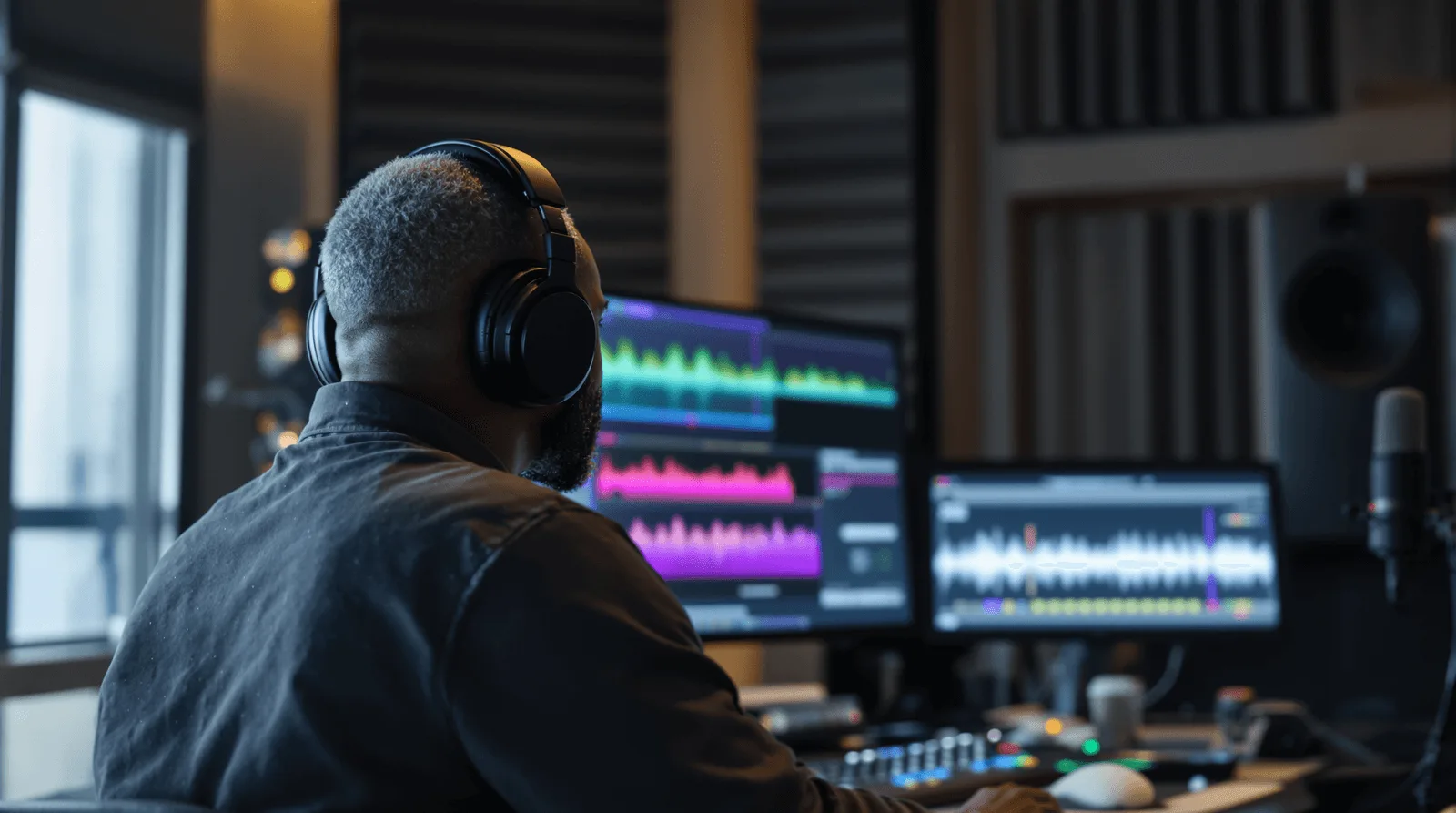
Audio engineer analysing waveform frequencies at studio workstation
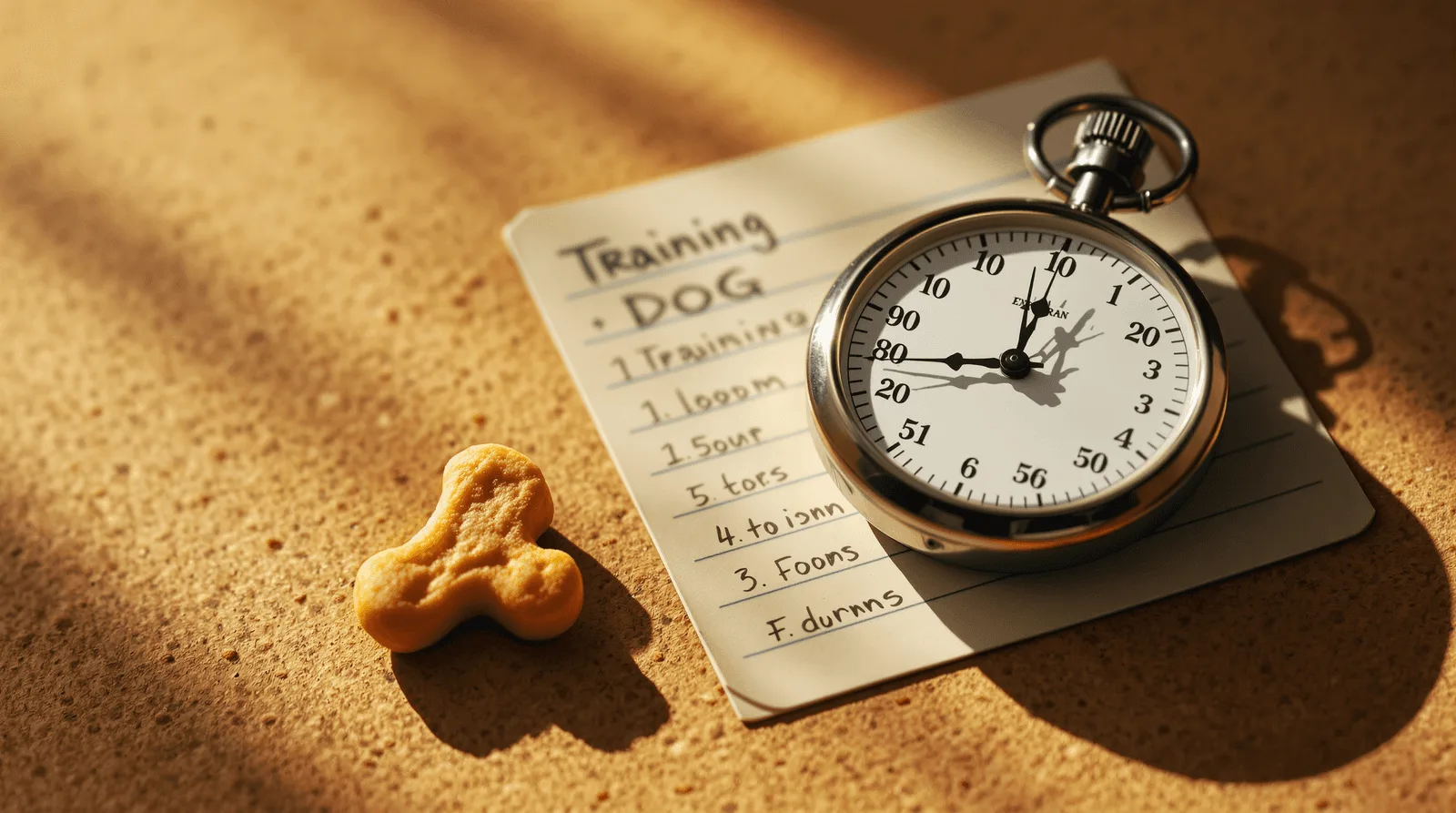
Analog stopwatch and training log card on cork surface

What Moves the Budget and Timeline 

These factors move the budget on a pet training app more than anything else in the brief: 

  • Audio engine precision, since a marking cue that needs to fire with no perceptible delay takes real engineering attention most simple apps never have to think about 

  • Adjustable control design, since letting an owner tune frequency, volume, and duration by feel, the way Paw's slider works, takes more interface care than a fixed setting would 

  • Guidance content, since useful, contextual training suggestions take real domain research to get right rather than generic tips that could apply to any dog 

  • Platform audio behavior, since how reliably a cue plays through a phone's speaker without interruption varies across devices and operating system versions 

A basic pet app in this category typically runs from about 15,000 to 40,000 dollars, according to 2026 industry pricing guides. That is well below what a broader pet care app with health tracking or vet integration would cost. Paw's tight, audio first scope is a major reason for that lower number. 

What This Costs Beyond the Build Fee 

The build fee covers the app. This category carries genuinely light ongoing costs compared to most apps in this series, which is itself worth planning around honestly. 

  • Minimal backend hosting, since a phone only sound and cue tool like Paw needs little to no server infrastructure to keep running day to day 

  • Operating system audio API maintenance, since both major mobile platforms occasionally change how background audio and interruptions behave, and a cue that stops firing reliably after an OS update needs prompt attention 

  • Guidance content updates, for keeping training suggestions current as an app's understanding of what actually helps owners improves over time 

  • App store presence upkeep, the same baseline maintenance any published app needs regardless of category 

Compared to a video streaming app's bandwidth bill or an AI generator's per image charges, a pet training app like Paw is refreshingly cheap to keep running. The build itself, not the infrastructure behind it, is where almost all of the investment belongs. 
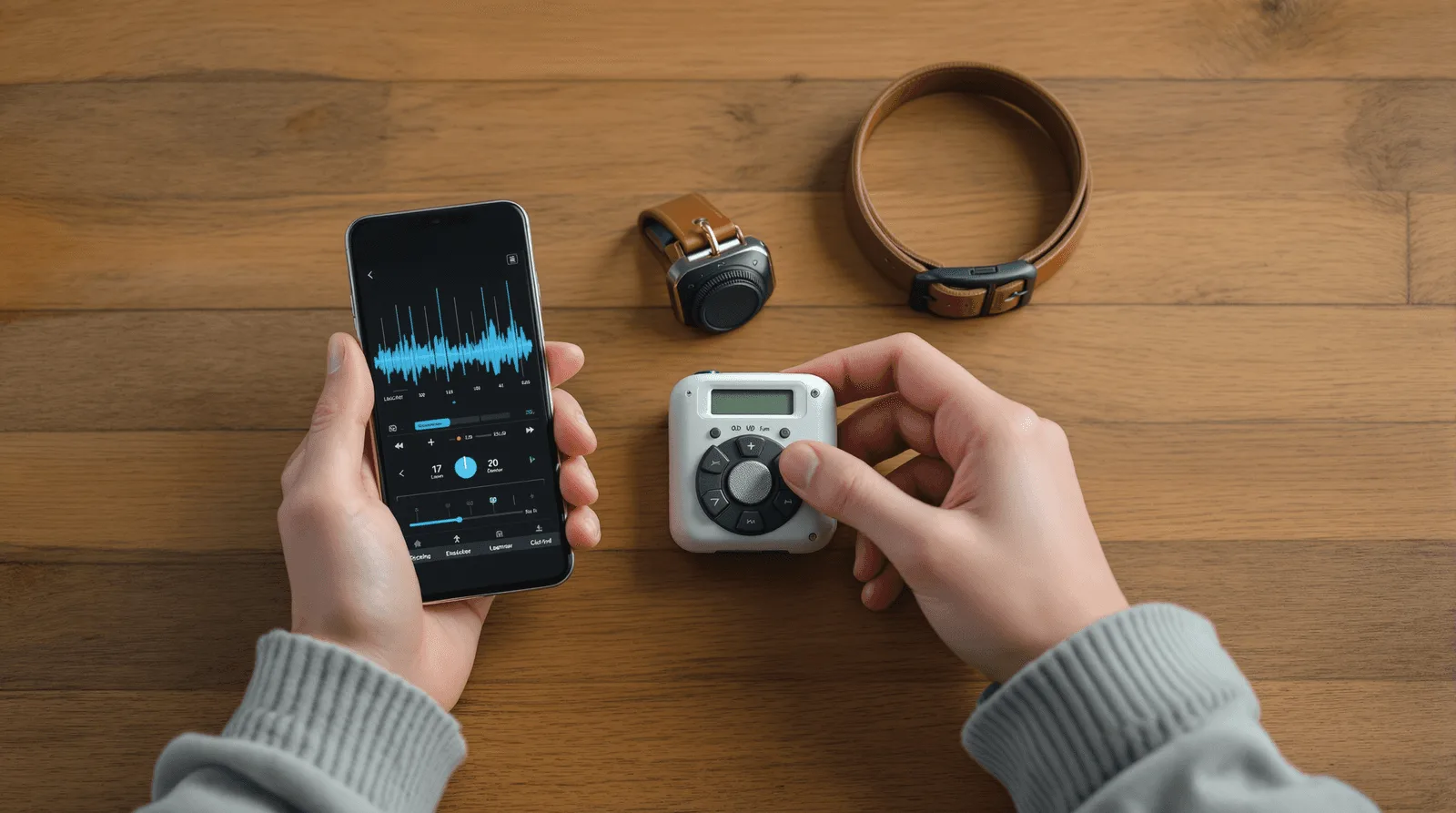
Hands holding smartphone and clicker trainer beside dog collar

Where These Apps Break in Production 

The training method itself rarely fails. The audio timing and real world conditions underneath it do. 

  • Latency that defeats the training principle, since a marking cue delayed by even a fraction of a second stops working as a marker in the way clicker training actually depends on 

  • Frequency assumptions that do not fit every dog, since dogs vary in which frequencies they notice and respond to, and a fixed tone with no adjustment will simply not work for some 

  • Background interruptions swallowing the cue, since a phone call, a notification sound, or another app taking audio focus mid session can silently prevent a cue from playing at all 

  • Guidance that oversimplifies training, since generic tips can miss a dog's specific pattern, and the honest framing is that the app supports a method rather than replacing an owner's judgment or a professional trainer 

None of this shows up in a quiet office demo where a phone sits still on a desk with nothing else competing for its speaker. It shows up on a real walk, with real wind noise, a real notification arriving at the wrong moment, and a real dog whose response tells you immediately whether the timing actually worked. 

The Training App We Have Shipped 

Neon Apps built Paw around exactly this precise, equipment free training model. 

Project 

Client 

Year 

Build time 

What it solved 

Paw 

Nikoloz Khatiashvili 

2024 

3 months 

Adjustable sound based recall and marking cues for dog training 

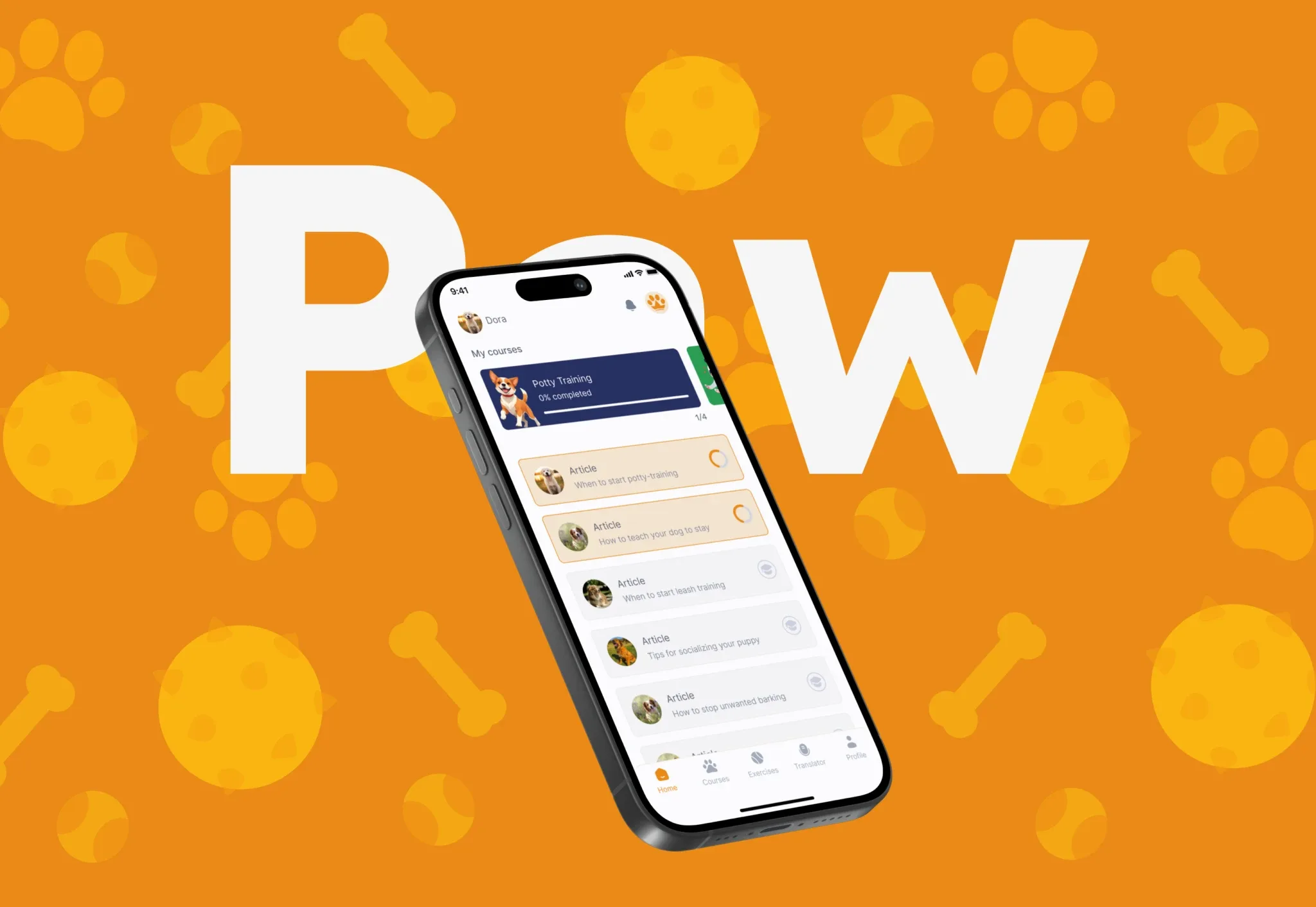
Paw gives dog owners a simple training tool they can use anywhere, without extra equipment or complicated setup. Owners select a whistle sound matched to their dog's response level and adjust frequency, volume, and duration with a slider. A separate marking cue works like a clicker, signaling correct behavior at exactly the right moment. Built in guidance helps owners know when to call, reward, or redirect attention during a session. The minimal interface stays usable while an owner is actively moving rather than standing still. After launch, owners reported faster recall response and better focus during training, with the lightweight setup enabling regular use outdoors and during walks rather than staying confined to a backyard session. Planning mobile app development around audio precision and one handed usability, rather than a longer feature list, is what made a three month build genuinely useful during a real training session. 
related projects

FAQ

What is a pet training app?

What does Neon Apps bring to a pet training app project?

Should a pet training app work through a phone alone or need extra hardware?

How does Neon Apps scope a pet training app project?

How long and how much does a pet training app cost to build?

Stay Inspired

Get fresh design insights, articles, and resources delivered straight to your inbox.

Get stories, insights, and updates from the Neon Apps team straight to your inbox.

Latest Blogs

Stay Inspired

Get stories, insights, and updates from the Neon Apps team straight to your inbox.

Got a project?

Let's Connect

Got a project? We build world-class mobile and web apps for startups and global brands.

Contact

Email
support@neonapps.co

Whatsapp
+90 552 733 43 99

Address

New York Office : 31 Hudson Yards, 11th Floor 10065 New York / United States

Istanbul Office : Huzur Mah. Fazıl Kaftanoğlu Caddesi No:7 Kat:10 Sarıyer/Istanbul

© Copyright 2025. All Rights Reserved by Neon Apps

Summarize with AI

The cue that has to land at the exact right instant 

Training a dog depends on timing far more than most people expect. A reward or a marker that lands a half second late teaches the wrong thing, or nothing at all. This guide covers the architecture, cost, and timeline behind building a pet training app precise enough to actually help. 

What a Pet Training App Actually Does 

A pet training app turns a phone into a training aid, most often through sound cues that mark good behavior or call a dog back from a distance. The category is growing steadily. The dog training app market is projected to reach about 1.17 billion dollars in 2026, growing toward 3.66 billion dollars by 2035 at a 13.5 percent compound annual rate, according to 2026 industry research. The underlying training science is well established. A whistle typically needs conditioning, thirty to fifty pairings of the sound with a reward, before a dog associates it with anything, the same principle behind clicker training. A whistle or a consistent app generated tone has one real advantage over a human voice, it sounds identical every single time, which is what makes the association form faster. Frequency matters too. Dog whistles typically operate somewhere between 16,000 and 22,000 hertz. Many dogs respond especially well to a narrower band around 12,000 to 15,000 hertz instead. That response varies enough from dog to dog that a single fixed tone would leave some owners with a whistle their own dog barely notices. The app itself mainly handles generating that consistent cue reliably and on demand. It also handles just enough guidance to help an owner use the cue correctly. None of this requires deep technical complexity. It requires the cue firing at the exact moment it is triggered, since a delayed marker teaches an owner's dog the wrong lesson entirely. 

Woman rewarding dog at precise training cue moment in apartment

Three Ways to Build a Pet Training Tool 

Not every pet training product solves the same problem, and three approaches cover most of what actually gets built. 

Approach 

Best for 

Tradeoff 

Phone only sound and cue tool 

No extra equipment, works anywhere immediately 

Limited to what a phone speaker and screen can do, no physical feedback 

Connected hardware accessory 

Physical feedback, range beyond a phone speaker's reach 

Requires an owner to buy, charge, and carry separate hardware 

Content and course library app 

Deep structured curriculum, also no equipment needed 

No real time interactive cue, closer to a course than a tool used mid session 

Paw sits in the first row, built specifically so an owner needs no extra equipment or complex setup to start using it. That constraint shaped the entire product. Every feature had to work through a phone's existing speaker and screen, outdoors, one handed, while an owner was actively focused on their dog rather than their phone. 

Choosing the approach shapes the entire build: 

  • Choose a phone only tool when the priority is zero extra equipment and instant availability, and put real engineering effort into audio latency rather than visual polish 

  • Choose a connected accessory when physical feedback or long range matters more than simplicity, and expect hardware integration to add real cost and complexity beyond the app itself 

  • Choose a content library when the goal is teaching a method over time rather than delivering a real time cue during an actual session 

Most teams underestimate how much a pet training app depends on things a screenshot cannot show. The frequency slider looks simple in a mockup. Whether the sound actually fires the instant a finger lifts off the screen is what decides whether the app works at all. 

How to Scope the First Version 

Most pet training apps fail on latency and clarity, not on the number of training methods supported. A first version with one reliable cue and clear guidance beats one with many features and a sluggish response. 

  • Build the core sound cue first and get its timing right before adding anything else, since Paw's marking cue works like a clicker specifically because it fires at the right moment 

  • Make every control usable one handed and outdoors, the way Paw keeps its interface minimal because owners use it while moving, not sitting at a desk 

  • Pair the cue with simple, contextual guidance on when to call, reward, or redirect, rather than assuming every owner already knows dog training theory 

Teams that add multiple sound types, tracking dashboards, and social features before nailing basic latency usually discover none of it matters. An owner who cannot trust the timing of the one core cue will not stick around for anything else the app offers. 

What a Realistic Build Timeline Looks Like 

Paw shipped in three months, and four stages made up that window. 

  • Discovery and scope, where the team locks the core cue mechanism, the adjustable controls, and the guidance content before any screen gets designed 

  • Core build, the largest block on the calendar, where the audio engine, the adjustable frequency and volume controls, and the marking cue come together against that locked scope 

  • Real world latency and outdoor testing, run on an actual walk with an actual dog, not a simulator or a quiet office where every delay is easy to miss 

  • Launch and monitor, the first few weeks live, when real training sessions test whether the timing holds up across different phones and outdoor conditions 

Skipping real outdoor testing is the most common reason a cue that felt instant on a desk in the office starts feeling delayed. That happens once a phone's speaker is competing with wind, traffic, or a dog barking nearby. 

Audio engineer analysing waveform frequencies at studio workstation
Analog stopwatch and training log card on cork surface

What Moves the Budget and Timeline 

These factors move the budget on a pet training app more than anything else in the brief: 

  • Audio engine precision, since a marking cue that needs to fire with no perceptible delay takes real engineering attention most simple apps never have to think about 

  • Adjustable control design, since letting an owner tune frequency, volume, and duration by feel, the way Paw's slider works, takes more interface care than a fixed setting would 

  • Guidance content, since useful, contextual training suggestions take real domain research to get right rather than generic tips that could apply to any dog 

  • Platform audio behavior, since how reliably a cue plays through a phone's speaker without interruption varies across devices and operating system versions 

A basic pet app in this category typically runs from about 15,000 to 40,000 dollars, according to 2026 industry pricing guides. That is well below what a broader pet care app with health tracking or vet integration would cost. Paw's tight, audio first scope is a major reason for that lower number. 

What This Costs Beyond the Build Fee 

The build fee covers the app. This category carries genuinely light ongoing costs compared to most apps in this series, which is itself worth planning around honestly. 

  • Minimal backend hosting, since a phone only sound and cue tool like Paw needs little to no server infrastructure to keep running day to day 

  • Operating system audio API maintenance, since both major mobile platforms occasionally change how background audio and interruptions behave, and a cue that stops firing reliably after an OS update needs prompt attention 

  • Guidance content updates, for keeping training suggestions current as an app's understanding of what actually helps owners improves over time 

  • App store presence upkeep, the same baseline maintenance any published app needs regardless of category 

Compared to a video streaming app's bandwidth bill or an AI generator's per image charges, a pet training app like Paw is refreshingly cheap to keep running. The build itself, not the infrastructure behind it, is where almost all of the investment belongs. 

Hands holding smartphone and clicker trainer beside dog collar

Where These Apps Break in Production 

The training method itself rarely fails. The audio timing and real world conditions underneath it do. 

  • Latency that defeats the training principle, since a marking cue delayed by even a fraction of a second stops working as a marker in the way clicker training actually depends on 

  • Frequency assumptions that do not fit every dog, since dogs vary in which frequencies they notice and respond to, and a fixed tone with no adjustment will simply not work for some 

  • Background interruptions swallowing the cue, since a phone call, a notification sound, or another app taking audio focus mid session can silently prevent a cue from playing at all 

  • Guidance that oversimplifies training, since generic tips can miss a dog's specific pattern, and the honest framing is that the app supports a method rather than replacing an owner's judgment or a professional trainer 

None of this shows up in a quiet office demo where a phone sits still on a desk with nothing else competing for its speaker. It shows up on a real walk, with real wind noise, a real notification arriving at the wrong moment, and a real dog whose response tells you immediately whether the timing actually worked. 

The Training App We Have Shipped 

Neon Apps built Paw around exactly this precise, equipment free training model. 

Project 

Client 

Year 

Build time 

What it solved 

Paw 

Nikoloz Khatiashvili 

2024 

3 months 

Adjustable sound based recall and marking cues for dog training 

Paw gives dog owners a simple training tool they can use anywhere, without extra equipment or complicated setup. Owners select a whistle sound matched to their dog's response level and adjust frequency, volume, and duration with a slider. A separate marking cue works like a clicker, signaling correct behavior at exactly the right moment. Built in guidance helps owners know when to call, reward, or redirect attention during a session. The minimal interface stays usable while an owner is actively moving rather than standing still. After launch, owners reported faster recall response and better focus during training, with the lightweight setup enabling regular use outdoors and during walks rather than staying confined to a backyard session. Planning mobile app development around audio precision and one handed usability, rather than a longer feature list, is what made a three month build genuinely useful during a real training session. 
related projects

FAQ

What is a pet training app?

What does Neon Apps bring to a pet training app project?

Should a pet training app work through a phone alone or need extra hardware?

How does Neon Apps scope a pet training app project?

How long and how much does a pet training app cost to build?

Stay Inspired

Get fresh design insights, articles, and resources delivered straight to your inbox.

Get stories, insights, and updates from the Neon Apps team straight to your inbox.

Latest Blogs

Stay Inspired

Get stories, insights, and updates from the Neon Apps team straight to your inbox.

Got a project?

Let's Connect

Got a project? We build world-class mobile and web apps for startups and global brands.

Contact

Email
support@neonapps.co

Whatsapp
+90 552 733 43 99

Address

New York Office : 31 Hudson Yards, 11th Floor 10065 New York / United States

Istanbul Office : Huzur Mah. Fazıl Kaftanoğlu Caddesi No:7 Kat:10 Sarıyer/Istanbul

© Copyright 2025. All Rights Reserved by Neon Apps

Summarize with AI

The cue that has to land at the exact right instant 

Training a dog depends on timing far more than most people expect. A reward or a marker that lands a half second late teaches the wrong thing, or nothing at all. This guide covers the architecture, cost, and timeline behind building a pet training app precise enough to actually help. 

What a Pet Training App Actually Does 

A pet training app turns a phone into a training aid, most often through sound cues that mark good behavior or call a dog back from a distance. The category is growing steadily. The dog training app market is projected to reach about 1.17 billion dollars in 2026, growing toward 3.66 billion dollars by 2035 at a 13.5 percent compound annual rate, according to 2026 industry research. The underlying training science is well established. A whistle typically needs conditioning, thirty to fifty pairings of the sound with a reward, before a dog associates it with anything, the same principle behind clicker training. A whistle or a consistent app generated tone has one real advantage over a human voice, it sounds identical every single time, which is what makes the association form faster. Frequency matters too. Dog whistles typically operate somewhere between 16,000 and 22,000 hertz. Many dogs respond especially well to a narrower band around 12,000 to 15,000 hertz instead. That response varies enough from dog to dog that a single fixed tone would leave some owners with a whistle their own dog barely notices. The app itself mainly handles generating that consistent cue reliably and on demand. It also handles just enough guidance to help an owner use the cue correctly. None of this requires deep technical complexity. It requires the cue firing at the exact moment it is triggered, since a delayed marker teaches an owner's dog the wrong lesson entirely. 

Woman rewarding dog at precise training cue moment in apartment

Three Ways to Build a Pet Training Tool 

Not every pet training product solves the same problem, and three approaches cover most of what actually gets built. 

Approach 

Best for 

Tradeoff 

Phone only sound and cue tool 

No extra equipment, works anywhere immediately 

Limited to what a phone speaker and screen can do, no physical feedback 

Connected hardware accessory 

Physical feedback, range beyond a phone speaker's reach 

Requires an owner to buy, charge, and carry separate hardware 

Content and course library app 

Deep structured curriculum, also no equipment needed 

No real time interactive cue, closer to a course than a tool used mid session 

Paw sits in the first row, built specifically so an owner needs no extra equipment or complex setup to start using it. That constraint shaped the entire product. Every feature had to work through a phone's existing speaker and screen, outdoors, one handed, while an owner was actively focused on their dog rather than their phone. 

Choosing the approach shapes the entire build: 

  • Choose a phone only tool when the priority is zero extra equipment and instant availability, and put real engineering effort into audio latency rather than visual polish 

  • Choose a connected accessory when physical feedback or long range matters more than simplicity, and expect hardware integration to add real cost and complexity beyond the app itself 

  • Choose a content library when the goal is teaching a method over time rather than delivering a real time cue during an actual session 

Most teams underestimate how much a pet training app depends on things a screenshot cannot show. The frequency slider looks simple in a mockup. Whether the sound actually fires the instant a finger lifts off the screen is what decides whether the app works at all. 

How to Scope the First Version 

Most pet training apps fail on latency and clarity, not on the number of training methods supported. A first version with one reliable cue and clear guidance beats one with many features and a sluggish response. 

  • Build the core sound cue first and get its timing right before adding anything else, since Paw's marking cue works like a clicker specifically because it fires at the right moment 

  • Make every control usable one handed and outdoors, the way Paw keeps its interface minimal because owners use it while moving, not sitting at a desk 

  • Pair the cue with simple, contextual guidance on when to call, reward, or redirect, rather than assuming every owner already knows dog training theory 

Teams that add multiple sound types, tracking dashboards, and social features before nailing basic latency usually discover none of it matters. An owner who cannot trust the timing of the one core cue will not stick around for anything else the app offers. 

What a Realistic Build Timeline Looks Like 

Paw shipped in three months, and four stages made up that window. 

  • Discovery and scope, where the team locks the core cue mechanism, the adjustable controls, and the guidance content before any screen gets designed 

  • Core build, the largest block on the calendar, where the audio engine, the adjustable frequency and volume controls, and the marking cue come together against that locked scope 

  • Real world latency and outdoor testing, run on an actual walk with an actual dog, not a simulator or a quiet office where every delay is easy to miss 

  • Launch and monitor, the first few weeks live, when real training sessions test whether the timing holds up across different phones and outdoor conditions 

Skipping real outdoor testing is the most common reason a cue that felt instant on a desk in the office starts feeling delayed. That happens once a phone's speaker is competing with wind, traffic, or a dog barking nearby. 

Audio engineer analysing waveform frequencies at studio workstation
Analog stopwatch and training log card on cork surface

What Moves the Budget and Timeline 

These factors move the budget on a pet training app more than anything else in the brief: 

  • Audio engine precision, since a marking cue that needs to fire with no perceptible delay takes real engineering attention most simple apps never have to think about 

  • Adjustable control design, since letting an owner tune frequency, volume, and duration by feel, the way Paw's slider works, takes more interface care than a fixed setting would 

  • Guidance content, since useful, contextual training suggestions take real domain research to get right rather than generic tips that could apply to any dog 

  • Platform audio behavior, since how reliably a cue plays through a phone's speaker without interruption varies across devices and operating system versions 

A basic pet app in this category typically runs from about 15,000 to 40,000 dollars, according to 2026 industry pricing guides. That is well below what a broader pet care app with health tracking or vet integration would cost. Paw's tight, audio first scope is a major reason for that lower number. 

What This Costs Beyond the Build Fee 

The build fee covers the app. This category carries genuinely light ongoing costs compared to most apps in this series, which is itself worth planning around honestly. 

  • Minimal backend hosting, since a phone only sound and cue tool like Paw needs little to no server infrastructure to keep running day to day 

  • Operating system audio API maintenance, since both major mobile platforms occasionally change how background audio and interruptions behave, and a cue that stops firing reliably after an OS update needs prompt attention 

  • Guidance content updates, for keeping training suggestions current as an app's understanding of what actually helps owners improves over time 

  • App store presence upkeep, the same baseline maintenance any published app needs regardless of category 

Compared to a video streaming app's bandwidth bill or an AI generator's per image charges, a pet training app like Paw is refreshingly cheap to keep running. The build itself, not the infrastructure behind it, is where almost all of the investment belongs. 

Hands holding smartphone and clicker trainer beside dog collar

Where These Apps Break in Production 

The training method itself rarely fails. The audio timing and real world conditions underneath it do. 

  • Latency that defeats the training principle, since a marking cue delayed by even a fraction of a second stops working as a marker in the way clicker training actually depends on 

  • Frequency assumptions that do not fit every dog, since dogs vary in which frequencies they notice and respond to, and a fixed tone with no adjustment will simply not work for some 

  • Background interruptions swallowing the cue, since a phone call, a notification sound, or another app taking audio focus mid session can silently prevent a cue from playing at all 

  • Guidance that oversimplifies training, since generic tips can miss a dog's specific pattern, and the honest framing is that the app supports a method rather than replacing an owner's judgment or a professional trainer 

None of this shows up in a quiet office demo where a phone sits still on a desk with nothing else competing for its speaker. It shows up on a real walk, with real wind noise, a real notification arriving at the wrong moment, and a real dog whose response tells you immediately whether the timing actually worked. 

The Training App We Have Shipped 

Neon Apps built Paw around exactly this precise, equipment free training model. 

Project 

Client 

Year 

Build time 

What it solved 

Paw 

Nikoloz Khatiashvili 

2024 

3 months 

Adjustable sound based recall and marking cues for dog training 

Paw gives dog owners a simple training tool they can use anywhere, without extra equipment or complicated setup. Owners select a whistle sound matched to their dog's response level and adjust frequency, volume, and duration with a slider. A separate marking cue works like a clicker, signaling correct behavior at exactly the right moment. Built in guidance helps owners know when to call, reward, or redirect attention during a session. The minimal interface stays usable while an owner is actively moving rather than standing still. After launch, owners reported faster recall response and better focus during training, with the lightweight setup enabling regular use outdoors and during walks rather than staying confined to a backyard session. Planning mobile app development around audio precision and one handed usability, rather than a longer feature list, is what made a three month build genuinely useful during a real training session. 

related projects

FAQ

What is a pet training app?

What does Neon Apps bring to a pet training app project?

Should a pet training app work through a phone alone or need extra hardware?

How does Neon Apps scope a pet training app project?

How long and how much does a pet training app cost to build?

Stay Inspired

Get fresh design insights, articles, and resources delivered straight to your inbox.

Get stories, insights, and updates from the Neon Apps team straight to your inbox.

Latest Blogs

Stay Inspired

Get stories, insights, and updates from the Neon Apps team straight to your inbox.

Got a project?

Let's Connect

Got a project? We build world-class mobile and web apps for startups and global brands.

Contact

Email
support@neonapps.co

Whatsapp
+90 552 733 43 99

Address

New York Office : 31 Hudson Yards, 11th Floor 10065 New York / United States

Istanbul Office : Huzur Mah. Fazıl Kaftanoğlu Caddesi No:7 Kat:10 Sarıyer/Istanbul

© Copyright 2025. All Rights Reserved by Neon Apps