Design
Nov 27, 2025
How App Store Screenshot Optimization Can Boost Your Downloads
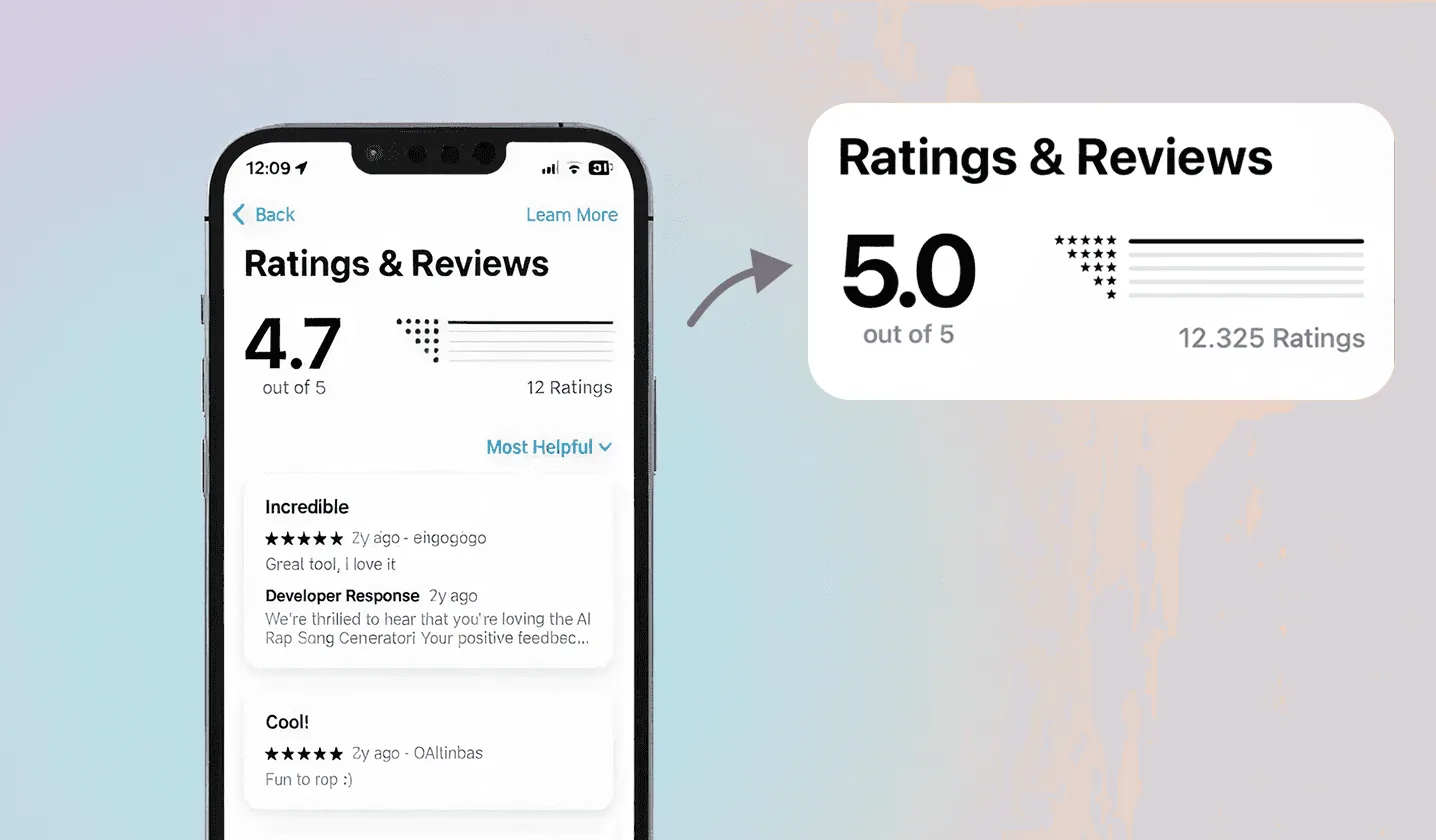
At Neon Apps, we see screenshot optimization not as visual polish, but as a growth-driven strategy that directly boosts your app’s visibility, conversions, and overall downloads.
At Neon Apps, we see App Store screenshot optimization as a growth-focused strategy, not just a visual upgrade. Screenshots are often the first real interaction users have with your product, and they play a decisive role in whether someone installs your app or scrolls past it. Strong screenshots clearly communicate value, set expectations, and build trust within seconds.
Many high-quality apps underperform simply because their screenshots fail to tell a clear and compelling story. With a thoughtful approach that combines user psychology, engagement principles, and App Store best practices, your screenshots can become one of the most effective tools for increasing conversions and driving sustainable download growth.


Why Screenshots Matter for App Store Optimization
Your screenshots are often the first elements users notice before reading a single line of text on your App Store page. Visual information is processed much faster than written descriptions, which makes screenshots one of the most influential assets in App Store Optimization (ASO). In many cases, users decide whether to explore further or install the app purely based on how clearly the screenshots communicate value.
Well-designed screenshots can immediately shape user perception, highlight the app’s strongest benefits, and create a sense of trust and credibility within seconds. They help users quickly understand what the app does, who it is for, and why it is worth downloading. When screenshots are unclear or visually cluttered, even strong apps can struggle to convert visits into installs.
Tell a Clear Story in the First Three Screens
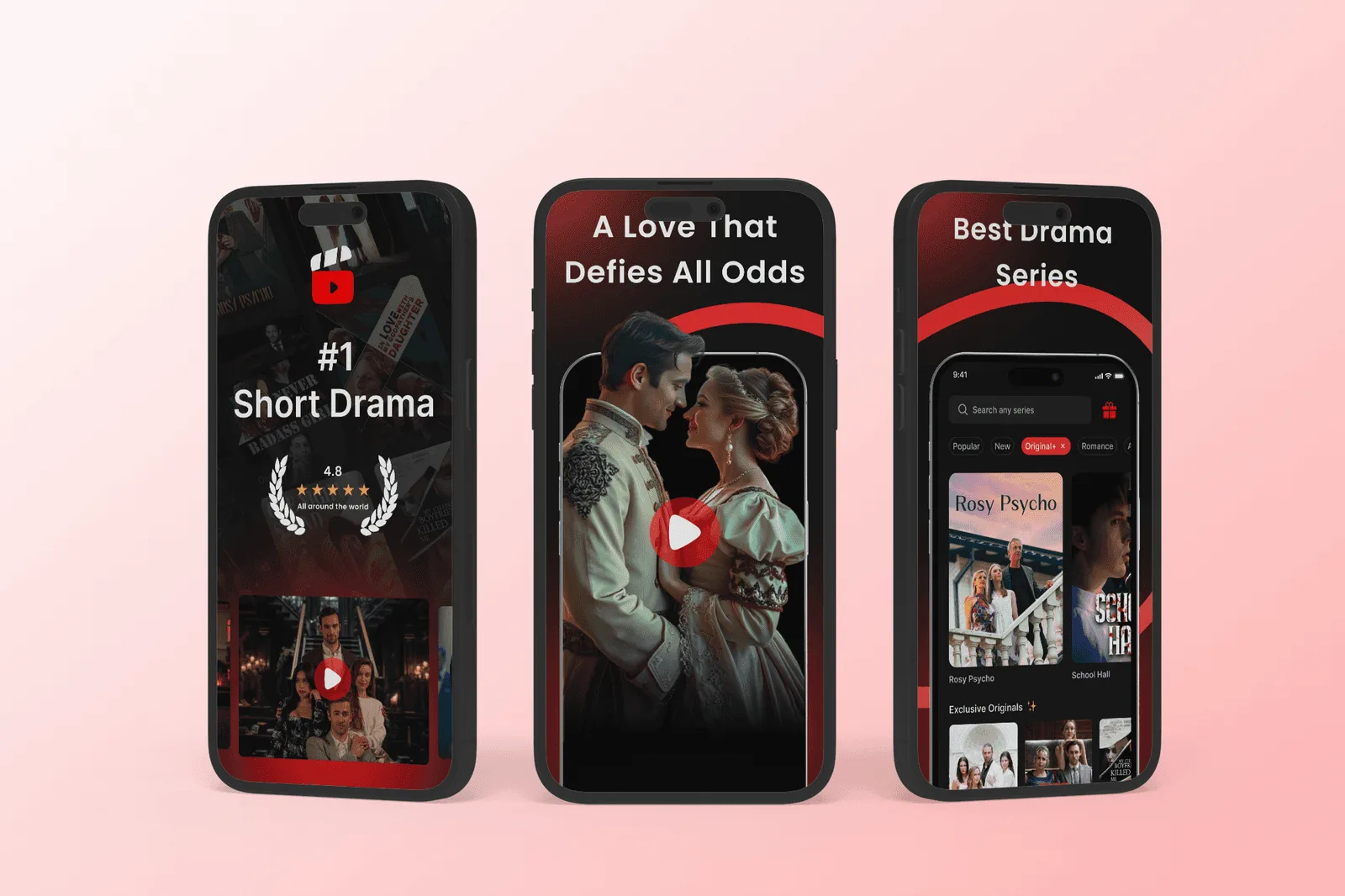
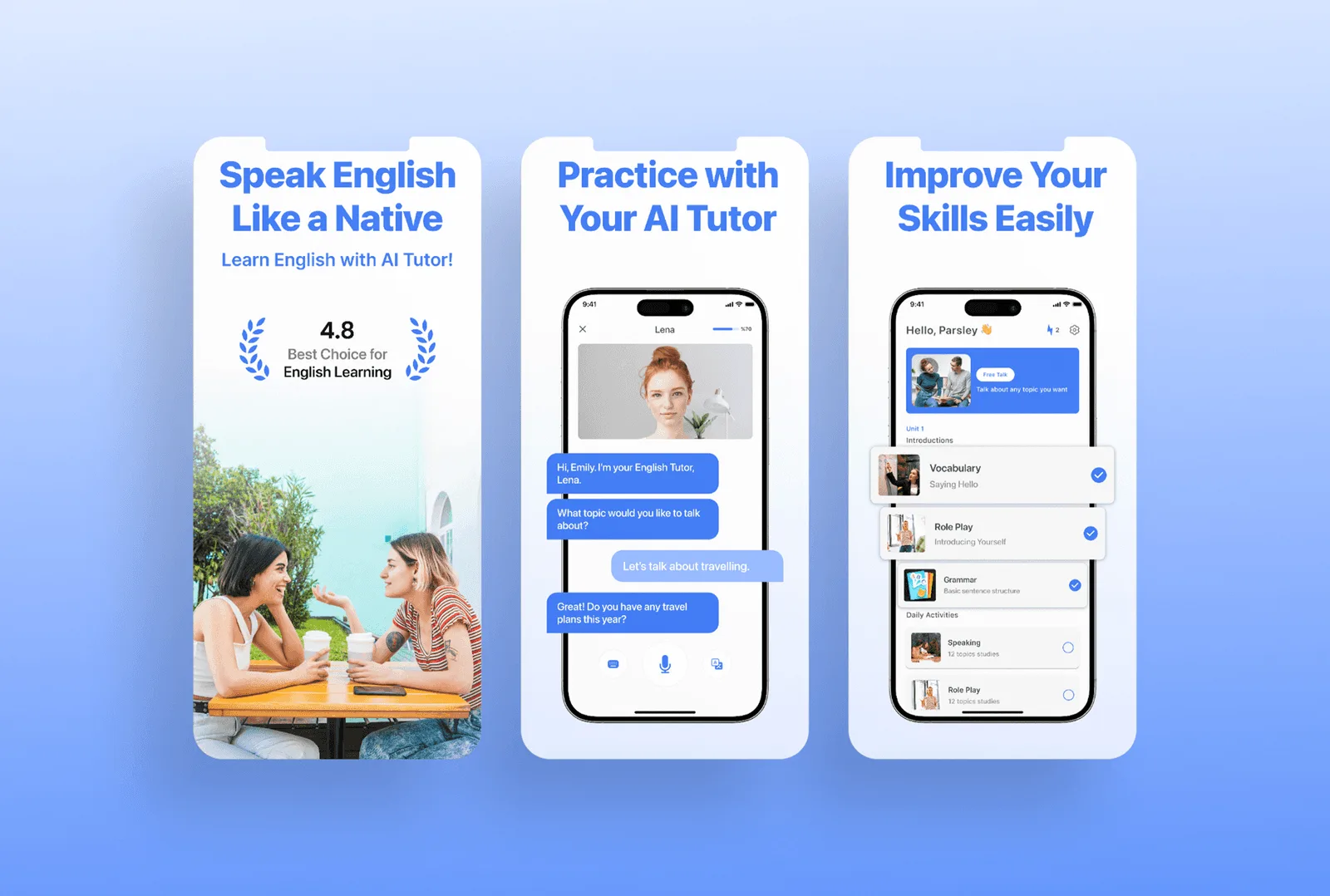
The first three screenshots carry the most weight in the decision-making process. Many users never scroll beyond them, which means these images must work hard and communicate clearly. They should instantly answer three core questions:
What does this app do?
Why is it useful?
Why is it different from alternatives?
These screens should focus on your core value proposition, primary functionality, and the most compelling reason to choose your app. If your product solves an important problem quickly or delivers instant value, that message should appear immediately. Clear messaging, focused visuals, and a strong narrative outperform complex or overloaded designs every time. In App Store listings, clarity always beats complexity.
Use Visual Hierarchy to Highlight Key Features
Effective screenshot design relies on visual hierarchy to guide the user’s attention. Instead of showing everything at once, strong layouts direct the eye toward the most important elements first. At Neon Apps, we design screenshots with intentional structure, ensuring that headlines, visuals, and UI elements work together to tell a coherent story.
Clear headlines, well-scaled device frames, and simplified backgrounds help users understand the product flow without distraction. By reducing visual noise and emphasizing key features, users feel more confident about what they are downloading. This sense of clarity and confidence directly supports conversion rate improvement, as users are far more likely to install an app when they quickly understand its purpose and value.
When screenshots feel organized, intentional, and easy to scan, they reinforce trust and make the installation decision feel effortless.


Add Short Text Captions That Support the Visual Story
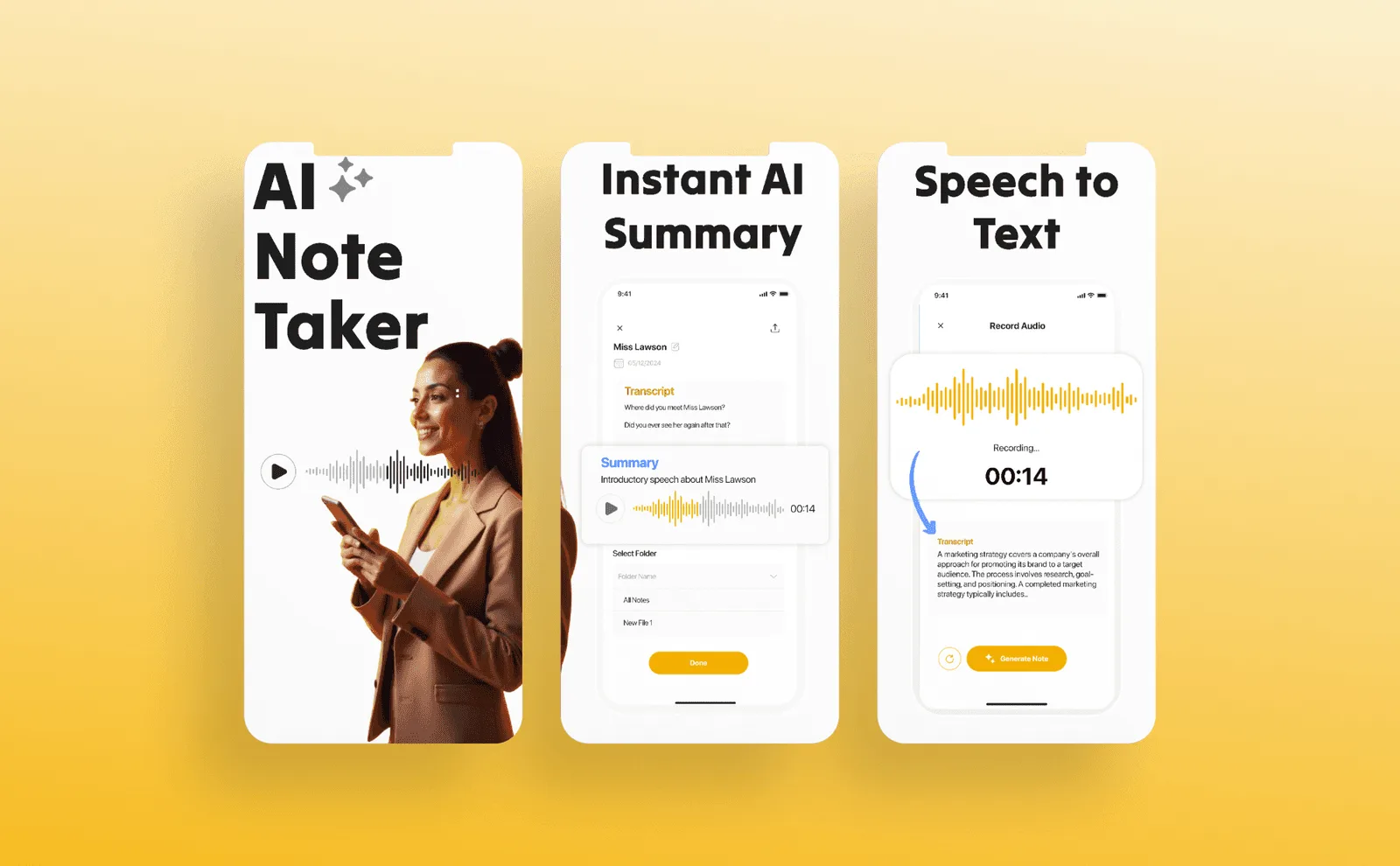
Text captions should support the visual, not repeat what the user can already see. Screenshots are scanned quickly, so captions must focus on the benefit, not the interface itself.
For example, instead of saying “Login screen”, a stronger caption would be “Start your journey in seconds”. This shifts attention from the feature to the value it delivers.
Effective captions help users immediately understand why a screen matters. They frame the visual in a way that connects directly to user motivation, whether that is saving time, feeling in control, or achieving a goal faster. Your objective is not to explain the UI, but to clearly communicate what the user gains by using your app.
Show Real Use Cases Instead of Generic Screens
Authenticity plays a major role in building trust. Rather than showcasing isolated or decorative UI screens, focus on real use cases that reflect how people actually use your app. Screens that show onboarding, core actions, progress states, or meaningful outcomes feel more believable and relatable.
By displaying realistic user journeys, you help users visualize themselves using the product. This clarity reduces uncertainty and increases confidence in the download decision. Showing real flows from first interaction to key action also improves quality perception, making the app feel mature, purposeful, and well thought out.
Use Consistent Branding for Recognition
Your screenshots should feel like a natural extension of your product and brand. Colors, typography, spacing, and iconography must be consistent with your in-app experience and overall identity. Strong branding improves recognition and helps your app stand out, especially in highly competitive categories where users compare multiple options quickly.
Inconsistent visuals can break trust. If screenshots feel disconnected from the actual product, users may perceive the app as unpolished or unreliable. Consistent branding signals professionalism and reinforces credibility, which directly influences conversion and download intent.
Test Multiple Screenshot Variations for Better Results
Screenshot optimization is not a one-time task. The App Store’s Product Page Optimization feature allows teams to test different screenshot sets and measure real performance differences. Small changes in messaging, layout, color usage, or screenshot order can have a significant impact on conversion rates.
At Neon Apps, we run structured experiments to understand how users actually respond to different visual approaches. These tests reveal which screenshots increase confidence and which introduce friction. Continuous testing allows teams to make data-driven decisions and achieve long-term conversion rate improvement, rather than relying on assumptions or static designs.
Optimization through testing ensures your screenshots evolve alongside user expectations, keeping your App Store presence effective and competitive over time.


Showcase Your App Icon in the Screenshots When Strategic
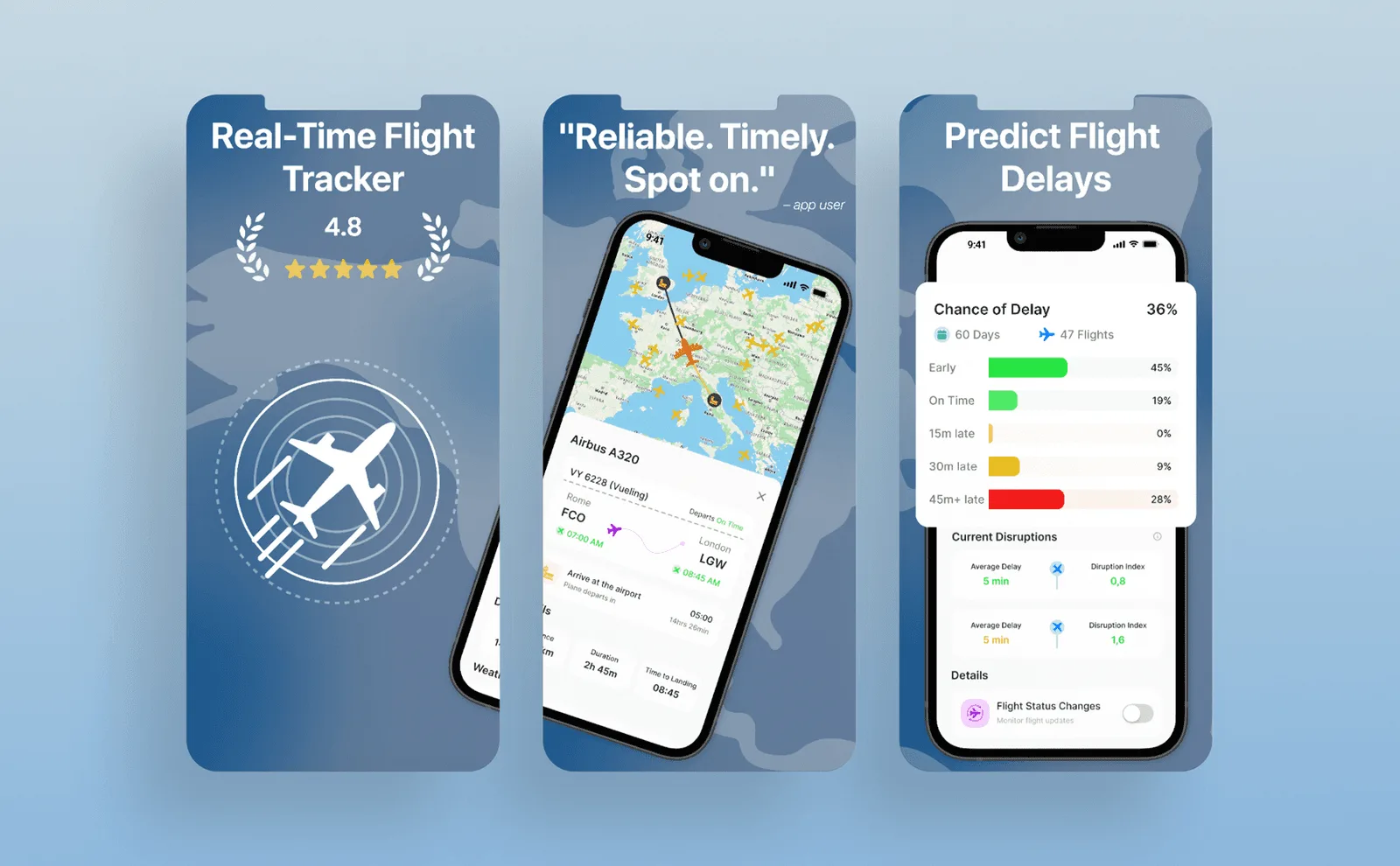
In certain categories, especially where trust and recognition matter, including your app icon within screenshots can improve brand recall and credibility. This is particularly useful for new products or apps competing in crowded categories, where users may feel hesitant to install something unfamiliar. When placed thoughtfully, the app icon reinforces brand identity and helps users connect the listing with what they will later see on their home screen.
However, this should be done with intention. The icon should support the story, not dominate it. When integrated subtly and consistently, it aligns well with App Store Optimization icon and screenshot strategies, strengthening recognition without distracting from the product itself.
Focus on Mobile-First Content and Keep Text Readable
App Store screenshots are viewed primarily on small mobile screens, which makes readability critical. Long sentences, small font sizes, overly detailed backgrounds, or crowded layouts quickly reduce clarity. Users should be able to understand the message of each screenshot in a single glance.
Clean layouts, short benefit-driven captions, and strong contrast between text and background consistently perform better. A mobile-first mindset ensures that your screenshots communicate value instantly, even when viewed quickly while scrolling. Simplicity is not a limitation here; it is a performance advantage.
Adapt Screenshots for Different Devices and Store Formats
Different devices require different visual treatments. iPhone and iPad screenshots behave differently, both in layout and in how much visual information they can comfortably display. Optimizing screenshots for all required sizes ensures your listing looks polished and intentional across the App Store.
Avoid stretching, cropping, or reusing the same layout across formats without adjustment. Each device size should feel designed, not adapted. High-quality, format-specific screenshots improve perceived quality and prevent visual inconsistencies that can reduce trust.
Refresh Your Screenshots After Major Updates
Screenshots should evolve alongside your product. When your UI changes, new features are added, or the core value proposition improves, your screenshots should reflect that progress. Outdated visuals can create confusion or signal inactivity, even if the app itself is actively maintained.
Regularly refreshing screenshots communicates that your app is alive, improving, and supported, which positively impacts credibility and user trust. It also gives you an opportunity to highlight new value and test updated messaging that aligns with your latest product direction.
Keeping screenshots current is a simple but powerful way to maintain strong conversion performance over time.
Stay Inspired
Get fresh design insights, articles, and resources delivered straight to your inbox.
Get stories, insights, and updates from the Neon Apps team straight to your inbox.
Latest Blogs
Stay Inspired
Get stories, insights, and updates from the Neon Apps team straight to your inbox.
Got a project?
Let's Connect
Got a project? We build world-class mobile and web apps for startups and global brands.
Neon Apps is a product development company building mobile, web, and SaaS products with an 85-member in-house team in Istanbul and New York, delivering scalable products as a long-term development partner.

Design
Nov 27, 2025
How App Store Screenshot Optimization Can Boost Your Downloads
At Neon Apps, we see screenshot optimization not as visual polish, but as a growth-driven strategy that directly boosts your app’s visibility, conversions, and overall downloads.
At Neon Apps, we see App Store screenshot optimization as a growth-focused strategy, not just a visual upgrade. Screenshots are often the first real interaction users have with your product, and they play a decisive role in whether someone installs your app or scrolls past it. Strong screenshots clearly communicate value, set expectations, and build trust within seconds.
Many high-quality apps underperform simply because their screenshots fail to tell a clear and compelling story. With a thoughtful approach that combines user psychology, engagement principles, and App Store best practices, your screenshots can become one of the most effective tools for increasing conversions and driving sustainable download growth.


Why Screenshots Matter for App Store Optimization
Your screenshots are often the first elements users notice before reading a single line of text on your App Store page. Visual information is processed much faster than written descriptions, which makes screenshots one of the most influential assets in App Store Optimization (ASO). In many cases, users decide whether to explore further or install the app purely based on how clearly the screenshots communicate value.
Well-designed screenshots can immediately shape user perception, highlight the app’s strongest benefits, and create a sense of trust and credibility within seconds. They help users quickly understand what the app does, who it is for, and why it is worth downloading. When screenshots are unclear or visually cluttered, even strong apps can struggle to convert visits into installs.
Tell a Clear Story in the First Three Screens
The first three screenshots carry the most weight in the decision-making process. Many users never scroll beyond them, which means these images must work hard and communicate clearly. They should instantly answer three core questions:
What does this app do?
Why is it useful?
Why is it different from alternatives?
These screens should focus on your core value proposition, primary functionality, and the most compelling reason to choose your app. If your product solves an important problem quickly or delivers instant value, that message should appear immediately. Clear messaging, focused visuals, and a strong narrative outperform complex or overloaded designs every time. In App Store listings, clarity always beats complexity.
Use Visual Hierarchy to Highlight Key Features
Effective screenshot design relies on visual hierarchy to guide the user’s attention. Instead of showing everything at once, strong layouts direct the eye toward the most important elements first. At Neon Apps, we design screenshots with intentional structure, ensuring that headlines, visuals, and UI elements work together to tell a coherent story.
Clear headlines, well-scaled device frames, and simplified backgrounds help users understand the product flow without distraction. By reducing visual noise and emphasizing key features, users feel more confident about what they are downloading. This sense of clarity and confidence directly supports conversion rate improvement, as users are far more likely to install an app when they quickly understand its purpose and value.
When screenshots feel organized, intentional, and easy to scan, they reinforce trust and make the installation decision feel effortless.


Add Short Text Captions That Support the Visual Story
Text captions should support the visual, not repeat what the user can already see. Screenshots are scanned quickly, so captions must focus on the benefit, not the interface itself.
For example, instead of saying “Login screen”, a stronger caption would be “Start your journey in seconds”. This shifts attention from the feature to the value it delivers.
Effective captions help users immediately understand why a screen matters. They frame the visual in a way that connects directly to user motivation, whether that is saving time, feeling in control, or achieving a goal faster. Your objective is not to explain the UI, but to clearly communicate what the user gains by using your app.
Show Real Use Cases Instead of Generic Screens
Authenticity plays a major role in building trust. Rather than showcasing isolated or decorative UI screens, focus on real use cases that reflect how people actually use your app. Screens that show onboarding, core actions, progress states, or meaningful outcomes feel more believable and relatable.
By displaying realistic user journeys, you help users visualize themselves using the product. This clarity reduces uncertainty and increases confidence in the download decision. Showing real flows from first interaction to key action also improves quality perception, making the app feel mature, purposeful, and well thought out.
Use Consistent Branding for Recognition
Your screenshots should feel like a natural extension of your product and brand. Colors, typography, spacing, and iconography must be consistent with your in-app experience and overall identity. Strong branding improves recognition and helps your app stand out, especially in highly competitive categories where users compare multiple options quickly.
Inconsistent visuals can break trust. If screenshots feel disconnected from the actual product, users may perceive the app as unpolished or unreliable. Consistent branding signals professionalism and reinforces credibility, which directly influences conversion and download intent.
Test Multiple Screenshot Variations for Better Results
Screenshot optimization is not a one-time task. The App Store’s Product Page Optimization feature allows teams to test different screenshot sets and measure real performance differences. Small changes in messaging, layout, color usage, or screenshot order can have a significant impact on conversion rates.
At Neon Apps, we run structured experiments to understand how users actually respond to different visual approaches. These tests reveal which screenshots increase confidence and which introduce friction. Continuous testing allows teams to make data-driven decisions and achieve long-term conversion rate improvement, rather than relying on assumptions or static designs.
Optimization through testing ensures your screenshots evolve alongside user expectations, keeping your App Store presence effective and competitive over time.


Showcase Your App Icon in the Screenshots When Strategic
In certain categories, especially where trust and recognition matter, including your app icon within screenshots can improve brand recall and credibility. This is particularly useful for new products or apps competing in crowded categories, where users may feel hesitant to install something unfamiliar. When placed thoughtfully, the app icon reinforces brand identity and helps users connect the listing with what they will later see on their home screen.
However, this should be done with intention. The icon should support the story, not dominate it. When integrated subtly and consistently, it aligns well with App Store Optimization icon and screenshot strategies, strengthening recognition without distracting from the product itself.
Focus on Mobile-First Content and Keep Text Readable
App Store screenshots are viewed primarily on small mobile screens, which makes readability critical. Long sentences, small font sizes, overly detailed backgrounds, or crowded layouts quickly reduce clarity. Users should be able to understand the message of each screenshot in a single glance.
Clean layouts, short benefit-driven captions, and strong contrast between text and background consistently perform better. A mobile-first mindset ensures that your screenshots communicate value instantly, even when viewed quickly while scrolling. Simplicity is not a limitation here; it is a performance advantage.
Adapt Screenshots for Different Devices and Store Formats
Different devices require different visual treatments. iPhone and iPad screenshots behave differently, both in layout and in how much visual information they can comfortably display. Optimizing screenshots for all required sizes ensures your listing looks polished and intentional across the App Store.
Avoid stretching, cropping, or reusing the same layout across formats without adjustment. Each device size should feel designed, not adapted. High-quality, format-specific screenshots improve perceived quality and prevent visual inconsistencies that can reduce trust.
Refresh Your Screenshots After Major Updates
Screenshots should evolve alongside your product. When your UI changes, new features are added, or the core value proposition improves, your screenshots should reflect that progress. Outdated visuals can create confusion or signal inactivity, even if the app itself is actively maintained.
Regularly refreshing screenshots communicates that your app is alive, improving, and supported, which positively impacts credibility and user trust. It also gives you an opportunity to highlight new value and test updated messaging that aligns with your latest product direction.
Keeping screenshots current is a simple but powerful way to maintain strong conversion performance over time.
Stay Inspired
Get fresh design insights, articles, and resources delivered straight to your inbox.
Get stories, insights, and updates from the Neon Apps team straight to your inbox.
Latest Blogs
Stay Inspired
Get stories, insights, and updates from the Neon Apps team straight to your inbox.
Got a project?
Let's Connect
Got a project? We build world-class mobile and web apps for startups and global brands.
Neon Apps is a product development company building mobile, web, and SaaS products with an 85-member in-house team in Istanbul and New York, delivering scalable products as a long-term development partner.

Design
Nov 27, 2025
How App Store Screenshot Optimization Can Boost Your Downloads
At Neon Apps, we see screenshot optimization not as visual polish, but as a growth-driven strategy that directly boosts your app’s visibility, conversions, and overall downloads.
At Neon Apps, we see App Store screenshot optimization as a growth-focused strategy, not just a visual upgrade. Screenshots are often the first real interaction users have with your product, and they play a decisive role in whether someone installs your app or scrolls past it. Strong screenshots clearly communicate value, set expectations, and build trust within seconds.
Many high-quality apps underperform simply because their screenshots fail to tell a clear and compelling story. With a thoughtful approach that combines user psychology, engagement principles, and App Store best practices, your screenshots can become one of the most effective tools for increasing conversions and driving sustainable download growth.


Why Screenshots Matter for App Store Optimization
Your screenshots are often the first elements users notice before reading a single line of text on your App Store page. Visual information is processed much faster than written descriptions, which makes screenshots one of the most influential assets in App Store Optimization (ASO). In many cases, users decide whether to explore further or install the app purely based on how clearly the screenshots communicate value.
Well-designed screenshots can immediately shape user perception, highlight the app’s strongest benefits, and create a sense of trust and credibility within seconds. They help users quickly understand what the app does, who it is for, and why it is worth downloading. When screenshots are unclear or visually cluttered, even strong apps can struggle to convert visits into installs.
Tell a Clear Story in the First Three Screens
The first three screenshots carry the most weight in the decision-making process. Many users never scroll beyond them, which means these images must work hard and communicate clearly. They should instantly answer three core questions:
What does this app do?
Why is it useful?
Why is it different from alternatives?
These screens should focus on your core value proposition, primary functionality, and the most compelling reason to choose your app. If your product solves an important problem quickly or delivers instant value, that message should appear immediately. Clear messaging, focused visuals, and a strong narrative outperform complex or overloaded designs every time. In App Store listings, clarity always beats complexity.
Use Visual Hierarchy to Highlight Key Features
Effective screenshot design relies on visual hierarchy to guide the user’s attention. Instead of showing everything at once, strong layouts direct the eye toward the most important elements first. At Neon Apps, we design screenshots with intentional structure, ensuring that headlines, visuals, and UI elements work together to tell a coherent story.
Clear headlines, well-scaled device frames, and simplified backgrounds help users understand the product flow without distraction. By reducing visual noise and emphasizing key features, users feel more confident about what they are downloading. This sense of clarity and confidence directly supports conversion rate improvement, as users are far more likely to install an app when they quickly understand its purpose and value.
When screenshots feel organized, intentional, and easy to scan, they reinforce trust and make the installation decision feel effortless.


Add Short Text Captions That Support the Visual Story
Text captions should support the visual, not repeat what the user can already see. Screenshots are scanned quickly, so captions must focus on the benefit, not the interface itself.
For example, instead of saying “Login screen”, a stronger caption would be “Start your journey in seconds”. This shifts attention from the feature to the value it delivers.
Effective captions help users immediately understand why a screen matters. They frame the visual in a way that connects directly to user motivation, whether that is saving time, feeling in control, or achieving a goal faster. Your objective is not to explain the UI, but to clearly communicate what the user gains by using your app.
Show Real Use Cases Instead of Generic Screens
Authenticity plays a major role in building trust. Rather than showcasing isolated or decorative UI screens, focus on real use cases that reflect how people actually use your app. Screens that show onboarding, core actions, progress states, or meaningful outcomes feel more believable and relatable.
By displaying realistic user journeys, you help users visualize themselves using the product. This clarity reduces uncertainty and increases confidence in the download decision. Showing real flows from first interaction to key action also improves quality perception, making the app feel mature, purposeful, and well thought out.
Use Consistent Branding for Recognition
Your screenshots should feel like a natural extension of your product and brand. Colors, typography, spacing, and iconography must be consistent with your in-app experience and overall identity. Strong branding improves recognition and helps your app stand out, especially in highly competitive categories where users compare multiple options quickly.
Inconsistent visuals can break trust. If screenshots feel disconnected from the actual product, users may perceive the app as unpolished or unreliable. Consistent branding signals professionalism and reinforces credibility, which directly influences conversion and download intent.
Test Multiple Screenshot Variations for Better Results
Screenshot optimization is not a one-time task. The App Store’s Product Page Optimization feature allows teams to test different screenshot sets and measure real performance differences. Small changes in messaging, layout, color usage, or screenshot order can have a significant impact on conversion rates.
At Neon Apps, we run structured experiments to understand how users actually respond to different visual approaches. These tests reveal which screenshots increase confidence and which introduce friction. Continuous testing allows teams to make data-driven decisions and achieve long-term conversion rate improvement, rather than relying on assumptions or static designs.
Optimization through testing ensures your screenshots evolve alongside user expectations, keeping your App Store presence effective and competitive over time.


Showcase Your App Icon in the Screenshots When Strategic
In certain categories, especially where trust and recognition matter, including your app icon within screenshots can improve brand recall and credibility. This is particularly useful for new products or apps competing in crowded categories, where users may feel hesitant to install something unfamiliar. When placed thoughtfully, the app icon reinforces brand identity and helps users connect the listing with what they will later see on their home screen.
However, this should be done with intention. The icon should support the story, not dominate it. When integrated subtly and consistently, it aligns well with App Store Optimization icon and screenshot strategies, strengthening recognition without distracting from the product itself.
Focus on Mobile-First Content and Keep Text Readable
App Store screenshots are viewed primarily on small mobile screens, which makes readability critical. Long sentences, small font sizes, overly detailed backgrounds, or crowded layouts quickly reduce clarity. Users should be able to understand the message of each screenshot in a single glance.
Clean layouts, short benefit-driven captions, and strong contrast between text and background consistently perform better. A mobile-first mindset ensures that your screenshots communicate value instantly, even when viewed quickly while scrolling. Simplicity is not a limitation here; it is a performance advantage.
Adapt Screenshots for Different Devices and Store Formats
Different devices require different visual treatments. iPhone and iPad screenshots behave differently, both in layout and in how much visual information they can comfortably display. Optimizing screenshots for all required sizes ensures your listing looks polished and intentional across the App Store.
Avoid stretching, cropping, or reusing the same layout across formats without adjustment. Each device size should feel designed, not adapted. High-quality, format-specific screenshots improve perceived quality and prevent visual inconsistencies that can reduce trust.
Refresh Your Screenshots After Major Updates
Screenshots should evolve alongside your product. When your UI changes, new features are added, or the core value proposition improves, your screenshots should reflect that progress. Outdated visuals can create confusion or signal inactivity, even if the app itself is actively maintained.
Regularly refreshing screenshots communicates that your app is alive, improving, and supported, which positively impacts credibility and user trust. It also gives you an opportunity to highlight new value and test updated messaging that aligns with your latest product direction.
Keeping screenshots current is a simple but powerful way to maintain strong conversion performance over time.

Stay Inspired
Get fresh design insights, articles, and resources delivered straight to your inbox.
Get stories, insights, and updates from the Neon Apps team straight to your inbox.
Latest Blogs
Stay Inspired
Get stories, insights, and updates from the Neon Apps team straight to your inbox.
Got a project?
Let's Connect
Got a project? We build world-class mobile and web apps for startups and global brands.
Neon Apps is a product development company building mobile, web, and SaaS products with an 85-member in-house team in Istanbul and New York, delivering scalable products as a long-term development partner.