Development
How to Build an AI Voice Transcription App
How to Build an AI Voice Transcription App

A practical guide to building voice transcription apps in 2026, with architecture decisions and lessons from Lexi for Luni.
A practical guide to building voice transcription apps in 2026, with architecture decisions and lessons from Lexi for Luni.
How to Build an AI Voice Transcription App in 2026: Lessons from Lexi
AI voice transcription app development has changed faster than almost any other category over the last three years. The release of OpenAI's Whisper, the maturity of cloud APIs from AssemblyAI and Deepgram, and the steady improvement of on device speech recognition on iOS and Android have collapsed what used to be a hard research problem into something a focused team can ship in three months. The harder questions in 2026 are no longer about accuracy. They are about how to choose between on device and cloud transcription, how to design a recording experience that does not annoy the user, how to turn a transcript into a useful summary, and how to handle the privacy realities of audio that captures real conversations. Across the 500+ products our team has shipped, the most recent example in this category is Lexi for Luni, a voice notes app delivered in three months that records, transcribes, and summarizes daily thinking, meetings, and lectures. This guide breaks down what an AI voice transcription app actually does, the three stage pipeline behind it, and how to make the architectural decisions that ship.
The Voice Transcription App Landscape in 2026
The category has consolidated around a small number of recognizable patterns. Otter.ai, Notta, Fireflies, and tactiq lead in meetings. Voicenotes and AudioPen serve daily voice journaling and idea capture, the same segment our team built Lexi for Luni in. Speech to text features are now built into iOS notes, Android notes, and most major productivity tools. The differentiator is no longer "can we transcribe accurately." Whisper alone reaches accuracy levels that were research grade five years ago. The differentiator in 2026 is what the app does with the transcript: organize, summarize, surface, share, or integrate with the user's other tools.
The market split has been clear since 2023. Meeting focused transcription products charge per user per month, often $10 to $30, and serve teams. Personal voice note products charge $5 to $15 per month and serve individuals. The technical work is similar; the user behavior, retention pattern, and monetization model differ sharply. A team building in this category needs to choose which side of the split they are on before the architecture work starts, because the decisions cascade quickly.
The other shift is on device transcription. Apple's Speech framework has improved every year since iOS 13, and as of iOS 17 and later it is good enough for many everyday voice note use cases at zero per request cost. Android's SpeechRecognizer offers a similar baseline. The tradeoff is accuracy in noisy environments and language coverage. Most production apps in 2026 use a hybrid pattern: on device for fast first transcription, cloud for higher accuracy passes when the user wants them.

What an AI Voice Transcription App Actually Does
AI voice transcription app: A mobile app that records audio, converts speech to written text using a machine learning model, and presents the result to the user as searchable, editable, and often summarized notes. The transcription model can run on the device, in the cloud, or in a hybrid configuration, and the result is usually paired with organization features like folders, tags, or calendar links.
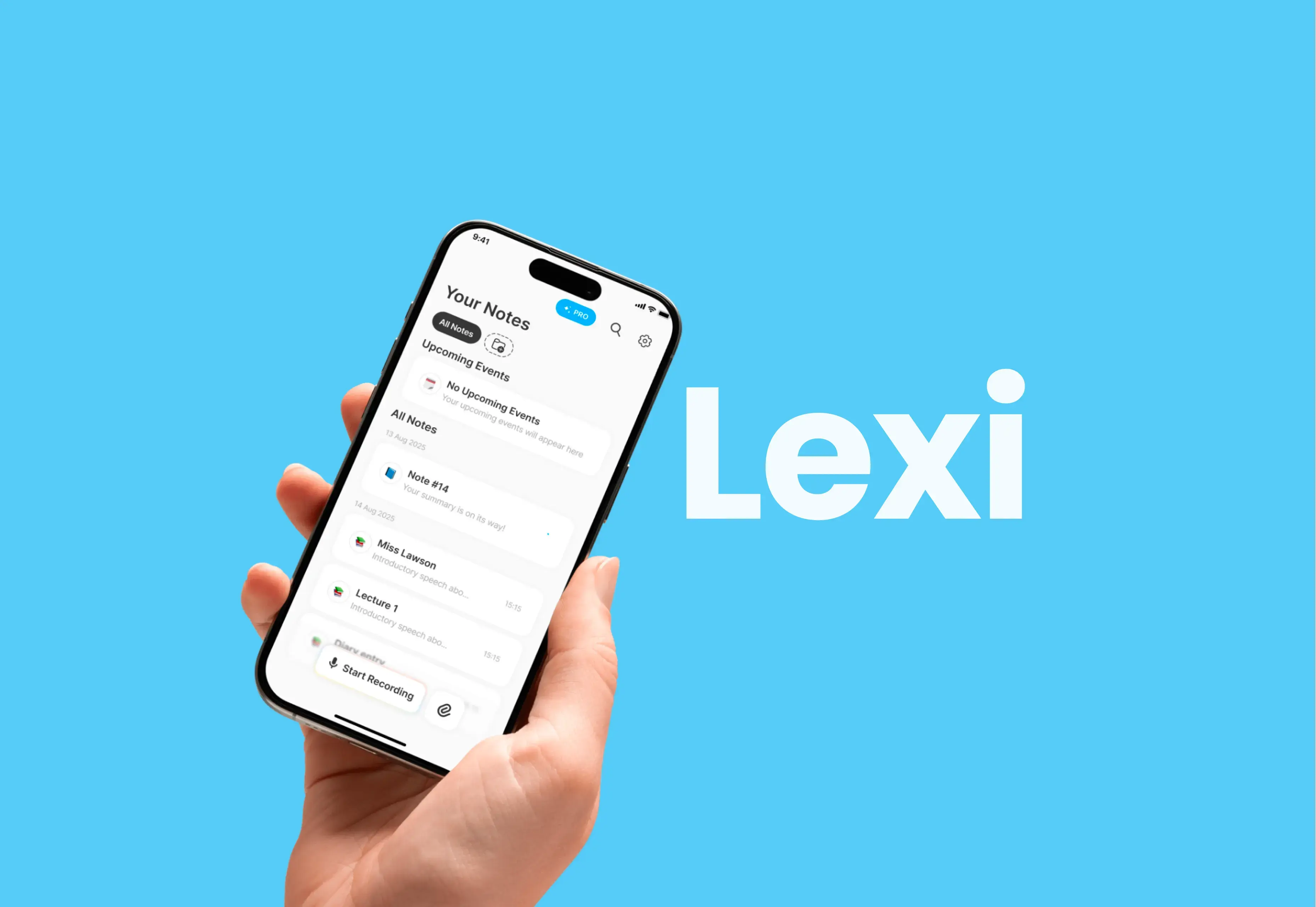
The category covers more ground than the name suggests. A minimum viable transcription app records audio and returns text. A complete product layers organization, summary, search, calendar integration, sharing, and sometimes translation. Lexi for Luni, for example, records voice notes, transcribes them in the background, generates short summaries, links recordings to calendar events, and supports audio or video file imports for transcribing existing media. That last feature, file import, is one of the quiet differentiators in this category. Many users have voice memos, podcast clips, or meeting recordings that predate the app, and importing them turns the product from a fresh notebook into a real archive tool.
The use cases divide into three patterns. The first is meeting capture, where the user wants a searchable record of what was said. The second is study or lecture, where the user wants to focus on listening and revisit later. The third is idea capture, where the user wants to think out loud and turn the result into structured notes. Each pattern has different recording, transcription, and retrieval needs, and most apps that try to serve all three end up serving none well.
The Three Stage Pipeline: Record, Transcribe, Summarize
A working voice transcription app moves audio through three stages. Each stage has its own decisions, and the choices in one stage constrain the next.
Stage | Purpose | Common Decisions |
Record | Capture audio cleanly | Format, sample rate, compression, background recording |
Transcribe | Convert speech to text | On device vs cloud, model choice, language support |
Summarize | Generate structured output from transcript | LLM choice, prompt design, summary length |
Stage 1: Recording
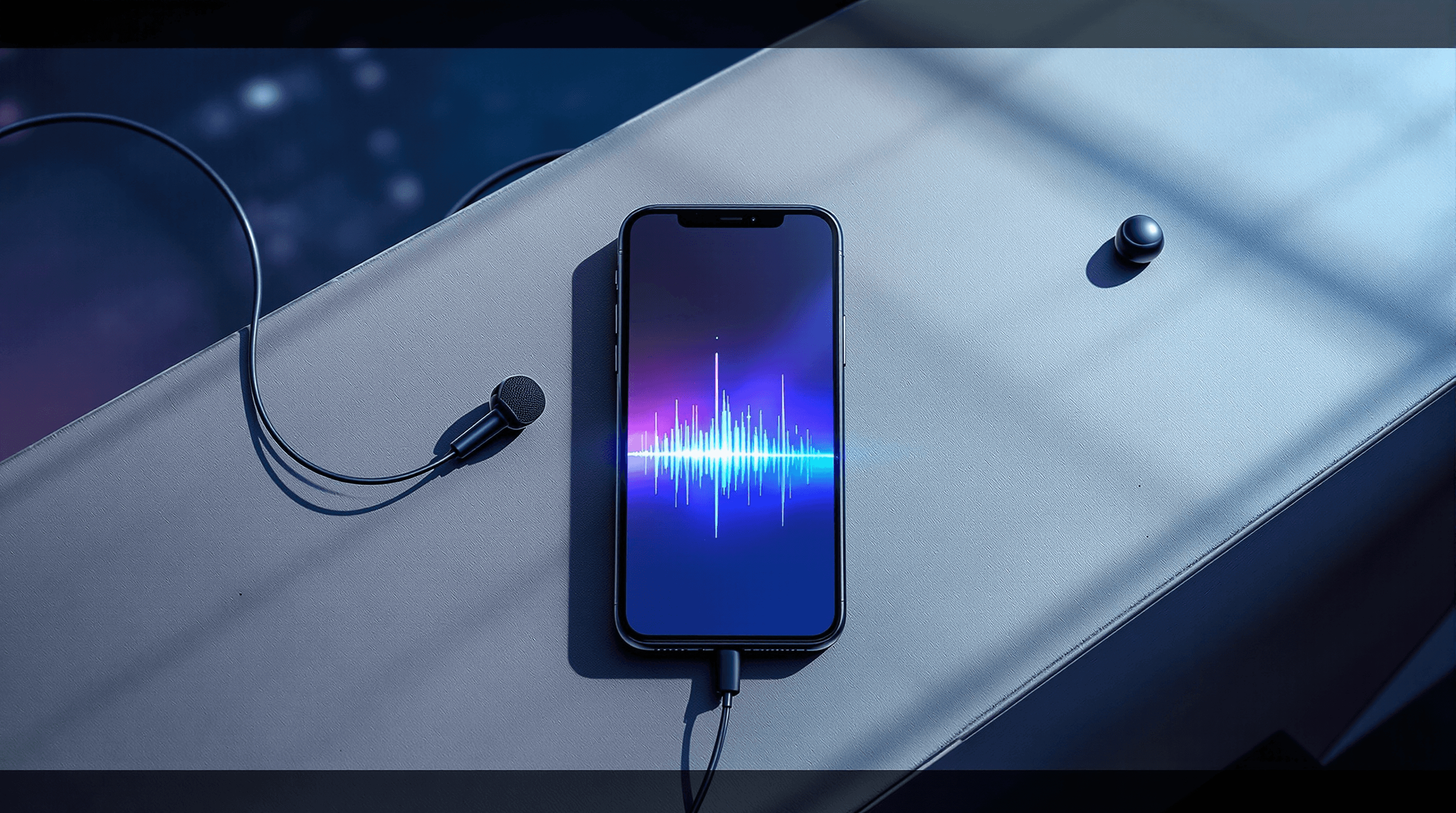
Recording is the part that founders most often underestimate. The capture flow has to handle interrupted sessions (phone calls during a meeting), background recording (the app is not in the foreground), audio format choices that balance quality with storage, and microphone permissions that vary by platform.
iOS allows background audio recording with the right capability flags, but the system can suspend the app under memory pressure. Android requires a foreground service for reliable background recording. Both platforms expect the user to grant microphone permission explicitly, and that permission flow is the first place users abandon if the app does not explain why it needs the microphone. Lexi handles this with a clean entry screen that frames recording as the core value, then asks for permission at the moment the user taps record.
Audio format also matters. Uncompressed WAV at 44.1kHz is overkill for speech and burns storage. AAC at 16kHz mono is the typical sweet spot for voice notes: small enough to store and stream, accurate enough for any modern transcription model. Apple's audio APIs (AVAudioRecorder on iOS) and Android's MediaRecorder both support this configuration with minor tuning.

Stage 2: Transcription
Transcription is where the architectural decision of on device versus cloud comes in. The choice depends on accuracy needs, privacy requirements, latency tolerance, and per request cost.
On device transcription: Apple's Speech framework on iOS and Android's SpeechRecognizer run locally. They are free, fast, and keep audio on the device. Accuracy is good for clean speech in supported languages, weaker in noisy environments, accents, or technical vocabulary. The latest iOS Speech framework supports continuous recognition and on device language models.
Cloud transcription: OpenAI's Whisper API, AssemblyAI, Deepgram, and Google Cloud Speech to Text offer higher accuracy across languages, accents, and noisy audio. Whisper Large v3 reaches near human accuracy on clean audio in dozens of languages. The tradeoff is per request cost (typically $0.006 to $0.024 per minute), network dependency, and the privacy implication of sending audio to a third party.
Hybrid: Run on device transcription first for instant results, then offer a cloud pass for accuracy improvements or for languages the device does not support well. This is the pattern most production apps converge on. The user gets a fast first transcript, and the app can promise higher accuracy as a premium feature.
For Lexi, the choice was a cloud first transcription pipeline because the use cases (meetings, lectures, ideas) need accuracy across noisy environments and varied speakers. Background processing handles the transcription while the user moves on, so the latency cost of cloud is hidden from the user experience.
Stage 3: Summarization
Summarization turns a five minute meeting transcript into a paragraph the user actually reads. The LLM choice here matters more than the transcription choice for perceived value, because the summary is what the user sees first.
Most apps in this category use one of three approaches. The first is a hosted LLM (OpenAI's GPT 4 family, Anthropic's Claude, Google's Gemini) called from the backend after transcription completes. The second is a smaller open model (Llama, Mistral) self hosted to control cost. The third is on device summarization using Apple's Foundation Models framework on iOS 18 or Google's on device Gemini Nano on Android. The on device option is new and limited, but it removes per request cost and keeps the entire flow private.
Prompt design for summarization is its own discipline. A summary that just paraphrases the transcript adds little value. A summary that extracts decisions, action items, and key questions adds significant value. The difference is in the prompt structure and in how the app sets user expectations. Lexi's summary feature is tuned for short, scannable output that fits the daily voice note use case rather than a long meeting recap.
On Device vs Cloud Transcription: Honest Tradeoffs
The decision between on device and cloud is rarely a binary. Most production apps in 2026 use both, with the user controlling when each runs. Here is the honest tradeoff matrix.
Factor | On Device | Cloud |
Accuracy on clean speech | Good | Excellent |
Accuracy on noisy or accented speech | Lower | Higher |
Latency | Instant | 1 to 30 seconds depending on length |
Per request cost | Free | $0.006 to $0.024 per minute |
Language coverage | Limited (12 to 50 depending on platform) | Broad (50 to 100+ depending on provider) |
Privacy | Audio never leaves device | Audio sent to third party |
Offline support | Full | None |
Battery cost | Higher (CPU on phone) | Lower (CPU in cloud) |
The right choice depends on the use case. A voice journaling app that targets users who care about privacy and offline use leans on device. A meeting capture app that targets professional accuracy and broad language support leans cloud. A daily voice notes app like the one we built in Lexi can use either, and the answer often comes down to monetization: cloud transcription costs the team money per user per month, so a free tier that uses on device and a paid tier that uses cloud is a clean business model.

Beyond Transcription: Organization and Retrieval
Recording and transcribing are table stakes in 2026. The features that drive retention sit one layer above: how the user finds, edits, and reuses transcripts later. This is where most products in the category differentiate.
Folders and tags are the baseline. Lexi gives users folders for sorting notes by topic and tags for cross folder grouping. Calendar sync is the next step up, and it is one of the highest value organization features in the category. A voice note recorded during a meeting becomes much more useful when it is automatically linked to the calendar event, the attendees, and the time window. Apple's EventKit and Android's CalendarContract APIs handle this connection cleanly, and the engineering work is moderate compared to the user value.
Search across transcripts is the third retrieval pattern. Once a user has 50 or 100 notes, scrolling becomes painful and search becomes essential. Full text search over transcripts is straightforward technically (SQLite FTS5 or similar) but the user expectation in 2026 is semantic search, where a query like "the conversation about pricing changes" surfaces notes that do not contain that exact phrase. Implementing semantic search requires embedding generation and a vector store, which adds complexity worth taking on once the user base is large enough to justify it.
Privacy matters here too. Where do transcripts live? On device only, in the team's backend, in a third party provider's infrastructure? Each choice carries implications for compliance, user trust, and team operations. The cleanest pattern for personal voice note apps is local first storage with optional cloud sync, which keeps the user in control while supporting cross device access for those who want it.
How to Decide What to Build
The decision framework below maps to the most common starting points for a voice transcription app in 2026.
If the use case is meeting capture for teams, build for cloud transcription, calendar integration, and shared transcripts from day one. The accuracy bar is high and the user is paying for time saved, not pennies on transcription cost.
If the use case is personal voice notes, build for fast capture and simple organization first, accuracy second.Users in this segment forgive a transcription mistake more easily than they forgive a clunky recording flow. On device transcription is often enough at the start.
If the use case is study or lecture capture, focus on long form recording stability, search, and summarization quality. These users record sessions of 30 minutes to several hours, and reliable background recording matters more than feature breadth.
If the team is targeting privacy conscious users, on device transcription is the unique selling point. The architecture changes (Whisper.cpp on device, smaller models, more capture polish) but the differentiation is real and the segment is willing to pay.
If the team is uncertain, build a hybrid with a cloud first pipeline and an on device fallback, and let user behavior tell you which side wins. This is what most successful apps in the category have done, including Lexi, where the cloud first decision lets the product work well for meetings and lectures while keeping the option open to add on device for specific privacy use cases later.
The path that fails most often is overinvesting in transcription accuracy at the expense of recording flow, organization, and summary quality. A 99% accurate transcript that takes two taps to start recording loses to a 95% accurate transcript that captures audio in one tap. The product is the whole experience, not the model. Teams that want help validating these decisions often work with mobile app development partners who have shipped voice and AI products in production.
related projects
FAQ
Should I use Whisper or Apple Speech for transcription?
What does Neon Apps bring to AI voice transcription app projects?
How much does it cost to run a voice transcription app at scale?
How does Neon Apps approach the architecture for a voice transcription app?
How long does it take to build a voice transcription app?
Stay Inspired
Get fresh design insights, articles, and resources delivered straight to your inbox.
Get stories, insights, and updates from the Neon Apps team straight to your inbox.
Latest Blogs


Stay Inspired
Get stories, insights, and updates from the Neon Apps team straight to your inbox.
Got a project?
Let's Connect
Got a project? We build world-class mobile and web apps for startups and global brands.

Neon Apps is a product development company building mobile, web, and SaaS products with an 85-member in-house team in Istanbul and New York, delivering scalable products as a long-term development partner.
Industries
Primary Services
Delivery & Product Services
Supporting Services
Development
How to Build an AI Voice Transcription App
How to Build an AI Voice Transcription App
A practical guide to building voice transcription apps in 2026, with architecture decisions and lessons from Lexi for Luni.
A practical guide to building voice transcription apps in 2026, with architecture decisions and lessons from Lexi for Luni.
How to Build an AI Voice Transcription App in 2026: Lessons from Lexi
AI voice transcription app development has changed faster than almost any other category over the last three years. The release of OpenAI's Whisper, the maturity of cloud APIs from AssemblyAI and Deepgram, and the steady improvement of on device speech recognition on iOS and Android have collapsed what used to be a hard research problem into something a focused team can ship in three months. The harder questions in 2026 are no longer about accuracy. They are about how to choose between on device and cloud transcription, how to design a recording experience that does not annoy the user, how to turn a transcript into a useful summary, and how to handle the privacy realities of audio that captures real conversations. Across the 500+ products our team has shipped, the most recent example in this category is Lexi for Luni, a voice notes app delivered in three months that records, transcribes, and summarizes daily thinking, meetings, and lectures. This guide breaks down what an AI voice transcription app actually does, the three stage pipeline behind it, and how to make the architectural decisions that ship.
The Voice Transcription App Landscape in 2026
The category has consolidated around a small number of recognizable patterns. Otter.ai, Notta, Fireflies, and tactiq lead in meetings. Voicenotes and AudioPen serve daily voice journaling and idea capture, the same segment our team built Lexi for Luni in. Speech to text features are now built into iOS notes, Android notes, and most major productivity tools. The differentiator is no longer "can we transcribe accurately." Whisper alone reaches accuracy levels that were research grade five years ago. The differentiator in 2026 is what the app does with the transcript: organize, summarize, surface, share, or integrate with the user's other tools.
The market split has been clear since 2023. Meeting focused transcription products charge per user per month, often $10 to $30, and serve teams. Personal voice note products charge $5 to $15 per month and serve individuals. The technical work is similar; the user behavior, retention pattern, and monetization model differ sharply. A team building in this category needs to choose which side of the split they are on before the architecture work starts, because the decisions cascade quickly.
The other shift is on device transcription. Apple's Speech framework has improved every year since iOS 13, and as of iOS 17 and later it is good enough for many everyday voice note use cases at zero per request cost. Android's SpeechRecognizer offers a similar baseline. The tradeoff is accuracy in noisy environments and language coverage. Most production apps in 2026 use a hybrid pattern: on device for fast first transcription, cloud for higher accuracy passes when the user wants them.
What an AI Voice Transcription App Actually Does
AI voice transcription app: A mobile app that records audio, converts speech to written text using a machine learning model, and presents the result to the user as searchable, editable, and often summarized notes. The transcription model can run on the device, in the cloud, or in a hybrid configuration, and the result is usually paired with organization features like folders, tags, or calendar links.
The category covers more ground than the name suggests. A minimum viable transcription app records audio and returns text. A complete product layers organization, summary, search, calendar integration, sharing, and sometimes translation. Lexi for Luni, for example, records voice notes, transcribes them in the background, generates short summaries, links recordings to calendar events, and supports audio or video file imports for transcribing existing media. That last feature, file import, is one of the quiet differentiators in this category. Many users have voice memos, podcast clips, or meeting recordings that predate the app, and importing them turns the product from a fresh notebook into a real archive tool.
The use cases divide into three patterns. The first is meeting capture, where the user wants a searchable record of what was said. The second is study or lecture, where the user wants to focus on listening and revisit later. The third is idea capture, where the user wants to think out loud and turn the result into structured notes. Each pattern has different recording, transcription, and retrieval needs, and most apps that try to serve all three end up serving none well.
The Three Stage Pipeline: Record, Transcribe, Summarize
A working voice transcription app moves audio through three stages. Each stage has its own decisions, and the choices in one stage constrain the next.
Stage | Purpose | Common Decisions |
Record | Capture audio cleanly | Format, sample rate, compression, background recording |
Transcribe | Convert speech to text | On device vs cloud, model choice, language support |
Summarize | Generate structured output from transcript | LLM choice, prompt design, summary length |
Stage 1: Recording
Recording is the part that founders most often underestimate. The capture flow has to handle interrupted sessions (phone calls during a meeting), background recording (the app is not in the foreground), audio format choices that balance quality with storage, and microphone permissions that vary by platform.
iOS allows background audio recording with the right capability flags, but the system can suspend the app under memory pressure. Android requires a foreground service for reliable background recording. Both platforms expect the user to grant microphone permission explicitly, and that permission flow is the first place users abandon if the app does not explain why it needs the microphone. Lexi handles this with a clean entry screen that frames recording as the core value, then asks for permission at the moment the user taps record.
Audio format also matters. Uncompressed WAV at 44.1kHz is overkill for speech and burns storage. AAC at 16kHz mono is the typical sweet spot for voice notes: small enough to store and stream, accurate enough for any modern transcription model. Apple's audio APIs (AVAudioRecorder on iOS) and Android's MediaRecorder both support this configuration with minor tuning.
Stage 2: Transcription
Transcription is where the architectural decision of on device versus cloud comes in. The choice depends on accuracy needs, privacy requirements, latency tolerance, and per request cost.
On device transcription: Apple's Speech framework on iOS and Android's SpeechRecognizer run locally. They are free, fast, and keep audio on the device. Accuracy is good for clean speech in supported languages, weaker in noisy environments, accents, or technical vocabulary. The latest iOS Speech framework supports continuous recognition and on device language models.
Cloud transcription: OpenAI's Whisper API, AssemblyAI, Deepgram, and Google Cloud Speech to Text offer higher accuracy across languages, accents, and noisy audio. Whisper Large v3 reaches near human accuracy on clean audio in dozens of languages. The tradeoff is per request cost (typically $0.006 to $0.024 per minute), network dependency, and the privacy implication of sending audio to a third party.
Hybrid: Run on device transcription first for instant results, then offer a cloud pass for accuracy improvements or for languages the device does not support well. This is the pattern most production apps converge on. The user gets a fast first transcript, and the app can promise higher accuracy as a premium feature.
For Lexi, the choice was a cloud first transcription pipeline because the use cases (meetings, lectures, ideas) need accuracy across noisy environments and varied speakers. Background processing handles the transcription while the user moves on, so the latency cost of cloud is hidden from the user experience.
Stage 3: Summarization
Summarization turns a five minute meeting transcript into a paragraph the user actually reads. The LLM choice here matters more than the transcription choice for perceived value, because the summary is what the user sees first.
Most apps in this category use one of three approaches. The first is a hosted LLM (OpenAI's GPT 4 family, Anthropic's Claude, Google's Gemini) called from the backend after transcription completes. The second is a smaller open model (Llama, Mistral) self hosted to control cost. The third is on device summarization using Apple's Foundation Models framework on iOS 18 or Google's on device Gemini Nano on Android. The on device option is new and limited, but it removes per request cost and keeps the entire flow private.
Prompt design for summarization is its own discipline. A summary that just paraphrases the transcript adds little value. A summary that extracts decisions, action items, and key questions adds significant value. The difference is in the prompt structure and in how the app sets user expectations. Lexi's summary feature is tuned for short, scannable output that fits the daily voice note use case rather than a long meeting recap.
On Device vs Cloud Transcription: Honest Tradeoffs
The decision between on device and cloud is rarely a binary. Most production apps in 2026 use both, with the user controlling when each runs. Here is the honest tradeoff matrix.
Factor | On Device | Cloud |
Accuracy on clean speech | Good | Excellent |
Accuracy on noisy or accented speech | Lower | Higher |
Latency | Instant | 1 to 30 seconds depending on length |
Per request cost | Free | $0.006 to $0.024 per minute |
Language coverage | Limited (12 to 50 depending on platform) | Broad (50 to 100+ depending on provider) |
Privacy | Audio never leaves device | Audio sent to third party |
Offline support | Full | None |
Battery cost | Higher (CPU on phone) | Lower (CPU in cloud) |
The right choice depends on the use case. A voice journaling app that targets users who care about privacy and offline use leans on device. A meeting capture app that targets professional accuracy and broad language support leans cloud. A daily voice notes app like the one we built in Lexi can use either, and the answer often comes down to monetization: cloud transcription costs the team money per user per month, so a free tier that uses on device and a paid tier that uses cloud is a clean business model.
Beyond Transcription: Organization and Retrieval
Recording and transcribing are table stakes in 2026. The features that drive retention sit one layer above: how the user finds, edits, and reuses transcripts later. This is where most products in the category differentiate.
Folders and tags are the baseline. Lexi gives users folders for sorting notes by topic and tags for cross folder grouping. Calendar sync is the next step up, and it is one of the highest value organization features in the category. A voice note recorded during a meeting becomes much more useful when it is automatically linked to the calendar event, the attendees, and the time window. Apple's EventKit and Android's CalendarContract APIs handle this connection cleanly, and the engineering work is moderate compared to the user value.
Search across transcripts is the third retrieval pattern. Once a user has 50 or 100 notes, scrolling becomes painful and search becomes essential. Full text search over transcripts is straightforward technically (SQLite FTS5 or similar) but the user expectation in 2026 is semantic search, where a query like "the conversation about pricing changes" surfaces notes that do not contain that exact phrase. Implementing semantic search requires embedding generation and a vector store, which adds complexity worth taking on once the user base is large enough to justify it.
Privacy matters here too. Where do transcripts live? On device only, in the team's backend, in a third party provider's infrastructure? Each choice carries implications for compliance, user trust, and team operations. The cleanest pattern for personal voice note apps is local first storage with optional cloud sync, which keeps the user in control while supporting cross device access for those who want it.
How to Decide What to Build
The decision framework below maps to the most common starting points for a voice transcription app in 2026.
If the use case is meeting capture for teams, build for cloud transcription, calendar integration, and shared transcripts from day one. The accuracy bar is high and the user is paying for time saved, not pennies on transcription cost.
If the use case is personal voice notes, build for fast capture and simple organization first, accuracy second.Users in this segment forgive a transcription mistake more easily than they forgive a clunky recording flow. On device transcription is often enough at the start.
If the use case is study or lecture capture, focus on long form recording stability, search, and summarization quality. These users record sessions of 30 minutes to several hours, and reliable background recording matters more than feature breadth.
If the team is targeting privacy conscious users, on device transcription is the unique selling point. The architecture changes (Whisper.cpp on device, smaller models, more capture polish) but the differentiation is real and the segment is willing to pay.
If the team is uncertain, build a hybrid with a cloud first pipeline and an on device fallback, and let user behavior tell you which side wins. This is what most successful apps in the category have done, including Lexi, where the cloud first decision lets the product work well for meetings and lectures while keeping the option open to add on device for specific privacy use cases later.
The path that fails most often is overinvesting in transcription accuracy at the expense of recording flow, organization, and summary quality. A 99% accurate transcript that takes two taps to start recording loses to a 95% accurate transcript that captures audio in one tap. The product is the whole experience, not the model. Teams that want help validating these decisions often work with mobile app development partners who have shipped voice and AI products in production.
related projects
FAQ
Should I use Whisper or Apple Speech for transcription?
What does Neon Apps bring to AI voice transcription app projects?
How much does it cost to run a voice transcription app at scale?
How does Neon Apps approach the architecture for a voice transcription app?
How long does it take to build a voice transcription app?
Stay Inspired
Get fresh design insights, articles, and resources delivered straight to your inbox.
Get stories, insights, and updates from the Neon Apps team straight to your inbox.
Latest Blogs
Stay Inspired
Get stories, insights, and updates from the Neon Apps team straight to your inbox.
Got a project?
Let's Connect
Got a project? We build world-class mobile and web apps for startups and global brands.
Neon Apps is a product development company building mobile, web, and SaaS products with an 85-member in-house team in Istanbul and New York, delivering scalable products as a long-term development partner.
Industries
Primary Services
Delivery & Product Services
Supporting Services
Development
How to Build an AI Voice Transcription App
How to Build an AI Voice Transcription App
A practical guide to building voice transcription apps in 2026, with architecture decisions and lessons from Lexi for Luni.
A practical guide to building voice transcription apps in 2026, with architecture decisions and lessons from Lexi for Luni.
How to Build an AI Voice Transcription App in 2026: Lessons from Lexi
AI voice transcription app development has changed faster than almost any other category over the last three years. The release of OpenAI's Whisper, the maturity of cloud APIs from AssemblyAI and Deepgram, and the steady improvement of on device speech recognition on iOS and Android have collapsed what used to be a hard research problem into something a focused team can ship in three months. The harder questions in 2026 are no longer about accuracy. They are about how to choose between on device and cloud transcription, how to design a recording experience that does not annoy the user, how to turn a transcript into a useful summary, and how to handle the privacy realities of audio that captures real conversations. Across the 500+ products our team has shipped, the most recent example in this category is Lexi for Luni, a voice notes app delivered in three months that records, transcribes, and summarizes daily thinking, meetings, and lectures. This guide breaks down what an AI voice transcription app actually does, the three stage pipeline behind it, and how to make the architectural decisions that ship.
The Voice Transcription App Landscape in 2026
The category has consolidated around a small number of recognizable patterns. Otter.ai, Notta, Fireflies, and tactiq lead in meetings. Voicenotes and AudioPen serve daily voice journaling and idea capture, the same segment our team built Lexi for Luni in. Speech to text features are now built into iOS notes, Android notes, and most major productivity tools. The differentiator is no longer "can we transcribe accurately." Whisper alone reaches accuracy levels that were research grade five years ago. The differentiator in 2026 is what the app does with the transcript: organize, summarize, surface, share, or integrate with the user's other tools.
The market split has been clear since 2023. Meeting focused transcription products charge per user per month, often $10 to $30, and serve teams. Personal voice note products charge $5 to $15 per month and serve individuals. The technical work is similar; the user behavior, retention pattern, and monetization model differ sharply. A team building in this category needs to choose which side of the split they are on before the architecture work starts, because the decisions cascade quickly.
The other shift is on device transcription. Apple's Speech framework has improved every year since iOS 13, and as of iOS 17 and later it is good enough for many everyday voice note use cases at zero per request cost. Android's SpeechRecognizer offers a similar baseline. The tradeoff is accuracy in noisy environments and language coverage. Most production apps in 2026 use a hybrid pattern: on device for fast first transcription, cloud for higher accuracy passes when the user wants them.
What an AI Voice Transcription App Actually Does
AI voice transcription app: A mobile app that records audio, converts speech to written text using a machine learning model, and presents the result to the user as searchable, editable, and often summarized notes. The transcription model can run on the device, in the cloud, or in a hybrid configuration, and the result is usually paired with organization features like folders, tags, or calendar links.
The category covers more ground than the name suggests. A minimum viable transcription app records audio and returns text. A complete product layers organization, summary, search, calendar integration, sharing, and sometimes translation. Lexi for Luni, for example, records voice notes, transcribes them in the background, generates short summaries, links recordings to calendar events, and supports audio or video file imports for transcribing existing media. That last feature, file import, is one of the quiet differentiators in this category. Many users have voice memos, podcast clips, or meeting recordings that predate the app, and importing them turns the product from a fresh notebook into a real archive tool.
The use cases divide into three patterns. The first is meeting capture, where the user wants a searchable record of what was said. The second is study or lecture, where the user wants to focus on listening and revisit later. The third is idea capture, where the user wants to think out loud and turn the result into structured notes. Each pattern has different recording, transcription, and retrieval needs, and most apps that try to serve all three end up serving none well.
The Three Stage Pipeline: Record, Transcribe, Summarize
A working voice transcription app moves audio through three stages. Each stage has its own decisions, and the choices in one stage constrain the next.
Stage | Purpose | Common Decisions |
Record | Capture audio cleanly | Format, sample rate, compression, background recording |
Transcribe | Convert speech to text | On device vs cloud, model choice, language support |
Summarize | Generate structured output from transcript | LLM choice, prompt design, summary length |
Stage 1: Recording
Recording is the part that founders most often underestimate. The capture flow has to handle interrupted sessions (phone calls during a meeting), background recording (the app is not in the foreground), audio format choices that balance quality with storage, and microphone permissions that vary by platform.
iOS allows background audio recording with the right capability flags, but the system can suspend the app under memory pressure. Android requires a foreground service for reliable background recording. Both platforms expect the user to grant microphone permission explicitly, and that permission flow is the first place users abandon if the app does not explain why it needs the microphone. Lexi handles this with a clean entry screen that frames recording as the core value, then asks for permission at the moment the user taps record.
Audio format also matters. Uncompressed WAV at 44.1kHz is overkill for speech and burns storage. AAC at 16kHz mono is the typical sweet spot for voice notes: small enough to store and stream, accurate enough for any modern transcription model. Apple's audio APIs (AVAudioRecorder on iOS) and Android's MediaRecorder both support this configuration with minor tuning.
Stage 2: Transcription
Transcription is where the architectural decision of on device versus cloud comes in. The choice depends on accuracy needs, privacy requirements, latency tolerance, and per request cost.
On device transcription: Apple's Speech framework on iOS and Android's SpeechRecognizer run locally. They are free, fast, and keep audio on the device. Accuracy is good for clean speech in supported languages, weaker in noisy environments, accents, or technical vocabulary. The latest iOS Speech framework supports continuous recognition and on device language models.
Cloud transcription: OpenAI's Whisper API, AssemblyAI, Deepgram, and Google Cloud Speech to Text offer higher accuracy across languages, accents, and noisy audio. Whisper Large v3 reaches near human accuracy on clean audio in dozens of languages. The tradeoff is per request cost (typically $0.006 to $0.024 per minute), network dependency, and the privacy implication of sending audio to a third party.
Hybrid: Run on device transcription first for instant results, then offer a cloud pass for accuracy improvements or for languages the device does not support well. This is the pattern most production apps converge on. The user gets a fast first transcript, and the app can promise higher accuracy as a premium feature.
For Lexi, the choice was a cloud first transcription pipeline because the use cases (meetings, lectures, ideas) need accuracy across noisy environments and varied speakers. Background processing handles the transcription while the user moves on, so the latency cost of cloud is hidden from the user experience.
Stage 3: Summarization
Summarization turns a five minute meeting transcript into a paragraph the user actually reads. The LLM choice here matters more than the transcription choice for perceived value, because the summary is what the user sees first.
Most apps in this category use one of three approaches. The first is a hosted LLM (OpenAI's GPT 4 family, Anthropic's Claude, Google's Gemini) called from the backend after transcription completes. The second is a smaller open model (Llama, Mistral) self hosted to control cost. The third is on device summarization using Apple's Foundation Models framework on iOS 18 or Google's on device Gemini Nano on Android. The on device option is new and limited, but it removes per request cost and keeps the entire flow private.
Prompt design for summarization is its own discipline. A summary that just paraphrases the transcript adds little value. A summary that extracts decisions, action items, and key questions adds significant value. The difference is in the prompt structure and in how the app sets user expectations. Lexi's summary feature is tuned for short, scannable output that fits the daily voice note use case rather than a long meeting recap.
On Device vs Cloud Transcription: Honest Tradeoffs
The decision between on device and cloud is rarely a binary. Most production apps in 2026 use both, with the user controlling when each runs. Here is the honest tradeoff matrix.
Factor | On Device | Cloud |
Accuracy on clean speech | Good | Excellent |
Accuracy on noisy or accented speech | Lower | Higher |
Latency | Instant | 1 to 30 seconds depending on length |
Per request cost | Free | $0.006 to $0.024 per minute |
Language coverage | Limited (12 to 50 depending on platform) | Broad (50 to 100+ depending on provider) |
Privacy | Audio never leaves device | Audio sent to third party |
Offline support | Full | None |
Battery cost | Higher (CPU on phone) | Lower (CPU in cloud) |
The right choice depends on the use case. A voice journaling app that targets users who care about privacy and offline use leans on device. A meeting capture app that targets professional accuracy and broad language support leans cloud. A daily voice notes app like the one we built in Lexi can use either, and the answer often comes down to monetization: cloud transcription costs the team money per user per month, so a free tier that uses on device and a paid tier that uses cloud is a clean business model.
Beyond Transcription: Organization and Retrieval
Recording and transcribing are table stakes in 2026. The features that drive retention sit one layer above: how the user finds, edits, and reuses transcripts later. This is where most products in the category differentiate.
Folders and tags are the baseline. Lexi gives users folders for sorting notes by topic and tags for cross folder grouping. Calendar sync is the next step up, and it is one of the highest value organization features in the category. A voice note recorded during a meeting becomes much more useful when it is automatically linked to the calendar event, the attendees, and the time window. Apple's EventKit and Android's CalendarContract APIs handle this connection cleanly, and the engineering work is moderate compared to the user value.
Search across transcripts is the third retrieval pattern. Once a user has 50 or 100 notes, scrolling becomes painful and search becomes essential. Full text search over transcripts is straightforward technically (SQLite FTS5 or similar) but the user expectation in 2026 is semantic search, where a query like "the conversation about pricing changes" surfaces notes that do not contain that exact phrase. Implementing semantic search requires embedding generation and a vector store, which adds complexity worth taking on once the user base is large enough to justify it.
Privacy matters here too. Where do transcripts live? On device only, in the team's backend, in a third party provider's infrastructure? Each choice carries implications for compliance, user trust, and team operations. The cleanest pattern for personal voice note apps is local first storage with optional cloud sync, which keeps the user in control while supporting cross device access for those who want it.
How to Decide What to Build
The decision framework below maps to the most common starting points for a voice transcription app in 2026.
If the use case is meeting capture for teams, build for cloud transcription, calendar integration, and shared transcripts from day one. The accuracy bar is high and the user is paying for time saved, not pennies on transcription cost.
If the use case is personal voice notes, build for fast capture and simple organization first, accuracy second.Users in this segment forgive a transcription mistake more easily than they forgive a clunky recording flow. On device transcription is often enough at the start.
If the use case is study or lecture capture, focus on long form recording stability, search, and summarization quality. These users record sessions of 30 minutes to several hours, and reliable background recording matters more than feature breadth.
If the team is targeting privacy conscious users, on device transcription is the unique selling point. The architecture changes (Whisper.cpp on device, smaller models, more capture polish) but the differentiation is real and the segment is willing to pay.
If the team is uncertain, build a hybrid with a cloud first pipeline and an on device fallback, and let user behavior tell you which side wins. This is what most successful apps in the category have done, including Lexi, where the cloud first decision lets the product work well for meetings and lectures while keeping the option open to add on device for specific privacy use cases later.
The path that fails most often is overinvesting in transcription accuracy at the expense of recording flow, organization, and summary quality. A 99% accurate transcript that takes two taps to start recording loses to a 95% accurate transcript that captures audio in one tap. The product is the whole experience, not the model. Teams that want help validating these decisions often work with mobile app development partners who have shipped voice and AI products in production.
related projects
FAQ
Should I use Whisper or Apple Speech for transcription?
What does Neon Apps bring to AI voice transcription app projects?
How much does it cost to run a voice transcription app at scale?
How does Neon Apps approach the architecture for a voice transcription app?
How long does it take to build a voice transcription app?
Stay Inspired
Get fresh design insights, articles, and resources delivered straight to your inbox.
Get stories, insights, and updates from the Neon Apps team straight to your inbox.
Latest Blogs
Stay Inspired
Get stories, insights, and updates from the Neon Apps team straight to your inbox.
Got a project?
Let's Connect
Got a project? We build world-class mobile and web apps for startups and global brands.
Neon Apps is a product development company building mobile, web, and SaaS products with an 85-member in-house team in Istanbul and New York, delivering scalable products as a long-term development partner.
Industries
Primary Services
Delivery & Product Services
Supporting Services